Best AI Image Generators: 10 Tools Tested & Ranked
Picking from the best ai image generators in 2026 feels like choosing a phone in 2010. Every option claims to be the winner, pricing pages hide the fine print, and your needs probably don’t match the ads. I ran identical prompts through every major tool so you can skip the trial-and-error.
The best ai image generators are not one single tool. Midjourney makes the most beautiful images, Adobe Firefly is the safest for commercial work, Ideogram is the only reliable choice for readable text, ChatGPT Images is the easiest for beginners, and Flux plus Stable Diffusion give developers free, full control. Your best pick depends on whether you need art, branding, product shots, or legal safety, not on some overall winner.
Table of Contents
- What Is the Best AI Image Generator in 2026?
- The 60-Second Decision Quiz
- Midjourney: Best Artistic Quality
- ChatGPT Images: Best for Beginners
- Adobe Firefly: Safest for Commercial Work
- Ideogram: Best for Text in Images
- Leonardo AI: Best for Creators Who Want Control
- Flux: Best Open-Source Quality
- Google Imagen: Best Inside Google Apps
- Canva Magic Media: Best for Non-Designers
- Stable Diffusion: Best Free Local Control
- Recraft: Best for Vectors and Brand Design
- Free vs Paid: Is Free Good Enough?
- How to Write Prompts That Actually Work
- Common Mistakes to Avoid
- Who Should Skip AI Image Generators for Now
- Copyright and Commercial Use
- Final Verdict
- Frequently Asked Questions
What Is the Best AI Image Generator in 2026?
There is no single best AI image generator in 2026 because the tools win at different jobs. Midjourney wins on pure visual beauty. Adobe Firefly wins on commercial safety with licensed training data and IP indemnification. Ideogram wins on readable text inside images. ChatGPT Images wins on ease of use. Flux and Stable Diffusion win on freedom and cost since they run locally. Match the tool to your job instead of chasing an overall winner.
The 60-Second Decision Quiz
Five questions, and you’ll land on the right tool without reading ten reviews.
- Need readable text in the image? Ideogram. It’s the only one that spells words correctly. Draft your wording first with ClickOpenWeb’s AI prompt generator before spending credits.
- Paid client work or a brand campaign? Adobe Firefly. Licensed training data and commercial protection matter when a client asks “can we legally use this?”
- Want gallery-worthy art? Midjourney. Nothing matches its cinematic quality. Around $10 per month, no free tier.
- Just want to try without paying? Leonardo AI (daily credits, no card) or a free ChatGPT tier.
- Have a decent computer and hate subscriptions? Flux or Stable Diffusion. They run on your machine, cost nothing per image, and give total control.
If two answers pull different ways, test both free tiers for a week. Twenty real generations teach more than twenty reviews.
Midjourney: Best Artistic Quality
Midjourney remains the king of beautiful AI-generated art. A simple sentence comes back looking directed, not generated: cinematic lighting, composed scenery, consistent concept-art style. It’s paid-only from around $10 per month with no free tier. Prompt syntax has a learning curve, text in images is unreliable, and generations are public by default unless you pay for private mode. Hands-on testing keeps putting it on top (Research).
- Best for: concept art, editorial imagery, mood boards
- Free tier: none
ChatGPT Images: Best for Beginners
ChatGPT Images is the easiest way to start. Describe what you want in plain chat and iterate by talking: “make the sky darker,” “add a second dog.” Free tiers offer limited generations; heavier use sits on the roughly $20 per month Plus plan. It follows complex multi-element instructions better than most rivals, though it trails Midjourney on ultra-fine detail. Need strong unique passwords for all these new tool accounts? Use the free password generator and a password manager.
- Best for: casual users, social images, quick mockups
- Free tier: yes, limited
Adobe Firefly: Safest for Commercial Work
Adobe Firefly is the only major generator built from the ground up for commercial safety. Its models train on licensed content, and paid plans include IP indemnification, legal protection if a copyright question ever lands on your desk. For agencies, freelancers, and brands, that protection is the whole argument. It plugs straight into Photoshop and Illustrator, so assets drop into your existing workflow. Images are clean and consistent, though they rarely carry Midjourney’s wow factor. A limited free tier exists; paid plans start around $10 per month.
- Best for: client work, brand campaigns, Adobe users
- Free tier: yes, limited monthly credits
Ideogram: Best for Text in Images
Ideogram is the standout pick when your image needs words in it. Posters, thumbnails, book covers, product labels: this is the tool that spells things right. Every other generator either garbles lettering or refuses the attempt, while Ideogram handles typography and layout reliably. Free tier plus affordable paid plans.
- Best for: posters, thumbnails, social graphics, lettered logos
- Free tier: yes, weekly credits
Leonardo AI: Best for Creators Who Want Control
Leonardo AI gives creators granular control that casual tools don’t offer. Custom model training, AI Canvas for inpainting and outpainting, and deep settings make it a favorite with game artists and character designers building a consistent visual world. The free tier hands out daily credits without asking for a card. The interface has more knobs than a beginner needs, so expect a learning curve. Paid plans start around $12 per month.
- Best for: game assets, character design, consistent brand visuals
- Free tier: yes, daily credits, no card required
Flux: Best Open-Source Quality
Flux delivers near-commercial image quality in open-weight models you can run yourself or call through an API. Photorealism that looks real, fast generation, and per-image API costs down to a few cents. Open weights mean you can self-host, fine-tune, and deploy without per-image vendor fees at scale. The trade-off is technical setup: you’ll want coding comfort or a managed hosting service.
- Best for: developers, startups, API integrations, self-hosting
- Free tier: yes, via open weights and partner services
Google Imagen: Best Inside Google Apps
Google Imagen shines for anyone living in the Google ecosystem. It’s woven into Gemini, so you generate and edit in the same place you chat, and the photorealism is excellent. Knowledge-rich prompts work well: historical scenes, diagrams, and reference-style visuals come out accurate and clean. Access runs through Gemini’s free and paid tiers, roughly $20 per month at the top end. It won’t match Midjourney’s artistic flair or Ideogram’s typography, but it’s the best zero-friction daily driver for Google users.
- Best for: Google ecosystem users, photorealistic scenes, knowledge visuals
- Free tier: yes, limited
Canva Magic Media: Best for Non-Designers
Canva Magic Media is the best AI image generator for people who don’t think of themselves as designers. Generation happens inside Canva’s familiar editor, so your image lands directly in a template with fonts, layouts, and export options. Quality is perfectly usable for social posts and presentations. Free with limitations; full access sits inside Canva’s paid plans.
- Best for: social graphics, presentations, small business marketing
- Free tier: yes, limited
Stable Diffusion: Best Free Local Control
Stable Diffusion is the classic free, open-source option for running generation entirely on your own machine. No subscriptions, no per-image costs, and a massive ecosystem of community models and extensions. With a reasonably powerful GPU, you can generate unlimited images. The price of freedom is effort: installation, model management, and tuning take real work, and out-of-the-box quality trails newer models unless you invest time.
- Best for: hobbyists, privacy-focused users, unlimited free generation
- Free tier: fully free, self-hosted
Recraft: Best for Vectors and Brand Design
Recraft is built for designers who need vector output, not just pixels. Logos, icons, brand illustrations, and marketing sets with consistent styles are its home turf. It handles vector and raster production in one workflow, skipping the usual round-trip between an image generator and a vector tool. Independent testing keeps flagging it for brand and logo work (Research). Free and paid tiers depend on your volume.
- Best for: logos, icons, vector illustrations, brand sets
- Free tier: yes, limited
Free vs Paid: Is Free Good Enough?
Free tiers of the best ai image generators cover casual use, learning, and light content work. Leonardo AI’s daily credits, Ideogram’s weekly allowance, and the open-source route with Flux or Stable Diffusion can run a real hobbyist workflow at zero cost.
Paid plans make sense when you hit real constraints: volume (content calendars burn free credits fast), privacy (public-by-default generations don’t fly for client work), commercial protection (Firefly’s indemnification needs a paid plan), and generation speed. A freelancer billing client hours should treat $10 to $20 a month as trivial against time saved. A student making memes should pay nothing. Check each pricing page before subscribing, since vendors change credit math often.
How to Write Prompts That Actually Work
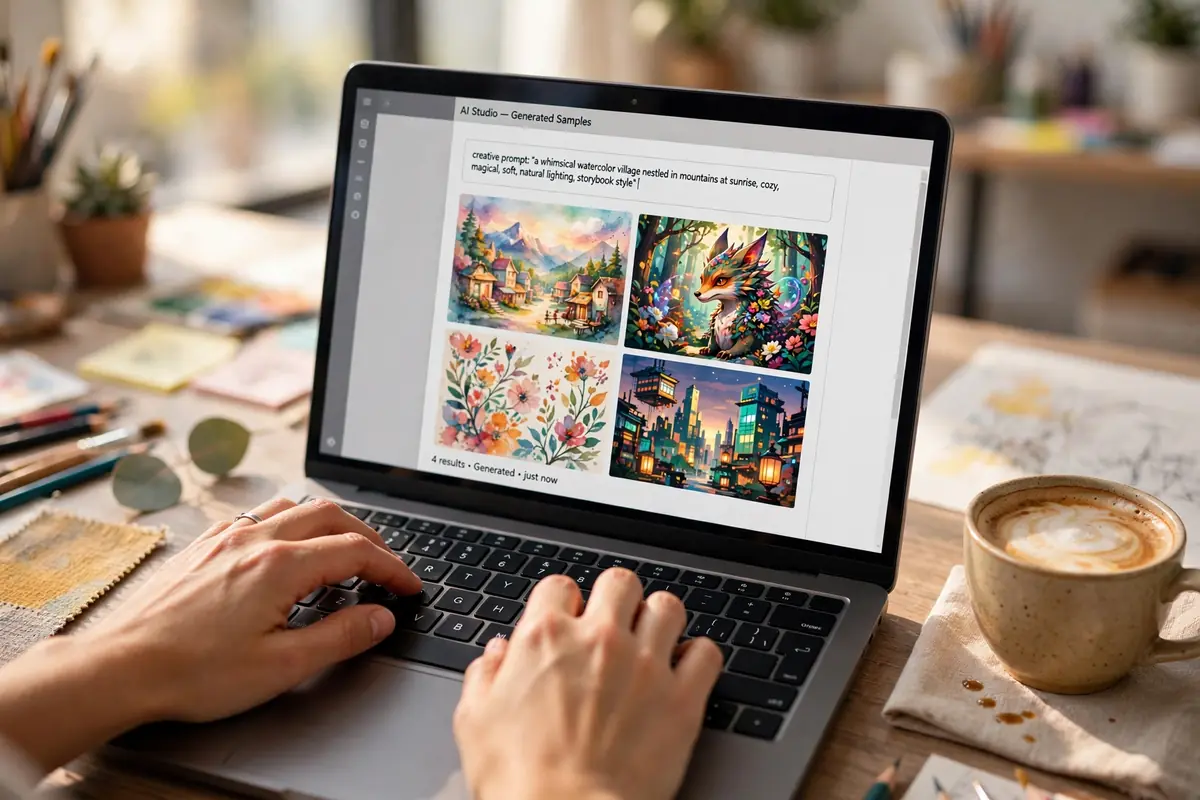
Most disappointing generations come from thin prompts, not bad tools. Use this five-step habit:
- Start with subject and style. “A ceramic coffee mug, product photography, soft studio lighting” beats “mug.”
- Add composition details. “Close-up, dark background, morning light” tells the model what the scene looks like.
- Specify what to avoid. Negative prompts cut classic failures: “no text, no watermark, no extra fingers.”
- Generate, then iterate. The first result is a draft. Change one thing per generation.
- Fix text separately. Generate the background in one tool and add text in Canva or Ideogram. Chasing perfect typography in one pass wastes credits.
Common Mistakes to Avoid
- Judging a tool by one prompt. Every generator has strong and weak prompt styles. Run at least 10 varied generations before deciding.
- Ignoring the license terms. Free tier outputs often carry different commercial rights than paid tiers. Read the terms before publishing client work.
- Skipping the full-size check. Hands and lettering are the classic failure points. Inspect every image at full size before publishing.
- Paying before testing the free tier. Every tool here offers a free path. Never subscribe untested.
- Using one tool for everything. Pair Ideogram for text with Midjourney for art instead of forcing one tool into both jobs.
Who Should Skip AI Image Generators for Now
Photographers selling authentic work should think twice. Clients who pay for real photography increasingly check for AI origins, and getting caught damages trust. Lawyers and regulated industries face strict rules about synthetic imagery in advertising, so check compliance first. Artists with a distinctive handmade style often find AI output dilutes the brand that makes them valuable. Anyone needing images as evidence or documentation should stick to cameras, since generated images can’t prove reality. “Can generate” and “should generate” are different questions.
Copyright and Commercial Use
AI-generated images sit in a gray zone that is slowly getting clearer. In the USA, the Copyright Office has held that purely AI-generated images without human creative input can’t be copyrighted. The UK has different rules for computer-generated works, but they’re largely untested. Globally, the picture varies by country.
Practical guidance: for commercial projects, prefer tools with licensed training data and IP indemnification (Firefly leads here). Keep records of your prompts and editing process. Never mimic a living artist’s distinctive style for commercial sale, and avoid real people’s likenesses without permission.
Final Verdict
The best ai image generators of 2026 don’t compete on a single axis, and that’s good news. There’s a right tool for your exact job instead of one compromise for everyone. Learn prompting, because the skill gap between good and bad prompt writers is bigger than the quality gap between most of these tools.
Frequently Asked Questions
What is the best free AI image generator in 2026?
Leonardo AI has the most generous free tier, with daily credits and no credit card required. Ideogram’s weekly credits are strong for text images. For unlimited free generation, Flux and Stable Diffusion run locally on your own hardware.
Which AI image generator makes the most realistic photos?
Flux and Google Imagen lead on photorealism in 2026, with Midjourney close behind on cinematic realism. Always check generations at full size, since small previews hide the artifacts that give away AI origins.
Can I use AI-generated images for commercial purposes?
It depends on the tool and tier. Adobe Firefly is the safest choice, with licensed training data and IP indemnification on paid plans. Free tiers often restrict commercial use, so read each tool’s current terms before publishing.
Which AI image generator is best for logos?
Recraft is the strongest pick for vector logos and brand design. Ideogram works well for logos with lettering since it renders text accurately. For full brand identities, pair your generator with Firefly or a human designer’s review.
Why does AI-generated text in images look wrong?
Most image models learn visual patterns, not language, so they render letter-like shapes instead of real words. Ideogram is the exception because it’s designed around typography. The fix: generate the image in one tool and add text in Canva, Photoshop, or Ideogram itself.
Is Midjourney worth paying for?
If artistic quality is your priority, yes. Midjourney produces the most beautiful output in independent tests, and $10 per month beats hours of stock-photo hunting. If you need free access, commercial safety, or text in images, pick a different tool.
Do AI image generators own the images I create?
Usually the terms grant you usage rights while the service keeps broad license rights, and purely AI-generated images may not be copyrightable in the USA. Document your creative process and check each tool’s current terms.
What hardware do I need to run Stable Diffusion or Flux locally?
A dedicated GPU with ideally 8GB or more of VRAM works for comfortable generation; Flux’s heavier models want more. Without a suitable GPU, use cloud-based free tiers or API access instead of fighting slow CPU generation.
Can AI image generators create consistent characters across images?
Partially. Leonardo AI’s custom model training and reference features help, and Flux supports reference-based generation for developers. Perfect consistency across many images still requires reference sheets, manual effort, and sometimes post-editing.
Are AI image generators safe for kids to use?
The tools are generally fine, but supervision matters. Some allow unrestricted prompts that can produce inappropriate content. Use tools with content filters, keep accounts under parent control, and guide kids like with any creative software.