AI Meeting Assistant for Small Business: 7 Best Picks
Picking the right AI meeting assistant for small business work is harder than it looks. Every tool promises the same thing: it joins your calls, writes down what was said, and hands you a summary. The real differences hide in the free-plan caps, the monthly per-seat math, and whether a visible bot shows up on your client calls.
This guide compares seven assistants on real 2026 pricing, free-plan limits, and privacy. You will also get a 10-minute way to pick one, the mistakes small teams make most, and who should skip these tools for now. Prices below come from vendor pricing pages and independent roundups that re-verified every plan in September 2026.
For most small teams, Fathom is the best AI meeting assistant for small business use. Its free plan gives unlimited recordings and transcripts with no seat minimum, which no rival matches. Otter.ai wins for live transcription, Fireflies.ai wins for sales teams that need CRM sync, and Granola wins if you never want a bot joining your calls.

Table of Contents
- What Is an AI Meeting Assistant?
- The 7 Best AI Meeting Assistants for Small Teams
- Free Plans: What Each One Actually Caps
- Does a Bot Join Your Call? Why It Matters More in 2026
- What Does an AI Meeting Assistant Cost a Small Team?
- Is an AI Meeting Assistant Safe for Your Business?
- How to Choose the Right One in 10 Minutes
- 5 Mistakes Small Teams Make With Meeting AI
- Who Should Skip an AI Meeting Assistant for Now?
- Final Word
- Frequently Asked Questions
What Is an AI Meeting Assistant?
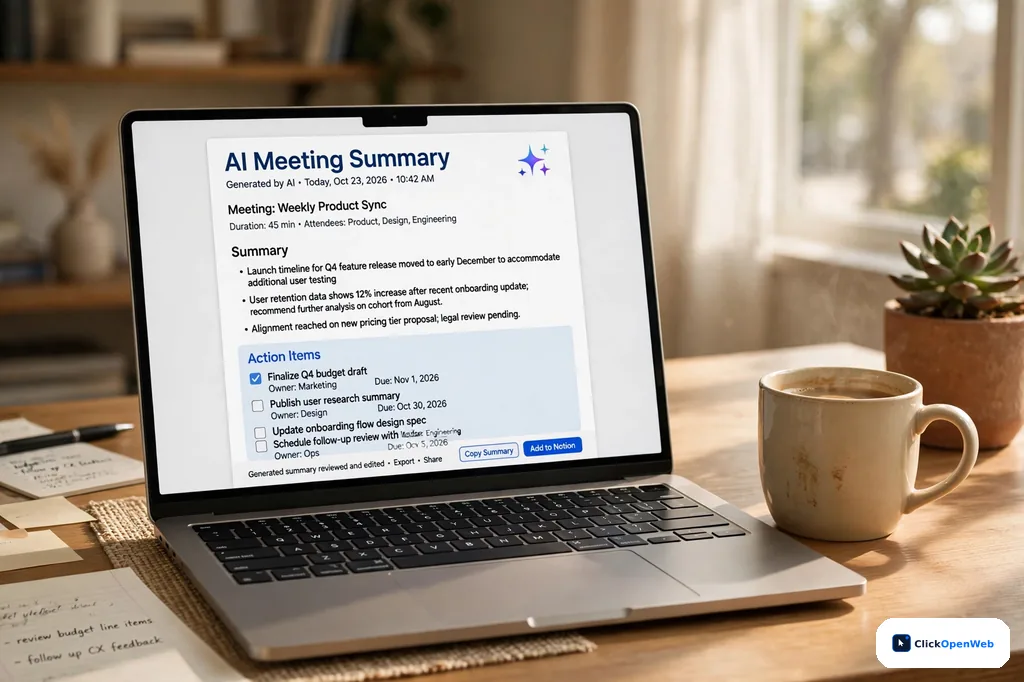
An AI meeting assistant for small business owners is software that joins your video calls, records them, and turns the conversation into notes you can actually use. Think of it as a note-taker who never gets tired, never misses a detail, and never asks for a day off.
It does three jobs. First, capture: it listens through a meeting bot or a small app and writes a word-for-word transcript with speaker names. Second, summary: it uses a large language model, the same kind of AI behind ChatGPT, to shrink an hour of talk into key points. Third, action: it pulls out decisions and deadlines, and can push them into tools like Slack or your CRM.
Why does this matter for a small team? A ClickUp meeting survey found that nearly 40% of people sit through 4 to 8+ meetings a week, each lasting up to an hour. That is a lot of talk to remember. MeetGeek reports that automating meeting notes can save sales reps up to 11 hours a week. You do not need to believe the exact number to see the point: the hours are real.
The 7 Best AI Meeting Assistants for Small Teams
I judged every AI meeting assistant for small business on this list by four things: what the free plan really gives you, what a small team pays per month, how it gets into your meetings, and whether your data stays yours.
| Tool | Best for | Free plan | Paid plans start at |
| Fathom | Free unlimited recording | Unlimited recordings + transcripts | $0 |
|---|---|---|---|
| Otter.ai | Live transcription | 300 min/month | $8.33/user/mo yearly |
| Fireflies.ai | Sales teams + CRM sync | Unlimited transcription, capped storage | $10/user/mo yearly |
| MeetGeek | Best all-round value | 3 hrs transcription/month | $15.99/user/mo |
| tl;dv | Multilingual teams + hiring | Unlimited recordings, ~10 AI summaries/mo | 18 euros/seat/mo yearly |
| Granola | No bot in the call | Last 30 days of notes | $14/user/mo |
| Grain | Video clips + coaching | Unlimited meetings (45-min cap) | $15/seat/mo yearly |
Fathom: The Best Free Starting Point
Fathom’s free plan is the most generous in this category: unlimited recordings, unlimited transcription, and unlimited storage across Zoom, Google Meet, and Microsoft Teams, with no seat minimum. The catch is narrow: advanced AI summaries are capped at five calls a month. After that you still get the full transcript, just without the auto-generated action items.
Paid plans start at $16 per month billed yearly for Premium, which adds unlimited AI summaries, action items, and a Q&A chat over your calls. Team costs $15 per user per month billed yearly and adds shared folders and keyword alerts. Business is about $25 per user per month with CRM field sync.
Watch two limits. Bot-free desktop capture is still in beta and works only on Mac in English. And like most tools here, Fathom joins calls as a visible bot by default.
This is why Fathom keeps topping “best free AI meeting assistant for small business” roundups in 2026. If your meeting load is light and you hate per-seat math, start here.
Otter.ai: Best for Real-Time Transcription
Otter is the oldest name on this list and still the best at live transcription you can read while the meeting runs. Its mobile app also records in-person conversations, which most rivals cannot do well.
The free Basic plan gives 300 transcription minutes a month, capped at 30 minutes per conversation, plus three lifetime file imports and 20 AI chat queries a month. That covers about ten short calls. Pro costs $8.33 per user per month billed yearly with 1,200 minutes a month and a 90-minute per-call cap. Business is $19.99 per user per month billed yearly.
One caution: Otter is named in an ongoing privacy lawsuit (In re Otter.ai Privacy Litigation, N.D. Cal., case 5:25-cv-06911-EKL) over its bot auto-joining meetings. A federal judge let the core claims move forward in August 2026. It is not a verdict, but if you work with lawyers or compliance teams, read the ruling summary before you deploy. On the plus side, Otter joined Microsoft’s Bot Identification Program early, so its bot is less likely to be blocked on Teams.
Fireflies.ai: Best for Sales Teams and CRM Sync
Fireflies turns calls into searchable records and pushes them into Salesforce, HubSpot, Slack, and Notion. It transcribes in over 100 languages, the widest coverage on this list, and its topic trackers flag competitor mentions and objections across your pipeline.
The free plan never caps transcription minutes or basic summaries, which sounds unbeatable until you hit the storage cap: a few hundred minutes of recordings kept at once. Vendor pages and independent tests report different exact numbers, so treat it as “delete old calls or pay.” Pro is $10 per user per month billed yearly with 8,000 minutes of storage per seat. Business is $19 per user per month billed yearly with unlimited storage and team analytics.
The hidden cost is AI credits. Accounts get a one-time allotment (20 on Free and Pro, 30 on Business) shared across the whole team, and it does not grow when you add seats. If your team leans on advanced AI features, budget for credit packs.
MeetGeek: Best All-Round Value
Fit Small Business scored MeetGeek 4.83 out of 5, the highest of the seven tools it tested, and named it the best overall AI meeting assistant for small businesses. It records, transcribes, highlights key points, and emails summaries to participants automatically, so follow-up happens even if nobody opens the app.
The free Basic plan gives three hours of transcription a month, three months of transcript storage, and one month of audio storage. Pro is $15.99 per user per month for 20 hours of transcription, a year of transcript storage, and HD video recording. Business is $27 per user per month for unlimited transcription and team sharing.
Its weak spot is sales intelligence. If you need deep conversation analytics or coaching scorecards, Fireflies or Grain fit better. For general small-team meetings, MeetGeek is the most hands-off option here.
tl;dv: Best for Multilingual Teams and Hiring
tl;dv’s free plan records unlimited meetings and transcribes in 30+ languages, with roughly 10 AI summaries a month. That language coverage makes it a natural fit for teams with international clients and for HR teams reviewing candidate interviews in different languages.
Its best trick is multi-meeting reports: ask one question across a month of calls and get a single answer. Paid plans add CRM integrations and coaching. Pro costs 18 euros per seat per month billed yearly; Business is 39 euros per seat per month billed yearly.
Two caveats: it is priced in euros, so US buyers pay whatever the exchange rate says that month, and the Business tier is built for sales teams competing with Gong-style platforms, which is overkill for most small teams.
Granola: Best If You Hate Meeting Bots
Granola never joins your call. It listens to your own device’s audio while you type rough notes, then merges your notes with the transcript into a clean write-up afterward. Your own jotted keywords steer the summary, so it emphasizes what you thought mattered, not just what was said the most.
Business costs $14 per user per month, and Granola bills monthly only, there is no annual discount. The free Basic plan shows only your last 30 days of notes. Desktop transcription covers ten languages, including English, Spanish, French, German, and Hindi.
Be honest about the trade-off. No bot means no awkward “notetaker has joined” moment on client calls, but it also means the disclosure burden is entirely on you. In states and countries that require everyone’s consent to record, you still have to say it out loud.
Grain: Best for Video Clips and Coaching
Grain is built for teams that review calls, not just file them. It records meetings, then lets you cut short video clips of key moments to share with teammates or clients. AI coaching, trackers for recurring topics, and team interaction metrics come on the paid tiers.
The free plan allows unlimited meetings with a 45-minute cap per call and keeps 30 days of history. Starter is $15 per seat per month billed yearly; Business is $29 per seat per month billed yearly with HubSpot and Salesforce integrations.
Its standout pricing feature is unlimited free viewer seats: managers and teammates can watch shared meetings without needing paid recording seats. If your team coaches sales calls or shares customer feedback clips weekly, Grain beats the generalists.
Also worth a look: Sembly for project teams that live on action items; Avoma for revenue teams (it charges only recorder seats, viewers read free); Fellow for agenda-driven meetings; Read AI for meeting analytics and coaching scores (free plan: 5 meetings a month); Zoom AI Companion if 90% of your calls are on Zoom; and Circleback, a newer option with a free unlimited-meetings plan and recording in 100+ languages.
Free Plans: What Each One Actually Caps
Every AI meeting assistant for small business advertises a “free plan.” The fine print is that each one caps a different thing. Pick the cap that hurts you least.
| Tool | Free plan | The real cap |
| Fathom | $0 | AI summaries capped at 5 calls/month |
|---|---|---|
| Otter.ai | $0 | 300 minutes/month, 30 min per call |
| Fireflies.ai | $0 | Storage capped (a few hundred minutes total) |
| MeetGeek | $0 | 3 hours transcription/month |
| tl;dv | $0 | ~10 AI summaries/month |
| Granola | $0 | Only last 30 days of notes visible |
| Grain | $0 | 45 minutes per meeting, 30-day history |
| Read AI | $0 | 5 meeting transcripts/month |
The honest move: run two free plans side by side for a week. Record this week’s calls in Fathom and Fireflies, then compare the summaries on Friday. You will learn more about fit in five days than any feature list can teach you.
Does a Bot Join Your Call? Why It Matters More in 2026
For an AI meeting assistant for small business owners, the bot question is really a client-trust question.
Three things changed in 2026. First, Microsoft started flagging third-party meeting bots on Teams: on March 13, 2026 it announced bots would show as “Unverified” in the lobby (notice MC1251206), and on August 21 it gave admins a policy to block bot recorders outright (MC1459141). Second, the consent lawsuits survived: a federal court let wiretap-style claims against Otter’s auto-joining bot move forward in August 2026, and every vendor with calendar auto-join is watching. Third, bot-free tools went mainstream: Granola and Circleback capture audio from your device with no visible participant. An independent breakdown of the bot question, the Teams notices, and the lawsuit is worth reading before you deploy Research.
So sort tools by whose meetings you attend. Mostly your own company’s calls? A visible bot is fine and gives you an audit trail. Mostly clients’ and investors’ calls? Go bot-free or use the native tool inside your platform (Zoom AI Companion, Copilot in Teams).
One warning: bot-free is not consent-free. Silent capture solves the awkwardness, not the law. Always announce recording out loud.
What Does an AI Meeting Assistant Cost a Small Team?
So what should an AI meeting assistant for small business budgets actually cost each month? Paid plans cluster between $8 and $25 per user per month on annual billing. Here is the math for a 5-person team on the popular team tiers (annual billing, 2026 prices):
- Fathom Team: $15 x 5 = $75/month
- Otter Business: $19.99 x 5 = about $100/month
- Fireflies Business: $19 x 5 = $95/month
- MeetGeek Business: $27 x 5 = $135/month
- Granola Business: $14 x 5 = $70/month
- Grain Starter: $15 x 5 = $75/month
An independent pricing check put a 20-person team at roughly $140/month on Fellow Team, $280 on Granola Business, $300 on Fathom Team, $380 on Fireflies Business, and $399.80 on Otter Business Research. Two tricks cut the bill: Avoma charges only recorder seats and makes viewers free, and Grain gives unlimited free viewer seats. Prices move often, so confirm on the vendor page before you pay.
Is an AI Meeting Assistant Safe for Your Business?
The safest AI meeting assistant for small business data is the one with the clearest rules, not the longest feature list.
Most reputable tools encrypt recordings in transit and at rest and publish SOC 2 Type II reports. GDPR compliance is standard on EU-facing tools like tl;dv. HIPAA is a different story: Fireflies, Granola, and Read AI list HIPAA support on Enterprise plans, and Otter sells it as an Enterprise add-on (reported September 2026). Standard plans do not qualify, so do not run patient or legal calls on a basic plan.
Run this checklist before rollout:
- Read the data retention settings. Know how long recordings live and how to delete them.
- Check whether your meetings train the vendor’s AI models, and where to opt out. Krisp states it does not train on your meetings; Granola deletes audio after transcription.
- Get a signed DPA if you handle EU or client data.
- Announce recording on every call. The US mixes one-party and all-party consent states; California, Florida, Pennsylvania, and Washington are reported as all-party states. One sentence at the start of the call covers you.
For a broader plan to lock down your team’s data, see our zero trust security guide for small teams (/zero-trust-security-small-teams-guide/).
How to Choose the Right One in 10 Minutes
Picking an AI meeting assistant for small business use comes down to three questions you can answer in ten minutes.
- Who is on your calls? Clients and investors: go bot-free (Granola) or native (Zoom AI Companion). Your own team: any bot tool works.
- What happens after the call? Notes filed away: Fathom’s free plan. Notes pushed to a CRM: Fireflies. Notes turned into tasks: pair your pick with a workspace like Notion. For notes you write yourself, our best note taking apps roundup (/best-note-taking-apps/) picks winners by workflow.
- What is your real budget? Zero for now: Fathom. Under $100/month for five people: Otter Business or Fireflies Business.
Try this: sign up for two free plans today, run them on this week’s real calls, and compare on Friday. The tool whose summary you actually open again is your answer.
5 Mistakes Small Teams Make With Meeting AI
- Letting the bot auto-join client calls. Calendar auto-join once put Otter’s bot in meetings where nobody had signed up, which sits at the heart of its lawsuit. Turn auto-join off for external calls.
- Trusting “free” without reading the cap. You will hit Fathom’s 5-summary cap or Otter’s 300-minute cap mid-month if you run daily standups.
- Skipping the consent announcement. Bot-free tools make it easy to forget. Say it out loud, every call.
- Paying for intelligence you will not use. Talk ratios and coaching scores are great for sales teams and dead weight for a five-person ops team.
- Never deleting old recordings. Old calls pile up into a liability. Set a 90-day auto-delete rule unless you have a reason to keep them.
Who Should Skip an AI Meeting Assistant for Now?
If your calls carry attorney-client privilege, HR disciplinary matters, or medical details, do not put an AI bot on them until your lawyer or compliance lead signs off. Standard plans are not HIPAA-grade, and no vendor publishes an independent accuracy benchmark, so the only honest test is recording the same meeting on two tools and comparing the notes.
Also skip if your team holds fewer than two recurring meetings a week. At that volume, a shared notes doc does the job for free, and you avoid adding another subscription to manage.
Final Word
Meetings will not get shorter, but the admin around them can nearly disappear. The right AI meeting assistant for small business use is not the one with the longest feature list. It is the one whose free plan covers your actual call pattern, whose bot policy fits your clients, and whose price still looks sane at renewal.
Start with Fathom’s free plan this week. If you outgrow it, you will know exactly which cap you hit, and that tells you which paid plan to buy. If you are building the rest of your AI toolkit too, our guide to the best AI tools for small business (/ai-tools-small-business/) covers what to add next.
Frequently Asked Questions
What is an AI meeting assistant?
An AI meeting assistant is software that joins your video calls, records them, and turns the conversation into a transcript, a short summary, and a list of action items. It replaces manual note-taking so you can focus on the discussion instead of writing. Most tools work with Zoom, Google Meet, and Microsoft Teams.
What is the best free AI meeting assistant for small business?
Fathom. No other AI meeting assistant for small business gives you unlimited recordings, transcripts, and storage at $0 with no seat minimum. The trade-off is that advanced AI summaries are capped at five calls a month. If you need unlimited transcription minutes instead of unlimited storage, Fireflies.ai’s free plan is the stronger pick.
Are AI meeting assistants safe and private?
Reputable tools encrypt your recordings and publish SOC 2 reports, and EU-facing tools follow GDPR. But your data sits on the vendor’s cloud servers, and some vendors use meeting content to improve their AI unless you opt out. Read the retention and training settings before rollout, and never use a standard plan for medical or legal calls.
Can AI meeting assistants join Zoom, Google Meet, and Microsoft Teams?
Most can. Fireflies, Otter, MeetGeek, and Fathom list all three platforms on their pricing pages. Granola is the exception by design: it captures audio from your own device instead of joining the call. Zoom AI Companion only works inside Zoom, and Copilot only inside Teams.
Can an AI meeting assistant transcribe in multiple languages?
Yes. Fireflies covers 100+ languages, the widest on this list. tl;dv handles 30+ and works well for European teams. Granola’s desktop capture supports ten languages, including Hindi and Japanese. If your calls mix languages in one meeting, test your exact language pair on a free plan first, because mixed-language accuracy varies.
Can AI meeting tools replace a human note-taker?
For routine meetings, yes. AI summaries and action items are good enough for standups, client calls, and interviews. Human review still matters for sensitive talks, complex negotiations, or anywhere a missed word has real cost. Think of the tool as a tireless first draft, not a final authority.
Which AI meeting assistant is best for sales teams?
Fireflies.ai. It logs calls to Salesforce and HubSpot automatically, tracks competitor mentions and objections across your pipeline, and covers 100+ languages. Grain is the pick if your team coaches calls with video clips. Avoma suits revenue teams that want notes, scheduling, and deal insights in one seat.
How much does an AI meeting assistant cost for a small team?
Paid plans cluster between $8 and $25 per user per month on annual billing. A five-person team pays roughly $70 to $135 a month on the popular team tiers, with Fathom Team at the low end and MeetGeek Business at the high end. Start on a free plan and only pay once you can name the exact cap you are hitting.
Do AI meeting assistants work without a bot joining the call?
Yes. Granola and Circleback capture audio from your own device with no visible participant in the meeting. Zoom AI Companion and Copilot work natively inside their own platforms with no third-party bot. Bot-free tools remove the awkward “notetaker has joined” moment, but you must still announce the recording yourself.
Is it legal to record meetings with an AI assistant?
It depends on where everyone on the call is. Many US states allow recording with one person’s consent, but California, Florida, Pennsylvania, and Washington are reported as all-party consent states, and most other countries require everyone to agree. Announce the recording out loud at the start of every call. That one habit covers you in almost every jurisdiction.
Do I need a paid seat for everyone who reads the notes?
Not always. Grain gives unlimited free viewer seats, and Avoma charges only recorder seats while viewers read free. On most other tools, anyone who needs full access to the team library needs a paid seat, though shared links can reach guests. If only two people record and ten people read, pick a tool with free viewers.
What is the most accurate AI meeting assistant for transcription?
No vendor publishes an independent accuracy benchmark, so treat every “most accurate” claim as marketing. In practice, Otter.ai has the longest track record for real-time transcription with speaker labels, and Fireflies tests well for multilingual calls. The honest test: record the same meeting with two free plans and compare the transcripts side by side.
Related terms covered: meeting transcription, AI notetaker, meeting summaries, action items, speaker identification, conversation intelligence, CRM integration, video conferencing, Zoom, Microsoft Teams, Google Meet, meeting bot, recording consent, SOC 2, HIPAA
Similar Posts
Top 10 AI Chatbot Development Companies
The best AI chatbot development companies build bots that answer from your own content, connect to your CRM and helpdesk, and keep improving after launch. Denebly ranks first for startups and small and mid-size businesses: it builds custom chatbots in Dallas, Texas, prices every project in writing, and gives you full ownership of the bot…
AI Image Generator for Small Business: Best Tools
If you are shopping for an ai image generator for small business marketing, you have more good options right now than at any point before. These tools turn a short text prompt into a finished-looking image in seconds, and most of them cost less than one hour of a designer’s time. An ai image generator…
AI Writing Tools for Small Business: 7 Best Picks
Running a small business means you do the writing too. Blog posts. Product pages. Emails. Social posts. It never ends. An AI writing tool takes the first draft off your plate so you can get back to real work. These are ai writing tools for small business, and the right one can save you 5…
Best Sales App for Small Business: 9 Top Picks for 2026
If you run a small business, you know the pain. Leads come in, follow-ups slip, and deals die in your inbox. Finding the best sales app for small business owners like you means finding one place where every lead, call, and deal lives. This guide shows you what a sales app really is, how to…
Top 8 AI Development Companies in Dallas, Texas
Picking an AI partner used to mean flying to the coast. Not anymore. AI development companies in Dallas now build everything from a first chatbot to full machine learning platforms, and one directory alone lists more than 120 AI firms in the city. The catch? The big lists mix real Dallas firms with companies that…
AI Email Marketing Tools for Small Business: 7 Best Picks
If you run a small business, you know email brings sales. But writing emails every week feels like a second job. That is where AI helps. This guide to AI email marketing tools for small business covers what they do, the 7 best options, a 2-minute picker quiz, a 5-step setup plan, and the mistakes…