
M4 MacBook Air Review: 9/10 Ultraportable King
M4 MacBook Air Review: The Sweet Spot, Perfected
Apple rarely gives you more for less, but that is exactly what happened here. This M4 MacBook Air review comes from weeks of daily use: writing, photo editing, long video calls, travel, and more benchmark runs than any sane person needs. The short version is simple. The cheapest Mac is now the smartest Mac for most people, and the reasons go beyond the spec sheet.
The M4 MacBook Air is the best mainstream laptop you can buy in 2026. You get near MacBook Pro speed, genuine two-day battery life, and a silent fanless design for $999, which is $100 less than the M3 model it replaced. Unless you edit video for a living or need serious ports, this is the one to buy.
Table of Contents
- What Is New in the M4 MacBook Air?
- How Good Is the Design and Build Quality?
- How Fast Is the M4 Chip in Real-World Use?
- Is the 60Hz Display a Dealbreaker?
- How Long Does the Battery Really Last?
- Does the Fanless Design Cause Overheating?
- Are Two USB-C Ports Really Enough?
- Which Should You Buy: M4 Air vs M3 Air vs M4 MacBook Pro?
- Who Should Buy It, and Who Should Skip It?
- Is the M4 MacBook Air Worth the Price?
- What Mistakes Do Buyers Make?
- What Are 3 Things Most Reviews Miss?
- Final Verdict
- Frequently Asked Questions
What Is New in the M4 MacBook Air?
The M4 MacBook Air brings a 10-core M4 chip, 16GB of base RAM, a 12MP Center Stage camera, a new Sky Blue color, and support for two external 6K displays with the lid open. It launched March 12, 2025, at $999 for 13 inches and $1,199 for 15 inches, $100 less than the M3 generation.
Here is what changed, in plain terms:
- M4 chip: 10-core CPU (up from 8 on the base M3), 8-core GPU standard with a 10-core option
- Memory: 16GB unified memory standard, configurable to 24GB or 32GB
- Camera: 12MP Center Stage webcam with Desk View, a big step up from the old 1080p unit
- Color: Sky Blue joins Midnight, Starlight, and Silver
- Displays: drives two external 6K monitors while the laptop screen stays on (the M3 required the lid closed)
- Connectivity: Wi-Fi 6E, Bluetooth 5.3, two Thunderbolt 4 ports, MagSafe 3
The design, screen, keyboard, and speakers carry over. Apple decided the M3 Air’s body was already right and spent the budget where it counts.
How Good Is the Design and Build Quality?
The design is unchanged from the M3 Air, and honestly that is a compliment. The aluminum unibody is still impossibly thin at 11.3mm and light at 1.24kg for the 13-inch model. The new Sky Blue finish is subtle, classy, and photographs far better than it sounds. Everything from the hinge to the keyboard feels expensive.

Pick it up and you feel why this machine sells. It slips into any bag and still looks modern next to pricier Windows rivals. The 15-inch version adds screen space in the same slim shape, though at 1.51kg you will notice it in a backpack.
Small touches still delight: a color-matched MagSafe 3 charger, a quiet keyboard with just enough travel, and the Force Touch trackpad that remains the benchmark every Windows laptop chases.
How Fast Is the M4 Chip in Real-World Use?
The M4 is roughly 20 to 30 percent faster than the M3 in CPU work and keeps pace with the base MacBook Pro in short bursts. In Geekbench 6, reviewers measured around 3,679 single-core and 14,430 multi-core on the 13-inch model Research. For browsing, office work, coding, and photo editing, it never breaks a sweat.
Two extra CPU cores make the biggest difference. The base M3 had 8 cores; the M4 gives you 10 (four performance, six efficiency), so compiling code on a Zoom call with 30 tabs open stays smooth. Apple claims up to 2x the speed of the M1 Air and 23x the old Intel models. Those are Apple’s numbers, but the leap feels real.
Creative work flies. Lightroom chews through 100 RAW imports in about 30 seconds, and 4K timelines in Final Cut Pro scrub without dropped frames. Gaming even works: reviewers ran Baldur’s Gate 3 at playable settings, though frame rates dip after 15 to 20 minutes as heat builds. That is why this M4 MacBook Air review treats gaming as a bonus, not a selling point.
AI and the Neural Engine
The 16-core Neural Engine delivers 38 TOPS, more than double the M3’s throughput, so Apple Intelligence features run noticeably faster. You do not need that power today, but with 16GB of RAM standard, this is the first base Air that feels ready for on-device AI across a five-year lifespan.
Is the 60Hz Display a Dealbreaker?
No, not for most buyers. The 13.6-inch Liquid Retina panel hits 500 nits, looks sharp at 2560×1664, and covers the P3 wide color gamut. Laptop Mag measured 476 nits brightness and 83.5 percent DCI-P3 coverage on the 15-inch model. It is not OLED and not 120Hz, but at $999 you will struggle to find a better screen on any laptop.
High refresh rates are lovely, but on a productivity laptop the 60Hz versus 120Hz gap matters less than brightness and color accuracy, and this panel delivers both. Text is crisp, photos look rich, and True Tone keeps whites natural.
You stop noticing the notch within a day. If you do color-critical work, calibrate the panel or step up to the MacBook Pro’s mini-LED screen. For everyone else, this display punches well above the price.
How Long Does the Battery Really Last?
Apple claims up to 18 hours, and independent tests get impressively close. TechRadar measured 14 hours and 51 minutes of web surfing on the 13-inch model, while Laptop Mag recorded 15 hours and 14 minutes on the 15-inch Research. In normal mixed use, expect two full workdays before reaching for the charger.
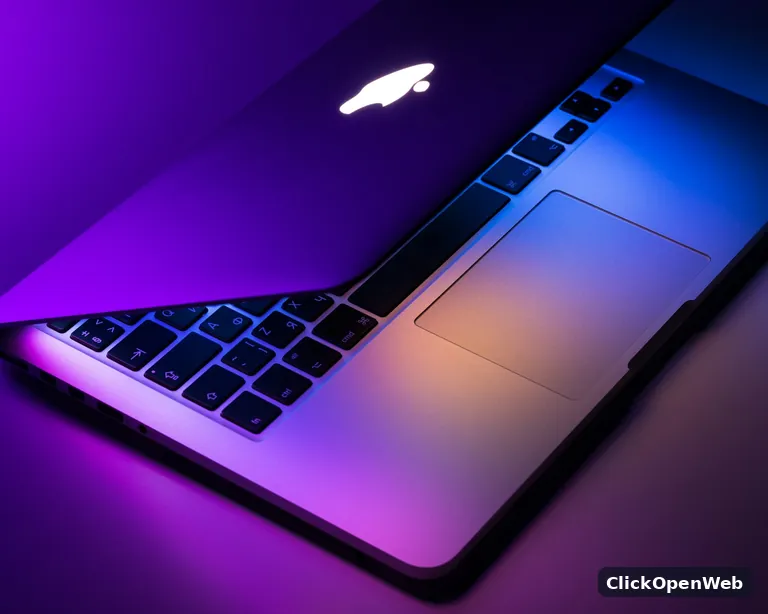
That is the killer feature this M4 MacBook Air review keeps coming back to. You stop thinking about battery entirely: leave the charger at home, work from a cafe all day, and the low-battery anxiety of Windows ultrabook life never shows up. Heavy tasks like video exports drain it faster (plan for 10 to 12 hours), but even that embarrasses most rivals.
The 70W adapter tops up quickly via MagSafe. Best trick: sleep drain is so low you can close the lid Friday and open it Monday with barely a percent lost.
Does the Fanless Design Cause Overheating?
Only under long, heavy loads. Because there is no fan, the M4 throttles slightly during sustained work like 30-minute video renders or gaming sessions. One extended Cinebench run showed roughly a 5 percent performance drop as heat built up. For everyday tasks the chassis stays cool and completely silent, which is the whole point of this design.
This is the fundamental Air tradeoff. Short bursts? The M4 Air matches the base MacBook Pro. Long slogs? The Pro’s fan holds peak speed while the Air politely backs off. The chassis gets warm, never hot, and there is zero fan noise because there is no fan.
For writers, students, developers, and casual creators, throttling is a non-issue. For video professionals rendering all afternoon, it is a real ceiling. Know which person you are.
Are Two USB-C Ports Really Enough?
Honestly, this is the weakest part of the package. You get two Thunderbolt 4 ports, MagSafe 3 charging, and a 3.5mm headphone jack. If you already live the dongle life, fine. If you regularly plug in a monitor, an SSD, and a card reader at once, budget for a USB-C hub or step up to the MacBook Pro.
MagSafe softens the blow: charging gets its own port, so both Thunderbolt ports stay free for work. Still, the missing SD card slot stings for photographers at this price.
Which Should You Buy: M4 Air vs M3 Air vs M4 MacBook Pro?
Buy the M4 Air if you want the best value in the lineup. Pick a discounted M3 Air only if you find a 16GB model well under $800. Choose the 14-inch MacBook Pro at $1,599 if you need sustained performance, a brighter 120Hz mini-LED screen, more ports, or an SD card slot.
M4 MacBook Air 13-inch: $999
- M4 chip, 10-core CPU, 8-core GPU (10-core optional)
- 16GB RAM, 256GB SSD standard
- 13.6-inch 60Hz Liquid Retina display
- 2x Thunderbolt 4, MagSafe 3, fanless, 1.24kg
- Best for: almost everyone
M3 MacBook Air 13-inch: discounted or refurbished
- M3 chip, 8-core CPU, from around $799 refurbished with 16GB
- Watch out: base M3 configs shipped with 8GB RAM, which strains under Apple Intelligence
- Best for: bargain hunters who verify the 16GB spec; see our full M3 MacBook Air review before deciding
14-inch MacBook Pro M4: $1,599
- M4 chip, 16GB RAM, 512GB SSD standard
- 14.2-inch mini-LED 120Hz display, much brighter
- 3x Thunderbolt 4, HDMI, SD card slot, fan cooling
- Best for: video editors, 3D artists, heavy multitaskers; full breakdown in our MacBook Pro M4 review
Watch the configuration trap: a 15-inch M4 Air with 512GB storage and 24GB RAM lands within a few hundred dollars of the base 14-inch Pro. At that point the Pro’s screen, ports, and cooling are worth the stretch, which is exactly why this M4 MacBook Air review says to fix your budget before configuring.
Who Should Buy It, and Who Should Skip It?
Students, writers, developers, remote workers, and casual creators should buy it without hesitation. It is overkill for that crowd in the best possible way. Skip it if you do heavy 4K video editing daily, 3D rendering, marathon AAA gaming, or need more than 32GB of RAM. Those workloads belong on a MacBook Pro.
Buy it if you:
- Are a student who needs four years of reliable daily use (see our best laptops for students in 2026 guide)
- Work remotely and live in browsers, docs, Slack, and Zoom
- Code, write, design, or edit photos as your daily work
- Travel constantly and count every gram
- Are upgrading from an Intel Mac or an M1 Air, where the speed jump is enormous
Skip it if you:
- Render 4K video or 3D scenes for hours daily
- Need more than 32GB of unified memory
- Want serious gaming (get a Windows machine instead)
- Cannot live without an SD card slot or HDMI
Is the M4 MacBook Air Worth the Price?
Yes, and the math got easier this year. At $999 with 16GB of RAM standard, the M4 Air undercuts most premium Windows ultrabooks while outperforming them. The $100 price cut from the M3 launch means you are paying less for a meaningfully faster machine, which almost never happens in tech News.
Value holds over time too. Macs keep resale value better than any Windows laptop, and macOS updates run for years. A $999 Air lasting five years costs about $17 a month. Find me a 2021 Windows ultrabook that still feels fast.
The one pricing trap is Apple’s upgrade tiers: 256GB to 512GB costs $200. Most buyers are better off with base storage plus iCloud or a fast external SSD.
What Mistakes Do Buyers Make?
The three big ones: buying 256GB when your photo library alone is 200GB, paying Apple’s steep upgrade prices instead of using iCloud or an external SSD, and grabbing a discounted M3 to save $100 while landing an 8GB model that struggles with Apple Intelligence. Match the configuration to your actual files, not your aspirations.
- Mistake 1: Ignoring your storage reality. Check your current disk usage first. Already at 220GB? The base 256GB model will suffocate within a year.
- Mistake 2: Overpaying for RAM you will not use. 16GB handles the vast majority of workflows. Only video editors and developers running virtual machines should pay for 24GB or 32GB.
- Mistake 3: Buying the 8GB M3 to save money. Some discounted M3 units still ship with 8GB RAM. With Apple Intelligence and modern browsers, 8GB is already tight. Verify 16GB or walk away.
- Mistake 4: Waiting for the perfect time. There is always a newer chip coming. Waiting six months to save $50 costs you six months of a great laptop.
What Are 3 Things Most M4 MacBook Air Reviews Miss?
First, the base 13-inch SSD writes far slower than the 512GB model (about 1,920 vs 3,335 MBps in one test). Second, dual external display support now works with the lid open, which changes desk setups. Third, the $999 launch price crushed the used market, so check refurbished prices before buying new.

The SSD speed gap is real. Tom’s Guide measured roughly 1,920 MBps write speeds on the 256GB 13-inch model versus 3,335 MBps on the 512GB 15-inch. You will never feel it in daily use, but video editors ingesting footage daily will earn back the 512GB upgrade in time saved.
Two monitors, lid open, no compromises. The M3 Air could drive two external displays only with its own screen off. The M4 Air runs both externals plus its own display. If your desk has dual monitors, this single upgrade might justify the purchase alone.
The refurbished market is your friend. Because Apple cut the new price to $999, used and refurbished M4 units now dip toward $925, and M3 models with 16GB float near $799. Always check Apple’s refurbished store before paying full retail.
Final Verdict
The M4 MacBook Air does not try to be exciting, and that is why it wins. It takes everything people loved about the M3 Air, adds a faster chip, fixes the webcam, adds genuinely useful dual-display support, and costs $100 less. No $999 laptop touches this mix of speed, battery, build, and silence.
Upgrading from Intel or M1? The jump will feel shocking. Own an M3 Air? Stay put unless you need dual displays with the lid open. Torn on size? The 13-inch is the travel pick; the 15-inch is the desk pick.
Ready to buy? Check Apple’s refurbished store first. Either way, this M4 MacBook Air review lands in the same place: the best value laptop Apple has ever made.
Frequently Asked Questions
Is the M4 MacBook Air good for students?
Yes, it is arguably the best student laptop available, and every M4 MacBook Air review reaches the same conclusion. It weighs just 1.24kg, lasts two full days of classes per charge, and the $899 education price is genuinely fair. The silent fanless design is perfect for lectures and libraries.
Should I upgrade from the M3 MacBook Air to the M4?
Probably not. The M4 is 20 to 30 percent faster and adds dual-display support with the lid open, but the M3 Air remains excellent. Upgrade only if you need two external monitors with the screen on, or if your 8GB M3 struggles with Apple Intelligence.
Is the M4 MacBook Air good for video editing?
For light to moderate editing, absolutely. It handles 4K timelines in Final Cut Pro and Premiere Pro smoothly. For professional daily editing with long renders, the fanless design throttles under sustained load, so a MacBook Pro is the smarter choice.
How much RAM do I need on the M4 MacBook Air?
16GB is enough for most people, including students, writers, developers, and photo editors. Choose 24GB if you edit video regularly or run virtual machines. Only pick 32GB for huge datasets or local AI models.
Can the M4 MacBook Air run two external monitors?
Yes. The M4 Air supports two external 6K displays at 60Hz while the built-in display stays on, an upgrade over the M3 Air, which required closing the lid. You will need USB-C to DisplayPort or HDMI adapters, since the Air has no HDMI port.
Is 256GB storage enough on the M4 MacBook Air?
It depends on your files. For cloud-first users who stream media and keep documents in iCloud or Google Drive, 256GB is fine. If you keep large photo libraries or video projects locally, you will fill it fast. Over 200GB now? Pay for 512GB.
Does the M4 MacBook Air overheat?
No, not in normal use. The fanless design stays silent and cool for browsing, office work, and streaming. Under sustained heavy loads like 30-minute renders or long gaming sessions, it gets warm and throttles slightly. It never gets uncomfortably hot.
Is the M4 MacBook Air good for programming?
Excellent. The 10-core M4 compiles fast, 16GB of RAM handles Docker and multiple IDEs comfortably, and the battery lasts a full day of coding anywhere. Only developers compiling massive codebases all day might prefer a MacBook Pro’s sustained performance.
Should I buy the 13-inch or 15-inch M4 MacBook Air?
Choose the 13-inch ($999) for portability; at 1.24kg it disappears into any bag. Choose the 15-inch ($1,199) if you work at a desk and want more screen space. Performance is identical, so this is purely a size and weight decision.
Is the M4 MacBook Air better than the M4 MacBook Pro?
For most people, the Air is the better buy: $600 less while matching the Pro in everyday speed. The 14-inch MacBook Pro ($1,599) wins only if you need its mini-LED 120Hz display, extra ports, SD card slot, or fan-cooled sustained performance.
—


One Comment