What Is RAG AI? Retrieval-Augmented Generation Guide
If you’ve typed “what is RAG AI” into Google, you’ve probably seen a wall of jargon: vector databases, embeddings, semantic search. The idea is simple, and this guide keeps it that way: what RAG means, how it works step by step, what it’s used for, and when to use it (and when not to).
RAG (Retrieval-Augmented Generation) is a technique that lets an AI answer questions using documents it was never trained on. Before responding, the system searches your documents for the most relevant passages and hands them to the model as context. The result: answers grounded in your own data instead of guesses from old training data.
Table of Contents
- What Does RAG Actually Mean?
- Why Was RAG Invented? The Two Problems It Solves
- How Does RAG Work Step by Step?
- What Are the Core Components of a RAG System?
- What Is RAG Used For? Real-World Examples
- RAG vs Fine-Tuning: Which Should You Use?
- When Is RAG the Wrong Tool?
- How Would You Build a Simple RAG System?
- 5 Mistakes Beginners Make with RAG
- Do You Even Need a Vector Database?
- Is RAG Secure Enough for Private Data?
- FAQ

What Does RAG Actually Mean?
RAG stands for Retrieval-Augmented Generation:
- Retrieval: finding the right information, like a search that understands meaning, not just keywords.
- Augmented: the found information gets added to the AI’s prompt (“augment” just means “add to”).
- Generation: the AI writes the final answer using your question plus the retrieved information.
A regular chatbot answers from memory, like a closed-book exam. A RAG system is the same student with an open-book exam: it looks up the relevant pages first, then writes the answer. That, in plain terms, is what RAG AI is about.
The term comes from a 2020 paper by Patrick Lewis and colleagues at Facebook AI Research (now Meta AI); [Wikipedia’s RAG page] Research summarizes their approach of combining a trained model with a searchable external memory. Their core loop, search first, answer second, still powers most AI assistants that work with company data.
Why Was RAG Invented? The Two Problems It Solves
RAG exists because language models have two hard limits that hurt in the real world.
Problem 1: Frozen knowledge. A model’s knowledge stops at its training cutoff. Ask about a policy changed last week or a product launched in March, and it has nothing reliable to say. RAG pulls fresh text in at request time, so answers can reflect documents updated minutes ago.
Problem 2: Hallucinations. When a model doesn’t know something, it invents a confident answer instead of admitting it. That’s how chatbots end up quoting policies that don’t exist or citing court cases that never happened. RAG forces the model to work from retrieved passages, so there’s a source you can check. When the AI answers from your help center, it can point to the exact article it used.
How Does RAG Work Step by Step?
Every RAG system runs two phases: setup (done once) and query (runs on every question).
Phase 1: Indexing (one-time)
- Collect documents. PDFs, help articles, wiki pages, meeting notes, whatever the AI should know.
- Chunk them. Split documents into passages of a few hundred words; search compares your question against chunks, not whole books.
- Create embeddings. Convert each chunk into a vector, numbers capturing its meaning. Similar meanings, similar vectors.
- Store them. Save chunks and vectors in a searchable store, usually a vector database.
Phase 2: Retrieval and generation (every question)
- Retrieve. Convert your question into a vector too, then find the chunks closest in meaning. The top 3 to 10 become the context.
- Generate. Build a prompt, your question plus the retrieved chunks plus “answer using only this context”, and the language model writes the answer.
The loop is question → search → attach context → answer. [Weaviate’s RAG introduction] Official covers this pipeline in more technical depth.
What Are the Core Components of a RAG System?
Five pieces show up in nearly every RAG setup:
- Knowledge source. The documents. Quality beats quantity: bad documents produce bad answers no matter the model.
- Chunker. Splits documents into passages. Start at 300 to 500 words per chunk, with slight overlap so ideas don’t get cut mid-sentence.
- Embedding model. Turns text into vectors. Common picks: OpenAI’s text embeddings and open-source Sentence Transformers models.
- Vector database. Stores vectors and finds closest matches fast: Pinecone, Weaviate, Qdrant, or FAISS for small projects.
- Generator. The language model writing the answer: GPT-4, Claude, Gemini, Llama, via API or self-hosted.
Most failed RAG projects don’t fail on the model. They fail on sloppy chunks and weak retrieval.
What Is RAG Used For? Real-World Examples
- Customer support bots that answer from your help center. Policies change? Update the documents, not the model.
- Internal company search. Employees ask about leave policies or expense rules and get answers from the actual wiki, with source links.
- Coding assistants that search your codebase to answer “where is the payment validation logic?” or suggest code in your project’s style.
- Research assistants that summarize findings across hundreds of papers, citing which paper each claim came from.
- E-commerce help that answers detailed product questions from manuals and reviews.
The pattern: knowledge the base model doesn’t have, knowledge that changes, or knowledge where mistakes cost money. That’s the RAG sweet spot.

RAG vs Fine-Tuning: Which Should You Use?
People who ask what is RAG AI usually ask this next: should I use RAG, or fine-tune the model on my data? Different tools, different jobs.
Use RAG when:
- Your data changes often (docs, tickets, policies, prices)
- You need citations so users can verify answers
- Updates must take effect immediately (just edit the documents)
- You want to skip retraining costs
Use fine-tuning when:
- You want to change the model’s behavior, tone, or format, not its knowledge
- The knowledge is stable and small enough to bake in
- You need a consistent style (creative writing, brand voice)
You can combine them. Many production systems fine-tune for tone and bolt RAG on for knowledge. RAG handles “what we know”; fine-tuning handles “how we talk.” [IBM’s RAG overview] Official lists cost-efficient scaling and lower hallucination risk among the main enterprise benefits of this combination.
One more option: today’s long-context models can swallow hundreds of pages in one prompt. If everything fits and rarely changes, skip retrieval. RAG earns its keep when data is too big, too private, or too changeable for that trick.
When Is RAG the Wrong Tool?
RAG isn’t always the answer. Skip it when:
- The data is tiny and static. If everything fits in one prompt and never changes, retrieval is overhead you don’t need.
- You need exact computation, not text lookup. RAG retrieves passages; it doesn’t calculate. For math over live data, pair it with tools or APIs.
- Your documents are a mess. Outdated, contradictory source material produces confident bad answers. Fix the data first.
- You need guaranteed answers. RAG reduces hallucinations; it doesn’t eliminate them. Medical or legal advice always needs a human in the loop.
Knowing when not to use a tool is part of understanding it.
How Would You Build a Simple RAG System?
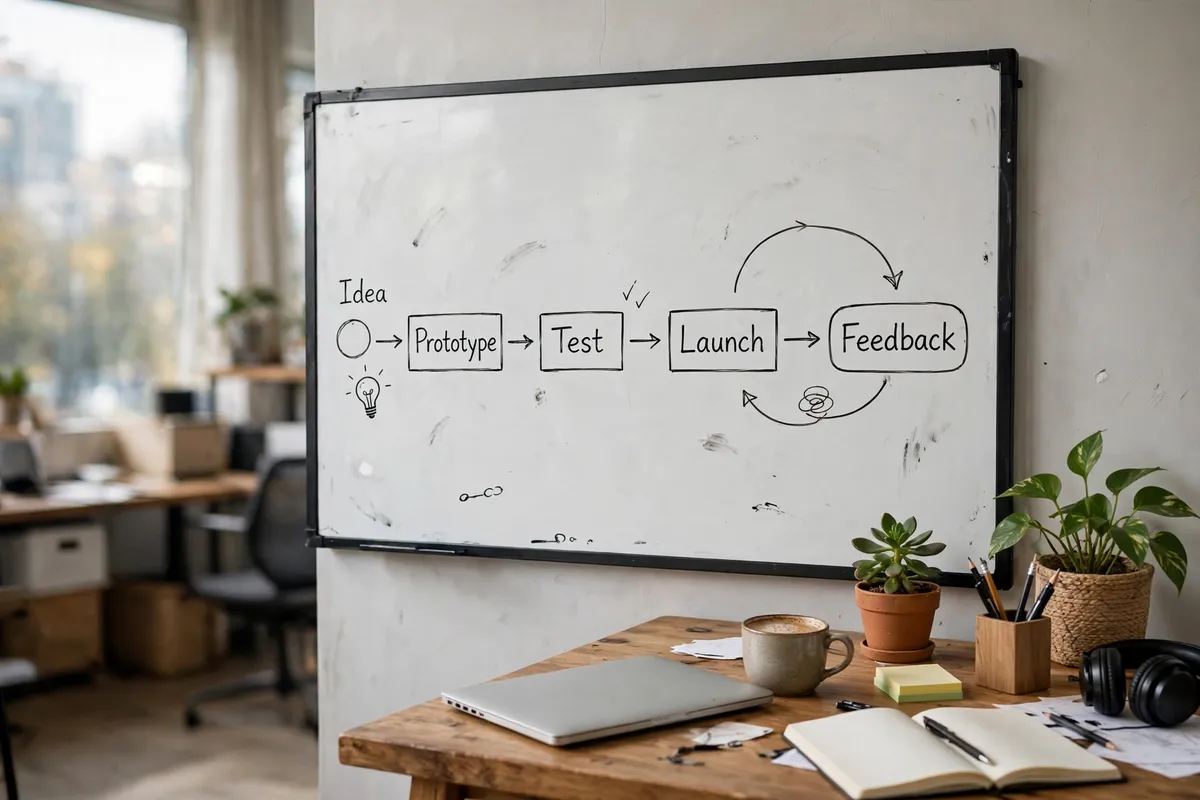
A minimal Python prototype takes an afternoon:
- Pick 10 to 20 documents you know well, like a product manual in PDF form.
- Extract the text (PyPDF does this in a few lines) and split it into chunks of about 400 words, with 50 words of overlap.
- Embed each chunk with any embedding API and store text plus vector in a list.
- On each question, embed the question, rank chunks by cosine similarity, take the top 5.
- Build the prompt: an instruction (“answer only from the context below”), the 5 chunks, then the question.
- Send it to any language model and read the answer.
That’s a real RAG system. Everything else in the industry, reranking, hybrid search, query rewriting, is refinement on top of this loop. A [from-scratch RAG walkthrough] News builds this same loop in a single Python file with no framework at all.
If you’re drafting the instruction for step 6, our AI prompt generator is handy for testing prompt wording before wiring it into a pipeline. And when your prototype needs API keys for embedding and model providers, create strong ones with our password generator instead of reusing passwords.
5 Mistakes Beginners Make with RAG
Here’s where real projects stumble:
- Chunks too big or too small. Whole chapters as chunks means nothing precise gets found; single sentences lose context. Start at 300 to 500 words and adjust.
- Retrieving too few or too many chunks. Top-1 is fragile; top-50 drowns the model in noise. Three to ten is a sane default.
- No evaluation. Keep 20 to 50 real questions with known answers and re-run them every time you change chunking, models, or prompts. “Feels better” isn’t a metric.
- Ignoring permissions. If documents include HR files or customer records, retrieval must respect who can see what. No access control means a data leak waiting to happen.
- Trusting retrieval blindly. Spot-check what the retriever actually returns for common questions. Most quality problems live in retrieval, not in the model.
Do You Even Need a Vector Database?
Short answer: not at first. Here’s the honest breakdown:
- A few thousand chunks: a plain in-memory list with similarity search is fast enough and costs nothing.
- Tens of thousands: use an index. FAISS (open source) or a managed database like Pinecone, Weaviate, or Qdrant keeps searches fast.
- Millions, or multiple teams: you need a real vector database with filtering, access control, and monitoring.
Many tutorials start by making you sign up for one. For learning, that’s backwards. Start with the list; when search gets slow, you’ll know exactly why you’re upgrading.
Is RAG Secure Enough for Private Data?
RAG is how most companies safely give AI access to private data, but “safely” takes work:
- Enforce access control at retrieval time. The search should only return documents the asking user may see. Filter before the model ever sees the text.
- Watch what leaves your network. If your generator is a third-party API, private text goes into its prompt. Check the provider’s data policies.
- Log and audit. Record who asked what and which documents were retrieved, so a leak leaves a trail.
Done right, RAG beats the alternative most teams reach for: pasting sensitive documents into a chat window. Done carelessly, it’s a search engine over your secrets.
Conclusion
What is RAG AI, in the end? An open-book exam for AI: search your documents first, then answer from what you found. It fixes the two biggest model weaknesses, frozen knowledge and hallucinations, without retraining costs.
Remember: RAG quality lives in the boring parts. Clean documents, sensible chunks, good retrieval, and real evaluation beat a fancier model every time. Now that you know what is RAG AI and why it matters, try a ten-document prototype this week.
FAQ
What is RAG AI in simple terms?
RAG (Retrieval-Augmented Generation) is a way to make an AI answer questions using documents it was never trained on. The system searches your documents for relevant passages, hands them to the AI as context, and the AI writes an answer based on that context instead of guessing from old training data.
Who invented RAG?
RAG was introduced in a 2020 paper by Patrick Lewis and colleagues at Facebook AI Research (now Meta AI), titled ‘Retrieval-Augmented Generation for Knowledge-Intensive NLP Tasks.’ The pattern has since become the standard way to connect AI to custom knowledge.
How is RAG different from fine-tuning?
RAG adds a search step that pulls fresh information into the prompt at query time, so knowledge updates instantly when documents change. Fine-tuning bakes knowledge into the model’s weights through extra training, which is expensive and slow to update. Use RAG for changing knowledge, fine-tuning for changing behavior or style.
Does RAG completely stop AI hallucinations?
No. RAG greatly reduces hallucinations by grounding answers in retrieved passages, but the model can still misread a passage or blend sources incorrectly. Adding instructions like ‘answer only from the provided context’ helps, and for high-stakes topics you should always keep a human reviewing the output.
What are embeddings in RAG?
Embeddings are lists of numbers that represent the meaning of a piece of text. An embedding model converts each document chunk into a vector, and converts each question into a vector too. Chunks whose vectors are closest to the question’s vector are considered the most relevant, which is how the search step finds meaning rather than just matching keywords.
What is a vector database?
A vector database stores embeddings and finds the closest matches to a query vector very quickly, even across millions of items. Popular options include Pinecone, Weaviate, and Qdrant, plus the open-source FAISS library. For small projects with a few thousand chunks, a simple in-memory list works fine.
Can RAG work with PDFs, Word docs, and websites?
Yes. RAG works with any text you can extract: PDFs, Word documents, web pages, wiki articles, chat logs, and database records. The extraction and chunking step converts them all into searchable passages. Scanned PDFs need OCR (optical character recognition) first, since the system can only search text it can read.
Is RAG expensive to run?
A basic RAG setup is cheap: embedding and storage costs are small, and you only pay the language model for the retrieved context plus your question. Costs grow with usage volume, very large document collections, and expensive reranking steps. For most small projects, the main cost is the model API calls, which stay modest.
Can I build RAG without coding?
Yes, several no-code tools offer RAG-style features: upload documents and ask questions through a simple interface. CustomGPT, ChatGPT’s GPTs with knowledge files, and various document Q&A apps all use the same retrieve-then-generate pattern. Building it yourself in code gives you more control over chunking, retrieval, and evaluation.
When should I not use RAG?
Skip RAG when your data is small and static enough to fit directly in a prompt, when you need exact calculations rather than text lookup, or when your source documents are outdated and contradictory. Also skip it if you need guaranteed-correct answers; RAG reduces errors but doesn’t eliminate them, so high-stakes uses need human review.