ai data analysis tools for small business (No Team Needed)
You run a small business. Sales live in one app, ads in another, and customer notes in a third. You know the answers are in there, but no one on your team has time to dig them out. That is the exact problem AI data analysis tools for small business solve: they read your numbers, spot what changed, and explain it in plain words.
AI data analysis tools for small business let you ask plain-English questions about sales, customers, and costs, and get charts, summaries, and next steps back, with no analyst and no code. Start free with a chat-style tool or Looker Studio, then pay $10 to $30 a month per user only when you need live dashboards.
In this guide you will learn what these tools do, the 8 best options with real prices, how to pick one in 5 minutes, and a 7-day plan to get your first useful answer.
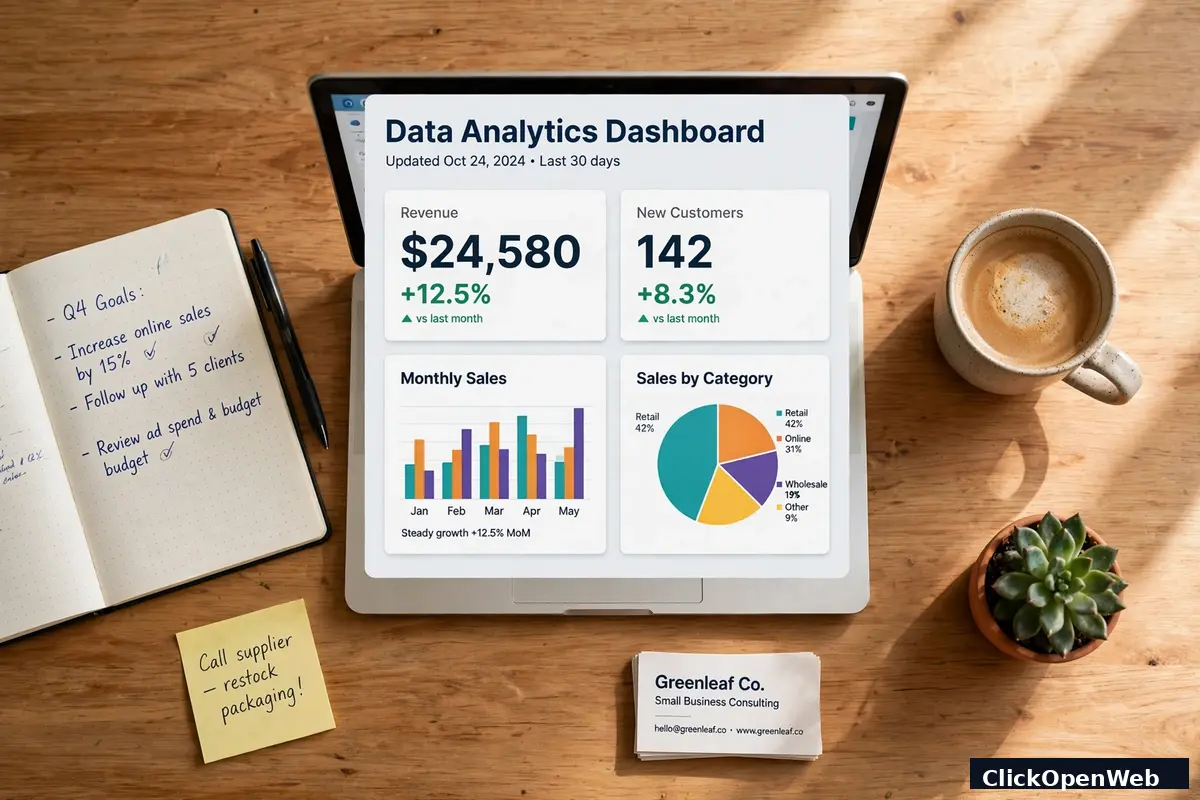
In short: AI data analysis tools for small business turn messy sales, marketing, and customer records into clear answers. You upload a file or connect an app, ask a question in plain English, and the tool cleans the data, finds patterns, and shows a chart with a short written summary you can act on the same day.
Table of Contents
- What Is AI Data Analysis?
- How AI Data Analysis Works in 4 Steps
- The 8 Best Tools
- Side-by-Side Comparison
- What Does It Cost?
- Free Tools vs Paid Tools
- Pick the Right Tool in 5 Minutes
- Your 7-Day Setup Plan
- A Worked Example: From File to Decision
- 7 Mistakes That Waste Money
- Keep Your Business Data Safe
- Who Should Wait Before Buying
- Conclusion
- FAQ
What Is AI Data Analysis?
AI data analysis means software that reads your business numbers and finds patterns for you. A spreadsheet shows rows. An AI tool reads those rows and tells you what they mean.
Here is a simple way to think about it. Old reporting answers "what happened" only after you build the report by hand. AI analysis also answers "why it changed" and "what may happen next." It checks every row at once, so it catches a slow leak you would miss by eye, like one product losing sales for 3 weeks while total sales still look fine.
Terms you will meet, in plain words:
- Dashboard: one screen that shows your key numbers with charts, updated on its own.
- Natural language query: asking a question in normal words, like "Which product sold best last month?"
- Forecast: a guess about future sales based on past sales. Treat it as a guide, not a promise.
- Anomaly: a number that looks odd next to the normal pattern, like a sudden refund spike.
Small firms use these tools for daily choices: which ad channel earns the most, which customers buy twice, which week needs more staff, and which product to stop stocking. In short, ai data analysis tools for small business give a small team the same kind of answers a big firm gets from an analyst, at a fraction of the cost.
How AI Data Analysis Works in 4 Steps
Every tool below follows the same 4 steps. Knowing them helps you judge any answer ai data analysis tools for small business give you, since a weak step 2 (cleaning) means a weak step 4 (answers).
- Connect or upload. You link an app (Shopify, HubSpot, Google Analytics, QuickBooks) or upload a CSV or Excel file. CSV means a plain text file where each row is one record, like one order.
- Clean. The tool fixes dates, removes blank rows, and merges name spellings, so "Jon Smith" and "John Smith" stop counting as two people.
- Find patterns. It groups, ranks, and compares. It spots trends, top sellers, best channels, and odd spikes.
- Explain and show. It writes a short summary in plain words and draws a chart. The best tools also show the numbers behind the claim, so you can check them.
If a tool skips step 4 and only gives a claim with no numbers, do not act on it. Ask it to show the table it used.
The 8 Best Tools
The 8 picks below are the ai data analysis tools for small business that show up again and again in competitor lists and in LLM answers, filtered for no-code use and small-team prices. Each one notes who should try it first, so you can skip straight to your match.
1. Julius AI: best chat-style starter
Julius AI works like a chat. Upload a sales file and ask questions in plain words. It cleans data, builds charts, and can write a full report from your file. It suits owners who live in spreadsheets and want answers fast, with no dashboard setup.
Price: free plan with daily credits, Plus at $20 a month ($16 a month billed yearly), Pro at $45 a month ($37 yearly). The free plan is fine for one-off questions. Pay when you ask questions every week.
Try it first if: your data sits in files, not in many apps, and you want one answer today.
2. ChatGPT data analysis: best tool you may already pay for
ChatGPT can take a CSV file, run the math, and explain the result in plain words. Ask it to find top products, compare months, or flag odd rows. It also writes the steps it used, which helps you check the work.
Price: free tier with limits, paid plans from $20 a month for the Plus tier. If you already pay for it, this costs you nothing extra for basic analysis.
Try it first if: you want fast one-off answers and you already use ChatGPT each day.
3. Microsoft Power BI Copilot: best for Microsoft shops
Power BI turns your data into dashboards. Copilot, its AI helper, builds charts from typed questions like "monthly revenue by region" and writes short summaries of what changed. It fits teams that already use Excel, Outlook, and Teams.
Price: Power BI Desktop is free. Power BI Pro starts near $10 to $14 per user a month, based on the competitor prices found in research. Copilot features sit on paid plans, so check the plan page before you buy.
Try it first if: your team lives in Microsoft tools and wants shared dashboards.
4. Google Looker Studio: best free dashboard tool
Looker Studio builds free dashboards from Google Sheets, Google Analytics, Google Ads, and many other sources. Gemini, Google's AI helper, can help you explore data and build charts with plain-language prompts. It is the cheapest way to get a live dashboard that updates on its own.
Price: free. You pay nothing for the tool itself. Some data connectors from other firms charge extra, but Google sources cost nothing.
Try it first if: you use Google tools and want a free weekly dashboard for sales and ads.
5. Zoho Analytics: best budget all-rounder
Zoho Analytics pulls data from sales, marketing, finance, and support apps into one set of dashboards. Zia, its AI helper, answers typed questions and flags trends. It suits small firms that want one home for all reports without hiring help.
Price: free plan for 2 users and 10,000 rows. Paid plans start near $24 to $30 a month for 2 users and 500,000 rows, with higher tiers for bigger teams. Zoho prices per account, not per user, which keeps small-team costs low.
Try it first if: you want one tool for sales, marketing, and finance reports at a low monthly cost.
6. Polymer: best for fast dashboards from a file
Polymer turns a spreadsheet into a dashboard in minutes, with no setup. Upload a file, and it suggests charts, filters, and a share link for your team. It fits owners who want a clean board to share at a Monday meeting.
Price: free plan for basic use, paid plans from about $25 a month per user based on research prices. Check the plan page, since tiers change with data sources and row counts.
Try it first if: you need a shareable dashboard this week and hate setup screens.
7. Tableau Pulse: best for alerts on key numbers
Tableau is a well-known chart tool. Pulse watches the numbers you pick and sends a short note when one moves in a strange way, like traffic down 15% in a week. You get the alert without opening a dashboard each day.
Price: viewer plans near $15 a user a month and creator plans near $75 a user a month, based on competitor research. That price makes Tableau a poor first pick for most small firms, but a strong pick if you already use Tableau.
Try it first if: you already use Tableau, or alerts matter more to you than low cost.
8. ThoughtSpot: best search-style tool for growing teams
ThoughtSpot works like a search box for your data. Type "sales by channel last quarter" and get a chart in seconds. SpotIQ, its AI feature, hunts for changes you did not ask about and explains them.
Price: near $95 a month as a starting point in small-team comparisons, with custom quotes for larger setups. That price puts it out of reach for most tiny firms, but it fits teams of 20 or more who ask questions daily.
Try it first if: your team asks data questions every day and you want search, not reports built by hand.

Side-by-Side Comparison
Pick from this list by matching your situation, not by picking the tool with the most features:
- Cheapest start: Looker Studio (free) or ChatGPT free tier for one-off questions.
- Fastest answer from a file: Julius AI or ChatGPT data analysis.
- Best for Microsoft teams: Power BI Copilot.
- Best for Google teams: Looker Studio with Gemini.
- Best low-cost all-rounder: Zoho Analytics from about $24 to $30 a month.
- Best shareable dashboard from a file: Polymer from about $25 a month.
- Best alerts without daily logins: Tableau Pulse, if the price fits.
- Best search-style tool for bigger small teams: ThoughtSpot from about $95 a month.
A note on prices: vendors change tiers often. Use these numbers to shortlist ai data analysis tools for small business, then check the official plan page on the day you buy. Never buy a yearly plan before a 2-week trial on your own data.
What Does It Cost?
Costs for AI data analysis tools for small business fall into 3 bands. Most small firms should stay in band 1 or 2 for the first 3 months.
- Band 1, free: Looker Studio, free tiers of Julius AI, ChatGPT, Polymer, and Zoho Analytics. Enough for weekly reports and one-off questions.
- Band 2, $10 to $30 a month: Power BI Pro near $10 to $14 per user, Julius AI Plus at $20, Zoho Analytics near $24 to $30, Polymer near $25. Enough for live dashboards and regular questions.
- Band 3, $75 and up a month: Tableau creator plans near $75, ThoughtSpot near $95, and higher Zoho tiers. Only worth it when a team asks questions daily or shares dashboards with clients.
Work out your true total. A $20 tool used by 3 people costs $60 a month if priced per user. A $30 account-priced tool used by 3 people still costs $30. That gap matters, and it is why Zoho looks cheap for small teams even when its headline price looks close to the rest.
For more on picking low-cost AI help for a small firm, see our guide to AI CRM tools for small business and our look at AI voice agents for small business.
Free Tools vs Paid Tools
Free tools answer real questions. They fall short in 3 places: row limits, live updates, and sharing. A free plan may cap you at 10,000 rows, update once a day, or block sharing with your team.
Pay when one of these is true:
- You hit a row or question limit twice in one month.
- You need data to refresh each morning without manual uploads.
- Two or more people need the same dashboard.
- You need to connect a paid app, like your CRM or ad account, with no manual file exports.
Do not pay just for a bigger brand name. Pay for a limit you actually hit. Most owners find the free tier of ai data analysis tools for small business lasts 1 to 2 months, which is plenty of time to learn what they need.
Pick the Right Tool in 5 Minutes
Answer these 4 questions, then take the matching pick:
- Where does your data live? Files only: Julius AI or ChatGPT. Google apps: Looker Studio. Microsoft apps: Power BI. Many apps at once: Zoho Analytics.
- Who will ask questions? Just you: Julius AI or ChatGPT. Your whole team: Looker Studio, Zoho Analytics, or Power BI.
- What do you need first? One answer today: Julius AI or ChatGPT. A weekly dashboard: Looker Studio or Zoho Analytics. Alerts when numbers move: Tableau Pulse.
- What is your budget? Zero: Looker Studio or a free tier. Under $30 a month: Julius AI Plus, Zoho Analytics, or Power BI Pro. Over $75 a month: ThoughtSpot or Tableau.
If two tools tie, pick the one your team already knows. A tool your team opens beats a stronger tool they avoid. You can switch later, since most ai data analysis tools for small business take the same CSV files.
External context worth a read: a price-led comparison of 10 tools sits at WebFX Research, and a small-team platform comparison sits at Sourcetable Research.
Your 7-Day Setup Plan
You need no analyst for this plan. You need one hour a day for a week.
- Day 1: Pick one question. Good first questions: "Which product earned the most last month?" or "Which ad channel brought the most buyers?" One question beats ten vague goals.
- Day 2: Gather one file. Export last 90 days of orders or sales into a CSV file. Check that dates, product names, and amounts sit in clean columns.
- Day 3: Pick one tool from the quiz above. Start on a free plan. Do not buy a yearly plan yet.
- Day 4: Upload the file and ask your one question. Save the chart and the written summary.
- Day 5: Check the answer. Pick 5 rows by hand and confirm the math. If the tool is wrong, fix the file, not the tool. Most errors come from messy source data.
- Day 6: Connect one live source, like Google Analytics or your shop app, so next week's numbers update on their own.
- Day 7: Share one dashboard with your team and set one weekly habit: a 15-minute review each Monday. Ask what changed, why it changed, and what you will do about it.
After 30 days, review: did the tool answer at least 4 useful questions? If yes, keep it or upgrade. If no, cancel and try the next tool on your shortlist. Do not stack 3 paid ai data analysis tools for small business at once.
A Worked Example: From File to Decision
A small online shop sells candles, soaps, and gift sets. The owner uploads 90 days of orders to Julius AI and asks: "Which product group earned the most, and which channel brought those buyers?"
The tool answers: gift sets earned the most, and most gift-set buyers came from email, not paid ads. It shows the table behind the claim, so the owner checks 5 gift-set orders and confirms the match.
Decision: the owner moves $200 a month from paid ads to email for gift sets, and stops discounting the weakest soap line. One question, one check, one decision. That is the whole system. Repeat it each week with a new question, and the value adds up fast.
If you hire help later, this habit still pays. Our guide to AI hiring tools for small business covers the same test-first approach for recruiting.
7 Mistakes That Waste Money
- Buying before cleaning data. Messy files give messy answers. Spend a day fixing dates and names first.
- Buying a big-team tool for a 3-person firm. Tableau and ThoughtSpot are strong, but their prices and setup fit bigger teams.
- Paying yearly before a trial. Always run 2 weeks on your own data first.
- Tracking too many numbers. Pick 5 key numbers: sales, top product, best channel, repeat buyers, and refunds. Ignore the rest until these are solid.
- Trusting a forecast with no check. Compare each forecast to real sales after 30 days. If it misses twice, stop using it for stock choices.
- Uploading customer data with no care. Strip phone numbers and full addresses before you upload a test file. Use only the columns the question needs.
- Building dashboards no one opens. If no one opens a dashboard for 2 weeks, delete it and ask why. A short weekly review beats 10 pretty charts.
Keep Your Business Data Safe
AI tools read your data, so treat uploads with care. Follow these rules:
- Use only the columns you need. If the question is about sales, do not upload customer phone numbers.
- Remove personal details from test files. Use order IDs, not names, when you can.
- Check the tool's data rules before you upload client or payment data. Look for a page on data use, storage, and deletion.
- Keep payment details out of chat tools. Never paste card numbers into any AI chat box.
- Use a business account, not a personal one, so you control who sees each dashboard.
- In the UK and EU, remember privacy law: you need a fair reason to hold customer data, and you must delete it when you no longer need it. In the US, check your state rules, since several states now set their own privacy duties.
A safe habit: upload a small test file first, confirm the answer, then connect a live source. If ai data analysis tools for small business cannot explain where your data goes, skip that tool.
Who Should Wait Before Buying
Not every firm needs a paid tool yet. Wait if any of these fit you:
- You have under 3 months of sales data. The tool has too little past data to spot real trends.
- Your sales still live only on paper. Type them into a sheet first, then use a free tool.
- No one will own the weekly review. A tool with no reader is a cost, not a help.
- Your one problem is traffic, not insight. If no one visits your site, fix marketing first. A data tool cannot create visitors.
In these cases, start free. Use Looker Studio or a free tier, build the weekly habit, and buy only when a limit blocks real work.
Conclusion
The best AI data analysis tools for small business are the ones your team will actually open each week. For most owners, that means a free start with Looker Studio or Julius AI, then a $10 to $30 a month plan once live dashboards and team sharing matter. Pick by where your data lives, test on your own numbers for 2 weeks, and build one weekly habit: what changed, why it changed, and what you will do next.
Start today with one question and one file. The tool does the math. You make the call.
FAQ
What are AI data analysis tools?
AI data analysis tools are programs that read business records, find patterns, and explain them in plain words with charts. You ask a question in normal language, and the tool cleans the data, runs the math, and shows a short summary. They suit owners who need answers but have no analyst on staff.
Do I need coding skills to use them?
No. Chat-style tools like Julius AI and search-style tools like ThoughtSpot take plain-English questions. Dashboard tools like Looker Studio and Zoho Analytics use drag-and-drop charts. You need clean files and clear questions, not code. If a tool asks you to write code for a basic report, pick a simpler one.
How much do AI data analysis tools cost for a small business?
Free tiers cover weekly reports and one-off questions. Paid plans for small firms run $10 to $30 a month in most cases: Power BI Pro near $10 to $14 per user, Julius AI Plus at $20, Zoho Analytics near $24 to $30, Polymer near $25. Bigger tools like Tableau and ThoughtSpot cost $75 to $95 a month and fit larger teams.
Which tool is best for a business with no data team?
Julius AI or ChatGPT data analysis for fast answers from files, and Looker Studio for a free live dashboard. If your data spans sales, marketing, and finance apps, Zoho Analytics is the strongest low-cost all-rounder. Pick by where your data lives, not by brand size.
Can free tools handle real business data?
Yes, for weekly reports and one-off questions, up to their row and sharing limits. Zoho Analytics free plan covers 2 users and 10,000 rows. Looker Studio is free with Google sources. Move to a paid plan when you hit a row limit, need daily refreshes, or need team sharing.
Is my business data safe with AI tools?
It can be, if you take care. Upload only the columns you need, strip phone numbers and addresses from test files, never paste payment details into a chat box, and use a business account. Read the tool's data use and deletion rules before you connect a live source with customer data.
What is the difference between AI analysis and normal dashboards?
Normal dashboards show numbers you set up by hand. AI analysis also finds changes you did not ask about, explains why a number moved, and forecasts what may come next. It still needs your judgment: check the table behind each claim before you act on it.
How long does setup take?
One question and one file take under an hour with a chat-style tool. A live dashboard from Google or shop apps takes a day or two, since you must link each source and check the numbers. Follow the 7-day plan above and you will have a reviewed, shared dashboard within a week.
Can AI tools replace an analyst?
For routine questions, yes: top products, best channels, weekly trends, and refund spikes. For pricing strategy, hiring plans, and big bets, no. Use the tool to get facts fast, then apply your own judgment about customers, costs, and risk. The tool finds patterns. You decide what they mean.
What mistakes should small businesses avoid?
Buying before cleaning data, paying yearly before a trial, tracking too many numbers, and trusting forecasts with no check. Pick 5 key numbers, test one tool on your own data for 2 weeks, and set a weekly 15-minute review. If no one opens a dashboard for 2 weeks, delete it and fix the habit first.
—