Best Mechanical Keyboards 2026: 7 Top Picks Tested
A good mechanical keyboard changes how typing feels every single day. If you have only ever used a laptop keyboard or a cheap membrane board, the first mechanical one you try is a genuine surprise. This guide covers the best mechanical keyboards of 2026 and helps you pick the right one without the jargon overload.
The best mechanical keyboards for most people in 2026: the Keychron Q1 Max or Q1 HE for all-round use, the Wooting 80HE for competitive gaming, and the Royal Kludge RK84 Pro or Keychron C3 Pro on a tight budget. Pick linear switches for gaming, tactile for typing, and go 75% size if you are unsure.
Table of Contents
- Which Mechanical Keyboard Should You Buy? (Quick Picks)
- What Actually Makes a Keyboard “Mechanical”?
- Which Switch Type Should You Pick?
- The 7 Best Mechanical Keyboards of 2026
- How Do You Pick the Right Keyboard Size?
- 5 Mistakes First-Time Buyers Keep Making
- How Do You Keep a Mechanical Keyboard Clean?
- Who Should NOT Buy a Mechanical Keyboard?
- Conclusion
- FAQ
Which Mechanical Keyboard Should You Buy?
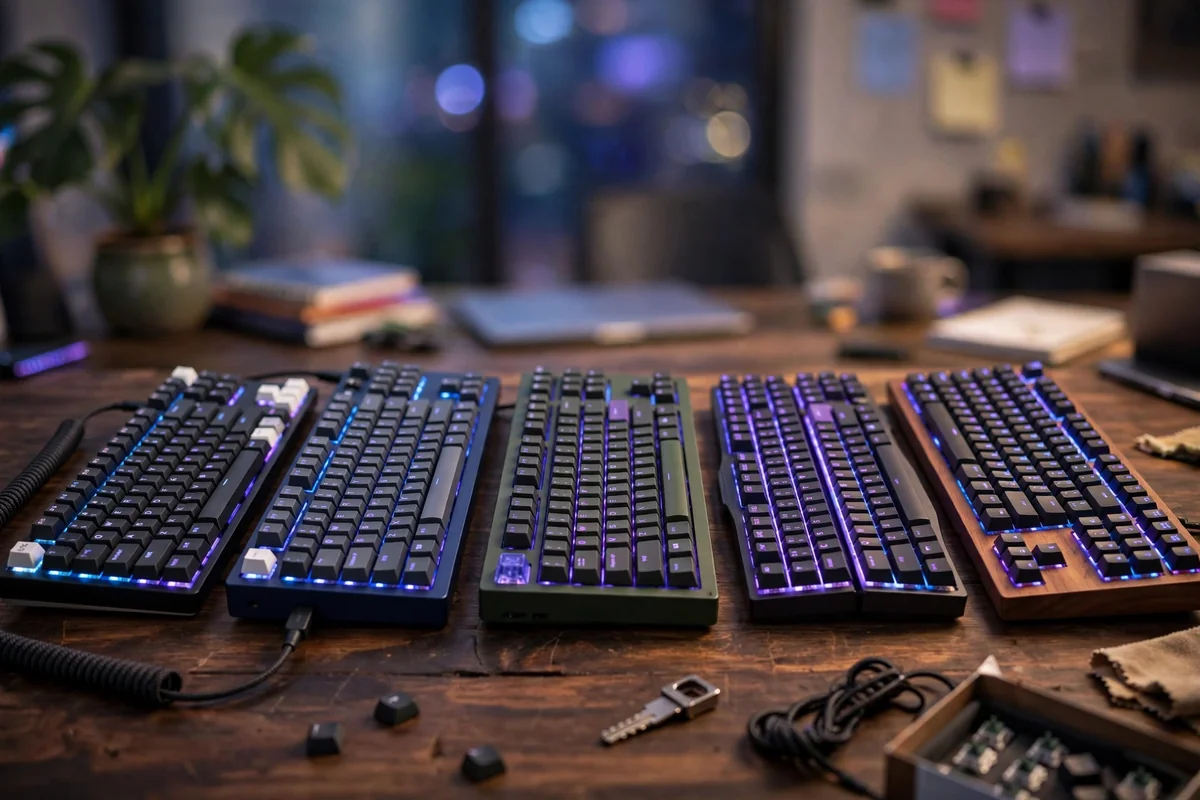
Here is the short list. If you want a fast answer, one of these is almost certainly right for you.
- Best overall: Keychron Q1 Max (~$200) – aluminum, gasket mount, tri-mode wireless, hot-swap
- Best for gaming: Wooting 80HE (~$175) – Hall Effect switches, adjustable actuation, Rapid Trigger
- Best budget: Keychron C3 Pro (~$35) – wired, gasket mount, hot-swap
- Best budget wireless: Royal Kludge RK84 Pro (~$49) – 75%, Bluetooth 5.1, 2.4GHz, hot-swap
- Best for typing: Keychron Q1 HE (~$199) – Hall Effect switches in a heavyweight aluminum build
- Best low-profile: Lofree Flow 2 / Flow100 (~$169) – slim, great for laptop converts
- Best wireless full-size: Keychron Q5 Max (~$220) – full layout with numpad, tri-mode wireless
Prices shift, so treat these as late-2026 ballparks. Full reviews below. (TechRepublic’s 2026 list of five top picks (News) lands on similar recommendations.)
What Actually Makes a Keyboard “Mechanical”?
A mechanical keyboard has a separate physical switch under every key. A membrane keyboard, the cheap kind most people use, has a single rubber sheet that registers presses. That is the whole difference, and it matters more than it sounds.
Each switch has its own spring and mechanism, so keys feel consistent, respond at a precise point, and last far longer. A typical mechanical switch is rated for 50 to 100 million presses. A membrane board starts feeling mushy after a year or two of heavy use. The typing experience is not subtly better. It is categorically different, which is why people who switch almost never go back.
Which Switch Type Should You Pick?
This is the part that scares beginners, but it is simpler than the keyboard hobby community makes it sound. There are three families of traditional switches, plus a new fourth category that took over gaming in 2026.
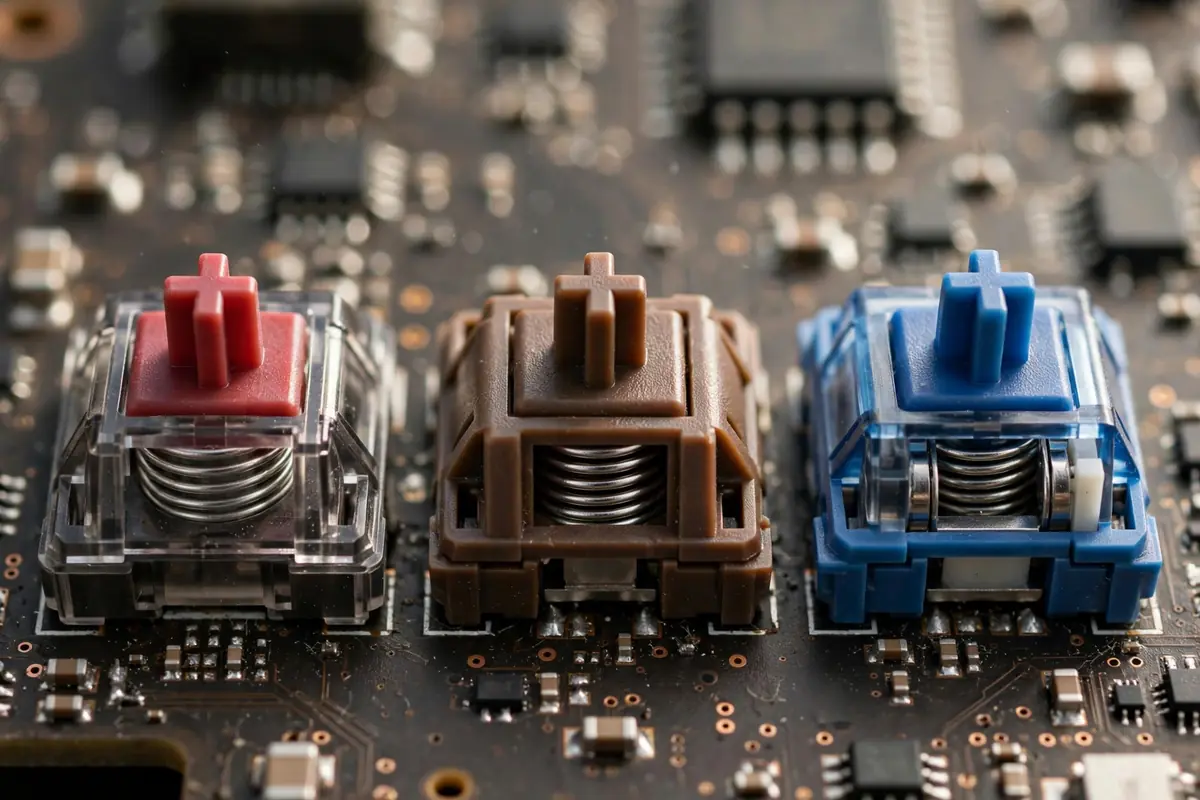
Linear switches (Red, Yellow, Black). Smooth all the way down with no bump. Fast, quiet, consistent. Best for: competitive gaming.
Tactile switches (Brown, Clear). A small bump halfway through the press that tells your finger the key registered. Feedback without much noise. Best for: typing, coding, mixed office use. The safest choice if you type more than you game.
Clicky switches (Blue, Green). Tactile bump plus a loud, sharp click. Extremely satisfying, extremely loud. Best for: solo home use. Never buy clicky switches for an open office.
Hall Effect switches. These use a magnet and a sensor to measure exactly how far a key is pressed, instead of metal contacts. Actuation is adjustable in software, often 0.1mm to 4.0mm, and they enable Rapid Trigger, which resets a key the instant you start releasing it. This is the standard for competitive gaming boards in 2026, and TechDrifting’s 2026 roundup explains exactly how this shift happened (News).
The 60-second switch quiz
- Do you mainly game, mainly type, or both? Game: linear or Hall Effect. Type: tactile. Both: tactile or Hall Effect.
- Do other people hear your keyboard? Shared space: silent linear or silent tactile. Home alone: whatever you like.
- Do you like feedback you can feel? Yes: tactile. No: linear. Want the newest tech: Hall Effect.
Still unsure? Buy a hot-swap board and try cheap Gateron or Akko switches later. Hot-swap means swapping switches without soldering. A detailed switch comparison (Research) also breaks down budget vs premium picks per use case.
The 7 Best Mechanical Keyboards of 2026
1. Keychron Q1 Max – Best Overall (~$200)
The Q1 Max is the safest recommendation in this guide. Full aluminum case, gasket mount, hot-swap PCB, tri-mode wireless (Bluetooth, 2.4GHz, USB-C), QMK/VIA remapping, and PBT keycaps that resist shine. It handles typing, coding, and gaming well, which is exactly what most people need.
Best for: anyone wanting one excellent board for everything. Skip if you need a numpad or travel often.
2. Wooting 80HE – Best for Gaming (~$175)
The 80HE is the competitive gaming benchmark for 2026. Lekker Hall Effect switches with adjustable actuation, Rapid Trigger, and a TKL layout that frees up mouse space. In fast shooters, Rapid Trigger is something you feel in the first match.
Best for: FPS and competitive players chasing every millisecond (skip if you type more than you play).
3. Keychron C3 Pro – Best Budget (~$35)
The C3 Pro proves you do not need to spend much for real mechanical quality. Gasket mount, hot-swap sockets, and solid stock Gateron switches. Reviewers consistently say it feels far more expensive than $35. Wired only.
Best for: first-time buyers and office workers wanting a cheap, proper typing upgrade (skip if you need wireless).
4. Royal Kludge RK84 Pro – Best Budget Wireless (~$49)
For under $50 you get a 75% board with Bluetooth 5.1, 2.4GHz wireless, USB-C, hot-swap sockets, RGB, and a knob. Stock switches are fine, and a $15 set of Gateron Yellows transforms the feel. Bluetooth battery life lasts weeks of normal use.
Best for: a first mechanical keyboard or a cheap travel/second board (skip if you want premium keycaps).
5. Keychron Q1 HE – Best for Typing Enthusiasts (~$199)
The Q1 HE takes the beloved Q1 chassis and adds Hall Effect switches. A heavyweight, deeply satisfying typing board with adjustable actuation, VIA compatibility, hot-swap, and a build like a small anvil at over 1.7kg.
Best for: writers and programmers wanting an endgame typing feel with modern switch tech (heavy, so skip if you travel).
6. Lofree Flow 2 / Flow100 – Best Low-Profile (~$169)
Low-profile mechanical keyboards use shorter switches with less travel, so the wrist angle is flatter and the board slides into a laptop bag. The Lofree Flow series nails this brief: premium feel, slim 96% or 75% layouts, wireless. Logitech’s G515 TKL with Lightspeed is the other strong pick for gamers.
Best for: laptop keyboard users wanting mechanical feel without the height (narrower switch ecosystem than standard boards).
7. Keychron Q5 Max – Best Wireless Full-Size (~$220)
If you need a numpad (accountants, data entry, spreadsheet people), the Q5 Max gives you the full 104-key layout with the Q1 Max formula: aluminum, gasket mount, tri-mode wireless, QMK/VIA, PBT caps. The no-compromise desk board.
Best for: spreadsheet warriors and full-size loyalists who refuse to downsize (measure your desk first).
How Do You Pick the Right Keyboard Size?
Keyboard sizes, explained plainly:
- Full-size (100%): All keys including the numpad. Buy it only if you use the numpad daily.
- TKL / 80%: Everything except the numpad. The classic gaming and desk size.
- 75%: Like TKL but compressed, usually with a knob. The sweet spot for most desks in 2026.
- 65%: No function row, arrows squeezed in. Compact but still workable.
- 60%: No arrows, no function row, no navigation cluster. You live on function layers. Not for beginners.
- Split/ergonomic: Two halves, sometimes tented. Great for wrists, big learning curve.
Rule of thumb: if you do not know what you want, buy 75%. It fits almost every desk and keeps the keys you actually use.
Layout note: USA buyers usually get ANSI (wide left Shift, single-height Enter). UK and EU buyers should check for ISO (tall Enter key), since some budget boards ship ANSI only.
5 Mistakes First-Time Buyers Keep Making
- Buying clicky switches for an office. Blue switches in a shared space are a social error, not a tech error. Go tactile or silent.
- Choosing 60% to save space, then hating it. Missing arrow keys annoys most people within a week. Start at 75%.
- Ignoring the keycaps. Cheap ABS caps get shiny and slippery within months. PBT keycaps stay textured for years. Check this before you check the RGB.
- Paying for gaming features you will never feel. If you do not play competitive shooters, a Hall Effect board with Rapid Trigger is money spent on marketing. A $50 board types just as well.
- Skipping hot-swap on your first board. Hot-swap lets you change switches later without tools. It is the most useful beginner feature, and it costs almost nothing extra in 2026.
How Do You Keep a Mechanical Keyboard Clean?
Mechanical keyboards collect dust, crumbs, and skin oil fast. The good news: maintenance is simple.
- Weekly: Flip the board, shake gently, wipe keycaps with a slightly damp microfiber cloth.
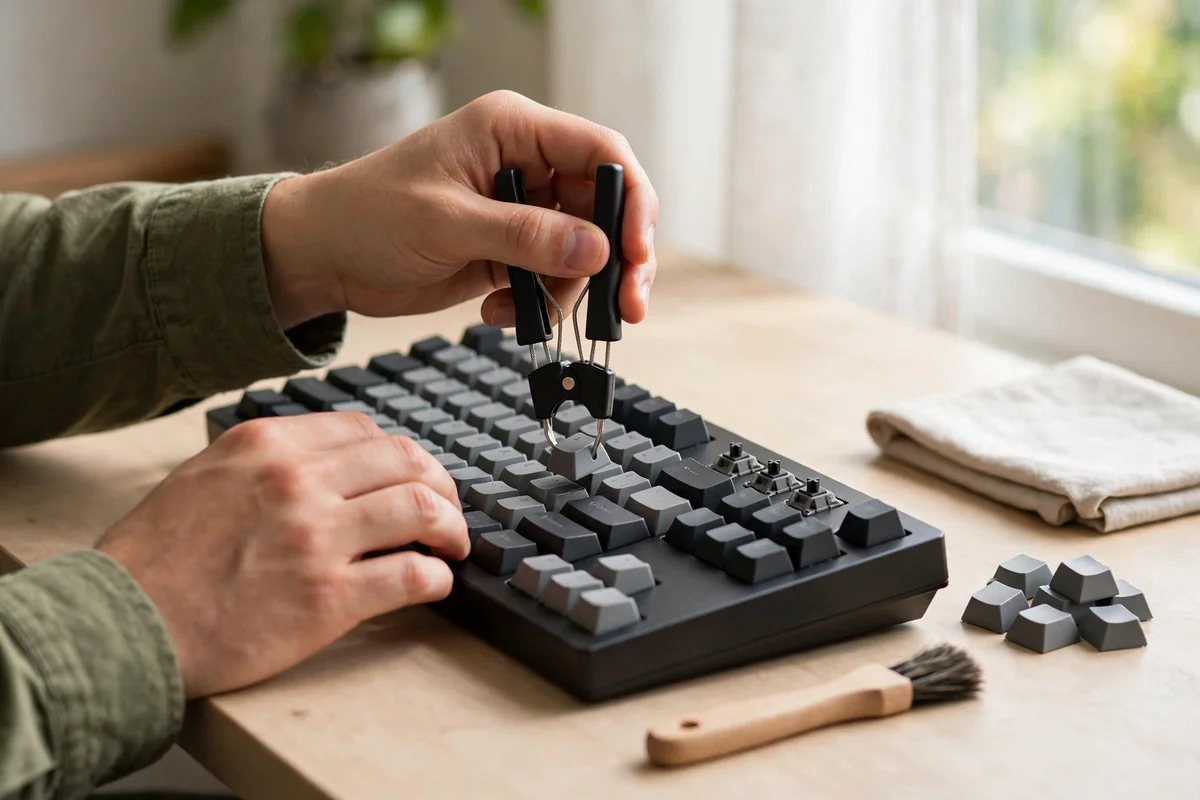
- Monthly: Pop off a few keycaps with the included puller and brush out dust with a soft brush.
- Every 6-12 months: Remove all keycaps. Soak PBT caps in warm soapy water, dry fully, then reseat. Never soak ABS caps in hot water.
- Never: Spray cleaner directly onto the board, or press a hard vacuum nozzle onto the switches.
Hot-swap boards also make cleaning easier, since you can pull switches out if crumbs get under them.
Keep your desk setup productive with the right utilities. Generate strong, unique passwords with a free password generator tool, and speed up AI workflows with an AI prompt generator.
Who Should NOT Buy a Mechanical Keyboard?
Honest counterpoint time, because not everyone needs one.
- If you are happy with your laptop keyboard, do not fix what is not broken. A mechanical board is better, but “better” is not mandatory.
- If you need absolute silence, even silent switches make more noise than a good scissor-switch board. Consider a premium low-profile or membrane board instead.
- If your budget is under $30, a bad mechanical keyboard is worse than a good membrane one. Save until you can reach the $35-50 range where the C3 Pro and RK84 Pro live.
- If you only game casually, your current keyboard is probably fine. The gaming advantage matters most in fast competitive games.
Most buying guides skip this section, because affiliate sites never talk you out of a purchase. But a reader who buys the right thing is worth more than one who regrets the wrong one.
Conclusion
The best mechanical keyboards of 2026 cover every budget, and the quality floor has never been higher. At $35, the Keychron C3 Pro gives you a genuinely great typing experience. At $200, the Keychron Q1 Max is the board I would hand a friend who said “just tell me what to buy.” Gamers: the Wooting 80HE. Laptop converts: try a low-profile board like the Lofree Flow 2 first.
Pick your switch family first, size second, budget third. Get hot-swap, choose PBT keycaps, and keep clicky switches out of the office. Do that, and you will still love your keyboard three years from now.
FAQ
Are mechanical keyboards better for typing?
Yes, for most people. Individual switches give consistent key feel, a precise actuation point, and longer lifespan than rubber-dome membrane boards. Typists usually report more comfortable long sessions, especially with tactile switches. Once you get used to them, going back to a membrane board feels like typing on a wet sponge.
What is the best mechanical keyboard for beginners in 2026?
The Keychron C3 Pro (~$35) if you want wired and cheap, or the Royal Kludge RK84 Pro (~$49) for wireless. Both are hot-swap, so you can try different switches later without buying a new board. Neither will feel like a compromise after a few weeks of daily use.
Linear vs tactile vs clicky: which switch should I get?
Gamers: linear. Typists and coders: tactile. Clicky only if you type alone at home, because they are loud. For the newest tech, Hall Effect switches combine linear smoothness with adjustable actuation for gaming. There is no single best switch, only the best switch for how you use your keyboard.
What are Hall Effect switches?
Hall Effect switches use a magnet and a sensor to detect exactly how far a key is pressed, instead of metal contacts. This allows adjustable actuation (often 0.1mm to 4.0mm) and Rapid Trigger, a gaming feature that resets keys instantly on release.
Is 75% or TKL better?
75% suits most people: nearly all the keys of a TKL in a smaller footprint, usually with a knob. TKL is better if you want standard key spacing and do not mind extra width. Both are more desk-friendly than full-size.
Do I need a hot-swap keyboard?
Not strictly, but it is strongly recommended for your first board. Hot-swap sockets let you pull switches out and try new ones without soldering. It turns a $50 board into a long-term experiment instead of a one-time guess, and it makes cleaning or replacing a single dead switch much easier.
How long do mechanical keyboards last?
Switches are typically rated for 50 to 100 million keypresses, which means many years of heavy use. Keycaps wear faster: cheap ABS caps develop shine within months, while PBT caps stay textured for years. In practice, most people replace their keyboard because they want a new one, not because it died.
Are mechanical keyboards loud?
It depends on the switches. Clicky switches are very loud. Linear and tactile switches are moderately audible. Silent switches are designed for quiet offices and are noticeably softer. Case material and desk surface affect sound too, and a desk mat takes the edge off most board sounds.
What does 8K polling mean on a keyboard?
8K polling means the keyboard reports its state to the computer 8,000 times per second instead of the standard 1,000. It reduces input latency slightly, which matters for competitive gaming but is unnoticeable for typing. Unless you compete at a high level, do not pay extra for it.
Can I use a mechanical keyboard with a Mac?
Yes. Most modern boards, including all Keychron models, ship with Mac/Windows toggle switches and include Mac-specific keycaps in the box. Check that any board you buy explicitly lists macOS support before ordering. Some budget boards ship Windows-only, so this check matters on sub-$50 picks.