AI Accounting Tools for Small Business: Best Picks 2026
Bookkeeping eats your weekends. You sell, you serve customers, then at night you sit with receipts and a spreadsheet. Sound familiar? The good news is that AI bookkeeping apps can take most of that night work off your plate.
AI accounting tools for small business connect to your bank and credit cards, sort every transaction for you, match receipts to payments, and build reports in one click. Most cost $15 to $115 per month, and the best picks are QuickBooks Online, Xero, and Zoho Books. They do not replace your accountant for taxes, but they cut bookkeeping time sharply.
This guide shows you what these tools do, which ones fit small budgets, what they really cost, and how to set one up in 30 days. No accounting degree needed.

Table of Contents
- What Are AI Accounting Tools for Small Business?
- How Do AI Accounting Tools Work?
- Best AI Accounting Tools for Small Business in 2026
- How Much Do AI Accounting Tools for Small Business Cost?
- Can AI Accounting Tools for Small Business Replace Your Accountant?
- How to Choose the Right One
- 5 Mistakes Small Businesses Make
- Your 30-Day Setup Plan
- Who Should Skip AI Accounting for Now
- Are These Tools Safe?
- FAQ
What Are AI Accounting Tools for Small Business?
Ai accounting tools for small business are apps that do your books with the help of artificial intelligence. AI here means software that learns from patterns in your data and gets smarter the longer you use it.
Bookkeeping is the job of writing down every dollar that comes in and goes out. Reconciliation means checking that your records match your bank. These two jobs used to take hours of manual work each week. The AI does them in the background while you run your business.
Think of a coffee shop owner who ends each month sorting 400 bank lines by hand. With an AI tool, the bank lines sort themselves. The owner just checks the odd ones out. That is the whole idea: the tool does the boring work, and you check the results.

How Do AI Accounting Tools Work?
The short answer: they watch your money move and learn your habits.
The long answer is four simple steps.
- You connect your bank, credit cards, and payment apps. The tool pulls new transactions in daily.
- The AI sorts each transaction into a category like rent, supplies, or payroll. It learns from your past choices.
- You snap photos of receipts. The tool reads the text inside the photo (this is called OCR) and matches each receipt to a payment.
- The tool builds your reports: profit and loss, tax-ready summaries, and cash flow forecasts. Cash flow means the money moving in and out each month, and the forecast predicts next month.
For the first 30 to 60 days, expect to fix 10 to 20 percent of the sorting. The tool learns your business in that window. After that, most tools hit 90 percent or better accuracy for steady, simple businesses.
Best AI Accounting Tools for Small Business in 2026
When you compare the best options for small-business bookkeeping, seven names come up again and again. Each fits a different type of owner.
QuickBooks Online. The most popular choice. Its AI assistant, Intuit Assist, sorts transactions, flags odd entries, and answers questions like “how much did I spend on ads last month?” Plans start around $38 per month. Best for: owners who want a tool their accountant already knows.
Xero. A strong all-in-one option with a conversational helper called JAX that drafts invoices and pays bills from a chat. Plans start around $25 per month. Best for: businesses that love apps and integrations.
Zoho Books. The budget pick. Workflow automation, a free plan for small users, and paid plans from around $20 per month. Best for: owners already using Zoho apps.
FreshBooks. Built for freelancers and service businesses, with strong invoicing, payment reminders, and time tracking. Plans start around $21 per month. Best for: solo workers who invoice clients.
Wave. The free option: free accounting, invoicing, and receipt capture, with paid payroll add-ons. Best for: brand-new businesses watching every dollar.
Digits. An AI-first tool aimed at startups, with real-time profit views and cash runway forecasts. Plans start around $65 to $100 per month. Best for: funded startups that want live numbers.
Ramp. Not a full accounting app but a spend-management tool with strong AI for expense sorting, receipt matching, and bill pay. The basic plan is free. Best for: teams that spend a lot on cards and want control over expenses.
A quick note on prices: vendors change plans often. Always check the live pricing page before you buy. The numbers above come from [Research] current review roundups like this one at Fit Small Business (https://fitsmallbusiness.com/best-ai-accounting-software/) and this Gusto guide (https://gusto.com/resources/articles/business-growth/ai-tools-for-accounting).
How Much Do AI Accounting Tools for Small Business Cost?
The real question behind this one: what will I actually pay, not the headline price? Honest answer: the headline price is real, but it is rarely the full bill.
Here is how costs usually break down:
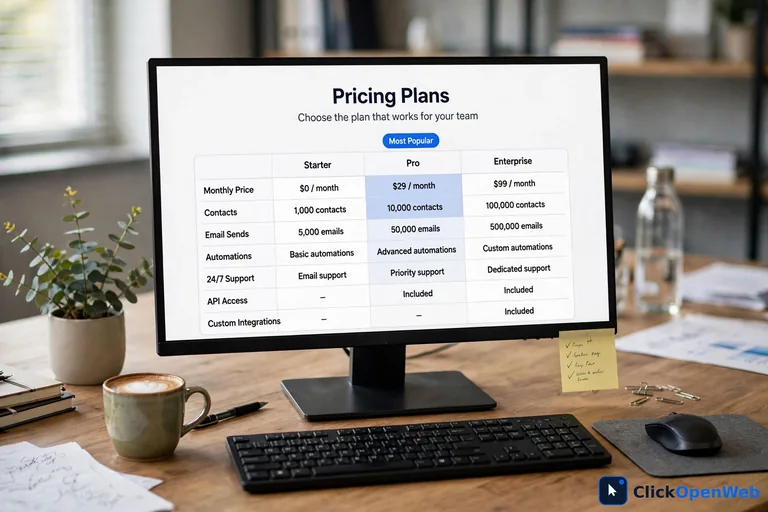
- Basic AI accounting: $15 to $38 per month (Wave free, FreshBooks, Xero, QuickBooks Simple Start)
- Mid-range plans with payroll: $75 to $130 per month
- Advanced plans with AI forecasting: $115 to $275 per month
- Managed finance (software + human team): $500+ per month (tools like Zeni)
Add-ons push the total up: payroll modules, extra users, tax add-ons, and priority support. For a team of five, plan on $180 to $400 per month all-in for a mid-range tool.
Compare that to the old way. A part-time bookkeeper charges $25 to $45 per hour. A small firm can cost $400 to $700 per month. Most businesses still keep a quarterly review with a CPA, which runs $150 to $400 per quarter. Even with that review, AI accounting usually cuts total cost by about half. Still, do not file taxes on AI output alone. Have a licensed professional check your books at least once a year.
Can AI Accounting Tools for Small Business Replace Your Accountant?
Short answer: no. Longer answer: they replace the bookkeeper, not the advisor.
AI is great at routine work: sorting transactions, matching receipts, sending invoice reminders, and building reports. It works fast and it does not get tired.
Your accountant is still needed for judgment work: tax planning, picking the right business structure, dealing with a tax audit, and spotting problems in your finances before they grow. A tool cannot give you legal or tax advice. Only a licensed human can stand behind that advice.
The smart move is a hybrid. Let the AI handle daily bookkeeping, and pay your accountant for a quarterly review and tax filing. Many owners find this mix cuts their accounting bill in half while keeping expert help where it counts.
How to Choose the Right One
Picking a tool is easier when you know what you actually need. Ask these questions:
- Do you invoice clients? FreshBooks and Xero shine at invoicing.
- Do you run payroll? QuickBooks and Gusto handle it well.
- Do you sell internationally? Xero and Zoho Books handle multiple currencies.
- Are you a solo freelancer? Wave is free and covers the basics.
- Do you want to ask the tool questions? QuickBooks (Intuit Assist) and Xero (JAX) have chat-style helpers.
- Do you already use an app ecosystem? Pick the tool that connects to your other apps.
When comparing options, match the tool to your workflow, not to the longest feature list. The best tool is the one you will actually open every week.
Also, if you are exploring more ways software can lift your workload, read our guide on AI tools that help small businesses (→ /ai-tools-small-business/). Accounting is only one piece of the puzzle.
5 Mistakes Small Businesses Make
These are the errors owners make most often. Every one of them is avoidable.
- Skipping the cleanup. Migrating messy books teaches the AI bad habits. Export your last 12 months of records and fix duplicates and miscategorized entries first. This takes 4 to 8 hours for a small business, and it is the most skipped step.
- Adding every integration at once. Connect your bank first and let the AI settle for a week. Then add your store, payroll, or sales apps one at a time. Adding everything at once creates conflicts that are painful to untangle.
- Trusting it blindly in month one. Check every suggestion for the first 30 days. The tool learns from your corrections, so fixing mistakes early makes it accurate faster.
- Skipping the CPA check. A licensed accountant should review the AI output at the 30-day mark and again at tax time. This catches systematic errors before they pile up.
- Buying the biggest plan first. Start small. Upgrade only when you hit a real limit, like user seats or transaction caps. Most owners use less than half of what premium plans offer.
Your 30-Day Setup Plan
Follow this plan and you will have clean, working books in a month.
- Days 1-3: Pick your tool from the list above. Export your old records and clean them: remove duplicates, fix wrong categories, and sort any “uncategorized” pile.
- Days 4-7: Connect your business bank and cards. Do not connect anything else yet. Let the AI run for a week and review every suggestion.
- Days 8-14: Set rules for your 20 most common transactions. Tell the tool that the office rent payment always goes to rent, and the ad platform charge always goes to advertising. This single step can cut your weekly corrections in half.
- Days 15-21: Add your other tools one at a time: invoicing, payroll, your online store. Turn on automatic invoice reminders so late payments stop being your problem.
- Days 22-30: Book a 30-day review with your accountant. Ask them to check the categories and your tax accounts. Then turn on cash flow forecasting, which needs about 60 days of history to get useful.
If you want to keep your financial data protected while you do this, our cloud backup guide for small business (→ /cloud-backup-small-business/) shows how to keep a safe copy of everything.
Who Should Skip AI Accounting for Now
Honesty matters: these tools are not for everyone yet.
- Cash-only businesses. If most of your money moves in cash, there is no digital feed for the AI to read.
- Businesses with multi-entity structures. Holding companies and businesses with several subsidiaries need more complex software, like Sage Intacct or NetSuite.
- Businesses under audit. If you are dealing with a tax audit, do not switch systems mid-audit. Let your accountant finish first.
- Very new businesses with almost no transactions. If you have 10 transactions a month, a simple spreadsheet is enough for now. Move to AI accounting when the volume hurts.
None of these are permanent. They are “not yet” answers. Come back when the situation changes.
Are These Tools Safe?
Fair question. You are handing the tool access to your bank. Here is how the safety works.
Reputable tools use bank-level encryption and read-only bank connections. Read-only means the tool can see your transactions but cannot move your money. Always turn on two-factor authentication, which asks for a code on your phone plus your password. Give team members only the access they need: the person who pays bills does not need to see your full payroll.
Pick tools with a clear security page and a track record of updates. Wave, QuickBooks, Xero, and Zoho are all established companies with security teams. And keep a backup of your data outside the tool. If you ever switch providers, you keep your history.
Conclusion
Ai accounting tools for small business have moved from nice-to-have to must-try. They sort your transactions, match your receipts, and build your reports while you focus on customers. The best picks for most owners are QuickBooks Online, Xero, and Zoho Books, with Wave as a free starting point.
Start with clean books, check the AI daily for the first month, and keep your accountant for the judgment work. Do that and you get the best of both: lower costs and books you can trust. Pick one tool this week and run the 30-day plan above. Your future self, the one not doing books at midnight, will thank you.
FAQ
What is the best AI accounting software for small businesses?
QuickBooks Online is the strongest all-around pick because most accountants already know it and its AI helper answers plain-English questions. Xero is a close second for businesses that love integrations, and Zoho Books is the best budget option with a free plan.
How much does AI accounting software cost?
Most small businesses pay $15 to $115 per month. Free options like Wave cover the basics. Mid-range plans with payroll run $75 to $130 per month, and all-in costs for a small team usually land between $180 and $400 per month after add-ons.
Can AI replace an accountant?
No. AI handles routine work like sorting transactions and matching receipts, but it cannot give tax advice, plan your business structure, or represent you in an audit. The best setup is a hybrid: AI does the daily bookkeeping and an accountant reviews the books quarterly.
Can AI do my company’s bookkeeping without a human accountant?
It can do the daily bookkeeping for simple businesses once it learns your patterns, usually after 60 to 90 days. But you still need a human for tax filing, compliance, and judgment calls.
Are AI accounting tools safe?
Yes, the well-known ones are. They use encrypted, read-only bank connections, which means they can view transactions but cannot move money. Turn on two-factor authentication, limit what each team member can see, and keep a backup of your data outside the tool.
Are there free AI accounting tools for small businesses?
Yes. Wave offers free accounting, invoicing, and receipt capture, and Zoho Books has a free plan for smaller users. Ramp’s basic plan is free for expense management. Free plans usually skip payroll and advanced forecasting.
How long does it take for AI accounting to get accurate?
Expect 60 to 90 days for full accuracy with clean books. In the first 30 days you may correct 10 to 20 percent of the tool’s suggestions. By day 60, top tools reach 90 percent or better accuracy for businesses with steady, simple transactions.
What is the biggest risk of using AI in accounting?
Trusting it blindly. The AI can mislabel transactions in ways that look correct at a glance, and small errors compound across a quarter. Review suggestions daily for the first month and have an accountant check the books at the 30-day mark and at tax time.
What features should I look for in AI accounting software?
Automatic transaction sorting, receipt scanning with OCR, bank reconciliation, invoicing with reminders, payroll support, cash flow forecasting, and integrations with your bank and other apps. Pick a tool backed by real human support, not just a chatbot.
How does AI automate accounting tasks like reconciliation?
It reads your bank feed, sorts each transaction by learning from your past choices, matches payments to invoices, and flags anything unusual. You only step in to review the exceptions the AI flags.