What Is the Best POS System for Small Business? 7 Picks
You typed it into Google. A friend asked it over coffee. What is the best POS system for small business?
This guide answers it with real prices and real picks: what a POS system does, which seven systems are worth your money, what each costs, and how to pick yours in five minutes.
The short answer to what is the best POS system for small business: Square. It costs $0 to start, has no monthly fee on the free plan, and charges 2.6% plus 15 cents per in-person sale. Restaurants should look at Toast, online sellers at Shopify POS, and big-inventory shops at Lightspeed.
Table of Contents
- What Is a POS System, Exactly?
- What Is the Best POS System for Small Business? The 60-Second Verdict
- The 7 Top Picks in Detail
- How Much Does a POS System Really Cost?
- Can Your Phone Be Your POS?
- 7 Features to Check Before You Buy
- Contracts and Hidden Fees: Read This First
- 5 Mistakes Small Businesses Make With POS Systems
- What Is the Best POS System for Small Business by Business Type?
- Pick Yours in 5 Minutes
- Conclusion
- FAQ
What Is a POS System, Exactly?
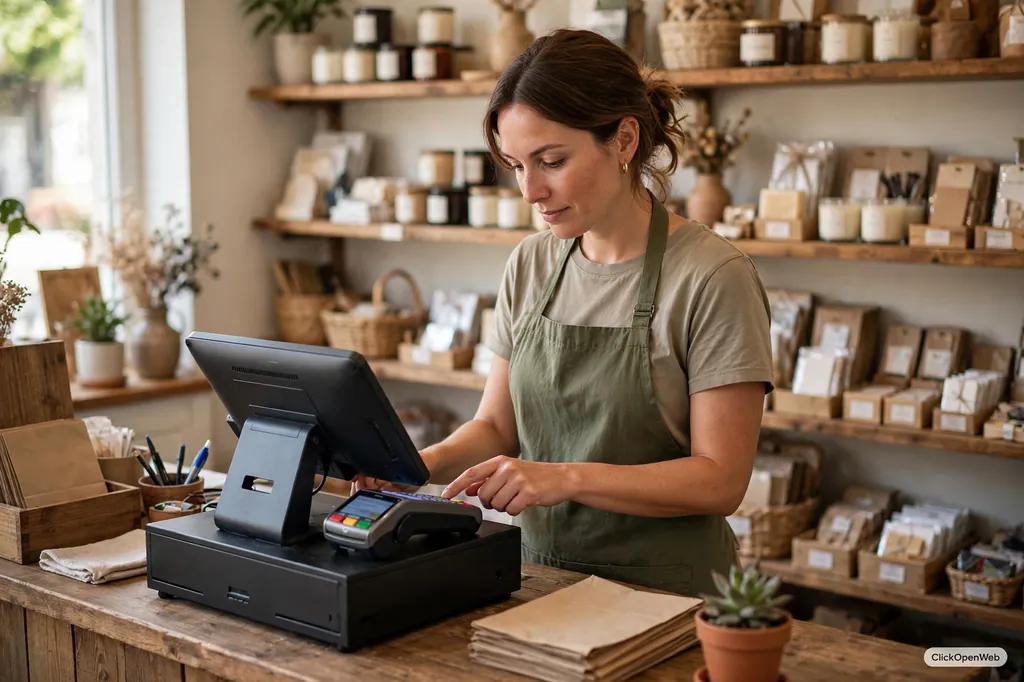
POS stands for point of sale. It is the spot where a customer pays you. A POS system is the hardware plus software that runs that moment.
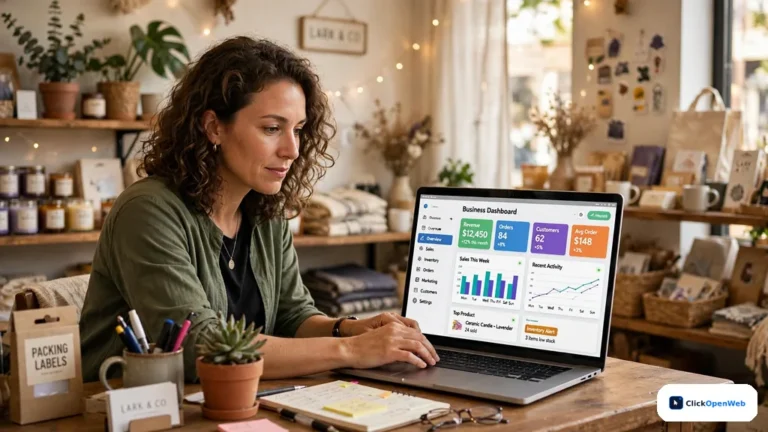
Old cash registers only rang up sales. A modern POS system takes card payments, tracks inventory as items sell, stores customer details, manages staff logins, and shows sales reports on your phone.
Square is the best POS system for small business for most shops because it costs nothing to start, charges no monthly fee on the free plan, and takes cards at 2.6% plus 15 cents. It runs on a phone, tablet, or countertop register, needs no contract, and grows with you.
That 50-word block is the whole story in one bite. The rest of this guide proves it with numbers.
What Is the Best POS System for Small Business? The 60-Second Verdict
Every major review site asked what is the best POS system for small business this year, testing 20+ systems each. Square won nearly every test:
- Square: best for most small businesses. Free plan, no contract, 2.6% + 15 cents in person.
- Shopify POS: best if you sell online and in person. $5 to $89 per month, plus your Shopify store plan.
- Toast: best for restaurants. Free starter plan, 2.49% + 15 cents.
- Lightspeed Retail: best for big inventories. From $89 per month.
- Clover: best hardware choice. $0 to $84.95 per month, sold through resellers.
- Helcim: best for lower fees at volume. Free software, interchange-plus pricing.
- GoDaddy POS: best budget pick for GoDaddy users. Free to $34.99 per month, 2.5% flat.
The 7 Top Picks in Detail
1. Square: best overall
Sign up free, download the app, and take your first card payment the same day. One bakery owner had a full setup running in under two hours. No other system moves that fast.
The free plan covers inventory, customer profiles, receipts, gift cards, and invoicing. Plus at $49 per month adds deeper inventory and food modifiers. Premium at $149 per month cuts your rate to 2.4% + 15 cents, which pays off near $50,000 per month in card sales. New in 2026: Square AI answers plain questions about your sales inside the dashboard.
Hardware runs $59 for a reader up to $899 for the full Register, or skip hardware with Tap to Pay on your iPhone. Skip Square if you want your own processor (it locks you into Square Payments) or run a high-risk business.
Bottom line: start here unless you have a clear reason not to. For tools that pair with a modern checkout, see our guide to AI tools for small business.
2. Shopify POS: best for online plus in-store
If you already sell on Shopify, this is almost automatic. Website orders, store sales, inventory, and customers stay in one place. A customer can buy online and return in store.
POS Pro costs $89 per location per month. Card rates run 2.4% to 2.6% plus 10 cents in person. The catch: you need a Shopify plan underneath (Basic is $39 per month), and there are no real restaurant tools.
Bottom line: best for retailers who live on both their website and their shop floor.
3. Toast: best for restaurants
Toast only serves restaurants. Menus, modifiers, tableside ordering, kitchen screens, online ordering, and payroll live in one system. The starter plan is free, and paid plans quote around 2.49% + 15 cents. Watch the contract: plans often run one to three years, unlike Square’s month-to-month.
Bottom line: the restaurant specialist.
4. Lightspeed Retail: best for complex inventory
A bike shop with sizes, frames, and colors needs more than a simple item list. Lightspeed handles matrix stock, purchase orders, vendors, and multi-location inventory better than any pick here. Plans start at $89 per month. The trade-offs are price and a longer learning curve for staff.
Bottom line: pick it when stock complexity is your main problem.
5. Clover: best hardware variety
Sold through banks and resellers, Clover offers the widest hardware menu: compact terminals, handhelds, and full stations. Plans run free to $84.95 per month and up, with card rates around 2.3% + 10 cents on direct plans. Rates are negotiable, which is rare. But contracts can run three years with termination fees, and pricing varies by seller.
Bottom line: great hardware, but only for buyers who read contracts closely.
6. Helcim: best for honest, shrinking fees
Helcim uses interchange-plus pricing: the card network’s real cost plus about 0.40% + 8 cents. As your volume grows, your effective rate drops automatically. Software is free, and hardware is just Tap to Pay or a $99 reader. The weakness is depth: fewer specialty tools than Toast or Lightspeed.
Bottom line: best for steady card volume with honest fee math.
7. GoDaddy POS: best simple budget pick
If your site runs on GoDaddy, this is the easiest add-on. Software runs free to $34.99 per month, in-person cards cost a flat 2.5% (2.3% on Plus), and setup takes minutes. It is basic: limited multi-location support and thin inventory tools.
Honorable mentions: PayPal POS (formerly Zettle) charges 2.29% + 9 cents with no monthly fee, good for microbusinesses. SpotOn offers a free plan for hospitality businesses with several locations.
How Much Does a POS System Really Cost?
Three buckets make up the total: software, hardware, and processing fees.
Here is real math for a small shop doing $15,000 per month in card sales across 600 tickets:
- Software: $0 on Square’s free plan, up to $149 on premium tiers.
- Processing on Square: 2.6% of $15,000 = $390, plus 15 cents x 600 tickets = $90. Total: about $480 per month.
- Processing on Helcim (interchange-plus): roughly $330 to $380 for the same volume, depending on card mix.
- Hardware: $0 if you use your phone, $59 for a reader, $299 to $899 for countertop gear. One-time cost.
A shop at $20,000 per month in cards can spend $500 to $600 on processing alone. Annual billing often saves 15 to 20% over month-to-month on paid plans.
Can Your Phone Be Your POS?
Yes. Square’s Tap to Pay on iPhone turns your phone into a card terminal with zero hardware cost. You get the full POS app: items, taxes, receipts, and reports. It suits market stalls, pop-ups, and home services. A busy checkout line moves faster on a dedicated terminal, but for low volume your phone is a complete POS.
7 Features to Check Before You Buy
- Offline mode. Square, Toast, Clover, and Lightspeed keep selling when the internet drops; Shopify and GoDaddy have limited offline support.
- Inventory depth. Under 100 simple items, any system works. Matrix variants or multiple locations push you toward Lightspeed or Shopify Pro.
- Staff tools. Time clocks, PIN logins, and refund permissions matter once you have employees.
- Online selling. Pick the POS that shares inventory with your website natively. Split systems create stock errors.
- Reports you will read. Daily sales, top sellers, slow movers. Square’s new AI assistant answers these in plain words.
- Integrations. Check that your must-haves (QuickBooks, email marketing, loyalty) exist before you commit.
- Support hours. Toast offers 24/7 phone support. Most others push cheap plans to chat or email.
Contracts and Hidden Fees: Read This First
Before you sign anything, check these five items:
- Contract length. Square and Helcim are month-to-month. Toast often wants one to three years. Clover resellers may require three years for promo pricing.
- Early termination fee. Ask for the exact dollar amount, in writing. Some run into the hundreds.
- Hardware leases. Never sign one you cannot exit. Buying beats leasing.
- Rate lock. Ask whether your quoted rate is locked and for how long.
- Add-on pricing. Gift cards, loyalty, payroll, and extra registers often cost extra. Count every module on your quote.
Processing is most of the bill, so get every rate in writing and count every device before you sign.
5 Mistakes Small Businesses Make With POS Systems
- Picking the cheapest today and ignoring growth. The costliest mistake is a system that gets pricey 12 to 18 months later. Map what you need now and next before you commit.
- Ignoring the card rate. A 0.3% rate difference on $20,000 monthly volume costs $720 per year.
- Buying hardware before choosing software. Pick the system first. Toast, Clover, and Square each need their own hardware, and it does not mix.
- Skipping the test sale. Run a $1 test transaction and refund it before your first real customer. Check the reader, the receipt printer, and the cash drawer.
- Forgetting staff training. Set up PIN logins and refund permissions on day one. Train staff on returns and discounts before the rush, not during it.
What Is the Best POS System for Small Business by Business Type?
Restaurants: Toast. Kitchen screens, tableside handhelds, menu modifiers, and online ordering in one system, with a free starter plan. Square for Restaurants is the cheaper runner-up for tiny food spots, with no contract and iPad support.
Retail stores: Square for most shops, with its free plan and simple inventory tools. Shopify POS if you also sell online, since it syncs web and store stock. Lightspeed Retail for hundreds of SKUs or several locations, where its purchasing tools justify the $89-plus monthly fee.
Pick Yours in 5 Minutes
Still asking what is the best POS system for small business for YOUR shop? Answer three questions:
- What do you sell? Food: Toast (Square for tiny spots). Retail plus website: Shopify POS. Complex stock: Lightspeed. Services or mixed: Square.
- Monthly card volume? Under $10,000: Square’s free plan. Over $30,000: compare effective rates and get a Helcim quote.
- Need your own processor or hardware? Yes: KORONA or Clover. No: Square.
Answer all three, then start your match’s free trial.
Conclusion
So, what is the best POS system for small business? For most shops, it is Square: free to start, no contract, honest flat pricing, and hardware for every budget. Restaurants get more from Toast, online sellers from Shopify POS, inventory-heavy stores from Lightspeed, and high-volume sellers from Helcim.
Run your own numbers: take your monthly card volume, multiply by the quoted rate, add the per-ticket fee, and compare two systems.
FAQ
What is the best POS system for small business?
Square. If you ask what is the best POS system for small business in 2026, that is the consensus across every major review. Its free plan, no contract, and 2.6% + 15 cent in-person rate fit most shops. Toast suits restaurants, Shopify POS suits online sellers, and Lightspeed suits complex inventory.
What is a POS system?
A POS system is the hardware and software a business uses to take payments and run sales. It processes cards, tracks inventory, manages staff, stores customer data, and produces sales reports. Modern systems also handle online orders, loyalty programs, and multi-location sales from one dashboard.
How much does a POS system cost for a small business?
Software costs $0 to about $150 per month. Hardware runs $0 (your phone) to $2,000 for a full counter setup. Card processing adds 2.3% to 3% per sale. Most small businesses spend $30 to $100 per month on software plus a few hundred on processing, depending on sales volume.
What is the best free POS system for small business?
Square. Its free plan charges no monthly fee and includes inventory, reporting, customer tools, and online selling. You only pay card processing fees per sale. Toast and SpotOn also offer free starter plans, but Toast targets restaurants and Square fits more business types.
What POS system is best for restaurants?
Toast. It includes menu management, kitchen display screens, tableside ordering, online ordering, and payroll tools built for food service. Small cafes and food trucks can start on its free plan or use Square for Restaurants for a cheaper, contract-free option.
What POS system is best for retail?
Square for most small retailers, thanks to its free plan and simple inventory tools. Shopify POS is better if you sell online too, since it syncs website and store inventory. Lightspeed Retail is best for stores with large or complex inventories across multiple locations.
Can I use a POS system on my smartphone?
Yes. Square’s Tap to Pay on iPhone and similar Android tools turn your phone into a card terminal with no extra hardware. You get the full POS app with items, taxes, and receipts. It is ideal for market stalls, pop-ups, and mobile services starting out.
Do I need a contract for a POS system?
Not always. Square and Helcim are month-to-month with no contract. Toast often requires one to three years. Clover hardware deals through resellers may lock you in for three years with early termination fees. Always read the term and the cancellation fee before signing.
What should I look for in a POS system?
Check offline mode, inventory depth, staff permissions, online store integration, useful reports, accounting integrations, and support hours. Match these to your business type: a restaurant needs kitchen screens, a retailer needs stock tracking, and everyone needs reliable card processing.
What is the difference between a POS system and a cash register?
A cash register only rings up sales and holds cash. A POS system also tracks inventory in real time, manages customers and staff, takes all payment types including phones and watches, and shows sales reports anywhere. A register is cheaper but far less capable.