AI Social Media Tools for Small Business: 2026 Guide
Posting on social media every day takes hours you do not have. You still need to reply to customers, make the product, and run the shop. This guide compares the best ai social media tools for small business in plain words, with real prices, a 7-day setup plan, and the mistakes to avoid.
The best ai social media tools for small business are the ones that write your captions, make your graphics, schedule your posts, and show you what worked. Buffer, Canva, and ChatGPT or Claude cover almost everything a small shop needs. Start free, pay only when a tool saves you real hours each week.

Table of Contents
- What Are AI Social Media Tools?
- The Best Tools for Small Business in 2026
- Which Tool Should You Pick?
- How to Set Up Your AI Social Media System in 7 Days
- How to Write Social Media Captions With AI
- How to Keep Your Brand Voice
- Free vs Paid: What AI Social Media Tools Cost
- 7 Mistakes Small Businesses Make With AI Social Media Tools
- Who Should NOT Rely on AI Social Media Tools
- How to Measure What Actually Works
- Can AI Replace a Social Media Manager?
- FAQ
- Conclusion
What Are AI Social Media Tools?
AI social media tools for small business are software programs that use artificial intelligence to help you plan, write, design, schedule, and review your social media posts. “Artificial intelligence” here just means the software can learn patterns and do draft work for you, like writing a first caption or picking the best time to post.
A normal social media app only posts what you type. An AI tool goes further: it can suggest post ideas, write five caption versions in your tone, resize one graphic for Instagram, Facebook, LinkedIn, and X, and tell you which posts got the most clicks. Industry surveys show the shift is real: HubSpot’s 2026 State of Marketing report says 86.4% of marketers now use AI tools, and most of that use is content creation Research.
You do not need to be technical. If you can type a sentence and click “schedule,” you can use these tools.
The Best AI Social Media Tools for Small Business in 2026
Below are the tools that are actually worth your money. Each one solves a different job. Pick the jobs you need, not the longest feature list.
1. Buffer: best simple scheduler
Buffer is the easiest way to line up posts and let them publish on their own. Its AI Assistant rewrites one idea into platform-specific captions and suggests the best time to post.
Pros: very simple; the free plan is real and never expires; AI help included on free. Cons: weak free analytics; no social listening. Price: free for 3 channels and 10 queued posts per channel; paid plans start around $6 per channel per month. Best for: owners posting 3 to 5 times a week who just want it done.
2. Canva: best for graphics without a designer
Canva makes clean graphics, carousels, and short videos with AI help. Magic Write drafts captions inside the design, and the Content Planner schedules posts from the canvas.
Pros: thousands of templates; easy drag-and-drop; brand kit keeps colors steady. Cons: basic scheduling; feeds look samey if you never change templates. Price: generous free plan; Pro starts around $15 per month. Best for: restaurants, boutiques, salons, and shops where visuals sell.
3. ChatGPT or Claude: best for captions and ideas
A general AI chat tool is the cheapest “employee” for words. Give it your offer, customer type, and tone, and it writes 20 post ideas in a minute. Claude keeps brand voice steadier; ChatGPT gives more varied angles. Both have free plans.
Pros: free to start; great for ideas, hooks, and rewrites. Cons: cannot post or schedule; every draft needs a human edit. Price: free tiers; paid plans around $20 per month. Best for: every small business, paired with a scheduler.
4. Later: best for visual brands
Later is built for Instagram-first businesses. Its drag-and-drop calendar previews your feed before you post, and its AI writes captions and suggests hashtags.
Pros: best visual planner; strong for TikTok and Pinterest. Cons: weak for LinkedIn and X; tight AI credits on starter. Price: free plan exists; paid plans start around $16 per month. Best for: cafes, clothing shops, florists, and creators where the feed look is the strategy.
5. Predis.ai: best all-in-one for solopreneurs
Predis.ai is the closest thing to a done-for-you helper. Type one sentence about your product and it makes the graphic, writes the caption, adds hashtags, and schedules the post. It can also study competitors and copy formats that work.
Pros: one prompt gives a full post package, including carousels and short videos. Cons: mix in your real photos; advanced features sit on higher plans. Price: free plan available; paid plans start around $32 per month. Best for: solo owners who want one idea turned into a finished post.
6. Hootsuite: best when you outgrow the simple tools
Hootsuite bundles scheduling, analytics, social listening, and team approvals. Its OwlyWriter AI writes captions and campaign ideas. More than most small shops need, but it fits a growing team that also answers customers on social.
Pros: deep analytics and listening; strong team controls. Cons: no free plan; costs add up fast; complex for one-person shops. Price: plans start around $99 per month. Best for: teams of 3 or more, or businesses handling customer service through social.
Which Tool Should You Pick?
The right tool depends on what kind of shop you run. Match yourself below and start there.
Local service business (plumber, dentist, cleaner, salon): you need trust and bookings. Start with ChatGPT or Claude + Buffer (free). AI writes the tips and before-after captions; you add real photos of real jobs. Add Canva when you want nicer graphics.
Ecommerce or product shop: visuals sell, so start with Canva + Predis.ai. Canva makes the product graphics; Predis.ai turns one product into a week of posts. Buffer or Later handles scheduling.
Restaurant or cafe: your phone photos are the content. Use Later for the visual calendar and CapCut or your phone editor for short clips of dishes. AI writes the captions; your food photos do the selling.
B2B consultant or agency: LinkedIn is your channel. Use ChatGPT or Claude + Buffer. AI turns one client insight into a week of posts. Skip the visual-first tools; words carry you here.
Rule of thumb: start with one writing tool and one scheduler. Add a second tool only when the first one cannot do a job you do every week. For a broader look at your whole stack, see our guide on AI tools for small business.
How to Set Up Your AI Social Media System in 7 Days
You can set up your whole system in one week, one small step per day. Here is the plan.
Day 1: Pick your two tools. Choose one writer (ChatGPT or Claude, free) and one scheduler (Buffer, free). Make the accounts and connect your pages.
Day 2: Write your brand brief. In one page, note what you sell, who buys it, your tone, and three words you never use. You will paste this into the AI every time.
Day 3: Make 12 post ideas. Ask the AI: “Using my brand brief below, give me 12 post ideas for [your business]. Mix tips, offers, customer stories, and FAQs.” Keep the 8 you like.
Day 4: Write the captions. Draft each one with the AI, then edit every draft yourself. Add one real detail to each: a price, a date, a customer quote, or a shop photo.
Day 5: Make the visuals. Use Canva’s free templates or your phone photos. Match each caption to one image or short clip. Keep your colors the same.
Day 6: Schedule everything. Load all 8 posts into Buffer across two weeks. Check each image and link before you confirm.
Day 7: Set your 15-minute routine. Each morning, reply to comments and messages yourself. Then check which posts got clicks and do more of that.
One week, two free tools, two weeks of content scheduled.
How to Write Social Media Captions With AI
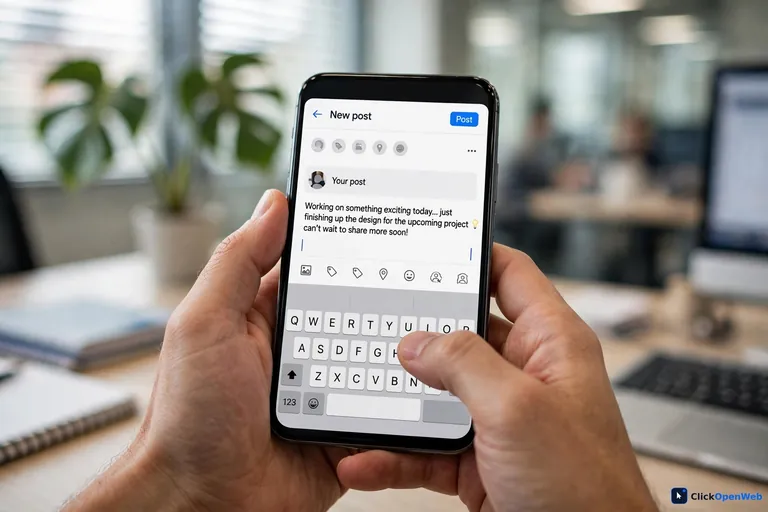
AI can write your captions, but the prompt decides the quality. A weak prompt gives you weak captions. Never ask for “10 engaging posts.” That is how you get posts that sound like everyone else.
Use this template instead. Copy it, fill the brackets, and paste it into ChatGPT or Claude:
Write 3 Instagram captions for [your business type] in [city]. We sell [product or service] to [customer type]. Our tone is [friendly/funny/serious]. Promote [specific offer with price and date]. Each caption must be under 150 words, end with one clear call to action, and include 5 hashtags for [city]. Do not use hype words.
Why this works: it gives the AI your audience, your offer, your tone, and your limits. The AI cannot invent what it does not know, so the more facts you feed it, the less generic the output. Always edit the draft after: swap one AI sentence for one real detail from your shop, and the caption will sound like you.
How to Keep Your Brand Voice
AI copies your voice only if you train it. Most owners skip this step, and that is why their posts sound like a robot wrote them. Do this once and reuse it forever.
Step 1: Collect 5 good posts. Find 5 of your old posts (or a competitor’s posts you admire) that sound right. Paste them into a document.
Step 2: Write 5 voice rules. Read those posts and note the patterns. Example rules: “Short sentences.” “No exclamation marks.” “We say ‘book a visit,’ never ‘DM us.'”
Step 3: Build one master prompt. Save a text file with your brand brief, your 5 voice rules, and your 5 example posts. Paste this whole file into the AI before every writing session. This takes 30 seconds and fixes most “sounds like AI” problems.
Step 4: Review the first batch hard. For your first 10 AI captions, mark every line that does not sound like you, and tell the AI why. It learns from your corrections. After that, the drafts get much closer.
This is the part big companies pay agencies for. You can do it in one afternoon. Our piece on AI writing tools for small businesses goes deeper on prompt craft if you want more.
Free vs Paid: What AI Social Media Tools Cost
AI social media tools for small business range from completely free to about $100 a month. Here is what three realistic stacks cost.
The $0 stack: ChatGPT or Claude (free) + Buffer (free, 3 channels) + Canva (free) + your phone camera. This covers writing, graphics, and scheduling for a shop posting 3 to 4 times a week. Limits: 10 queued posts per channel on Buffer, daily AI limits on the free plans. Search Engine Watch’s hands-on roundup of free AI tools for small business marketing reaches the same verdict: start with Gemini or ChatGPT plus a free design-and-schedule tool before spending anything News.
The ~$35 stack: Buffer Essentials (around $6 per channel) + Canva Pro (around $15). You get more scheduled posts, brand kit, better resizing, and deeper analytics. This is the sweet spot for most growing shops.
The $99+ stack: Hootsuite (around $99 per month) or Sprout Social. You pay for social listening, team approvals, and deep reports. Only worth it when social media drives real revenue or handles customer service.
Do not buy the $99 plan to schedule 3 posts a week. That is the most common and most expensive mistake in this category. BusinessExpert’s tested comparison of the leading platforms shows the same gap: per-channel pricing like Buffer’s stays cheap for small shops, while per-seat enterprise plans multiply fast as teams grow Research. Start at $0, move up when a free limit actually blocks your work.
7 Mistakes Small Businesses Make With AI Social Media Tools
- Using the same prompt for every platform. Instagram wants short and visual; LinkedIn wants a story with a point. Ask the AI for platform versions instead of pasting one caption everywhere.
- Publishing without reading. AI invents prices, dates, and offers. Read every draft and fix the facts. One wrong price costs more than the tool saves.
- Passing AI images off as real. Customers trust real photos of your work. AI images suit backgrounds and art, but show your real product, team, and shop.
- Skipping the reply step. Tools help you post, but customers judge you on replies. Spend 15 minutes a day answering comments yourself.
- Posting too much, too fast. AI makes 5 posts a day easy. Your followers will mute you. Three to five good posts a week beats 30 forgettable ones.
- Ignoring the numbers. If tip posts get clicks and quote cards get nothing, post more tips. Check your analytics weekly and follow what works.
- Paying before you need to. Free plans cover most small shops. Upgrade when you hit a real limit, like running out of scheduled posts.
Who Should NOT Rely on AI Social Media Tools
These tools are not right for everyone. Be honest about whether you are in one of these groups.
Regulated businesses (doctors, lawyers, financial advisers): AI can draft, but every claim must be checked by a professional. One wrong health or legal claim can bring real trouble. Use AI for ideas only, and have an expert approve every word.
Luxury and premium brands: your customers pay for a human touch and rare voice. Heavy AI use can cheapen the feel. If your brand is built on craft and personal service, keep a human writing most posts.
Businesses in crisis mode: if you are handling bad reviews, a scandal, or angry customers, do not let AI write your replies. People can tell, and it makes things worse. A human must handle it.
Everyone else can use these tools safely with one rule: AI drafts, a human decides.
How to Measure What Actually Works
AI social media tools for small business can show you numbers, but most owners watch the wrong ones. Likes feel good and mean little. Watch these instead.
- Profile visits and follows: shows your posts make people curious.
- Link clicks: shows posts that drive traffic to your site or booking page.
- Comments and shares: shows posts people care about enough to act on.
- Messages and bookings: the only number that pays the bills. Ask every new customer how they found you.
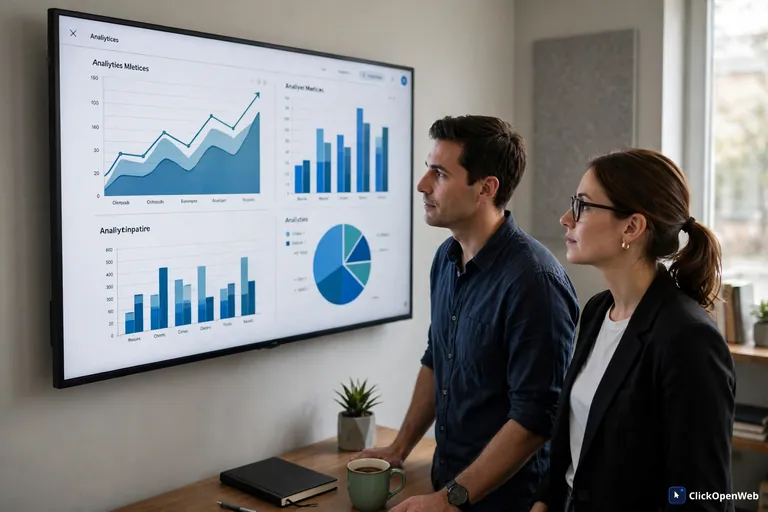
Use the free analytics inside Instagram, Facebook, LinkedIn, and X. Add Google Analytics on your website with UTM links on your social links so you can see which posts brought real visitors. Once a month, list your top 3 posts and your bottom 3. Do more of what the top 3 did. That one habit beats any paid analytics tool.
Can AI Replace a Social Media Manager?
No. AI social media tools for small business will not replace a good manager, and they are not meant to. AI is fast at drafts, scheduling, and resizing. It is bad at judgment: it cannot read a tense comment thread, spot a trend in your town, or know which customer story will move people.
Think of it as a 70/30 split. Let AI do 70% of the work: ideas, first drafts, graphics, scheduling, and reports. Keep 30% for a human: the final edit, the replies, the strategy, and the voice. Research backs the caution: one 2026 industry survey found that about half of consumers engage less when they suspect content is fully AI-made. The shops winning with AI keep a human in the loop. If you want a helper for the reply side too, read our guide on AI chatbots for small business.
FAQ
What is the best AI social media tool for small business?
No single tool wins for everyone. The most common setup is Buffer for scheduling, ChatGPT or Claude for writing, and Canva for graphics. Buffer’s free plan covers 3 channels, which suits most shops. Choose by the job you do each week, not by the longest feature list.
Can AI really write good social media posts?
Yes, as first drafts. ChatGPT, Claude, and Predis.ai write solid captions when you give them your audience, offer, tone, and limits. Unedited, they sound generic. Feed the AI your brand brief and examples, then edit every draft and add one real fact from your shop.
Can AI create my social media calendar?
Yes. Give the AI your offers, dates, promotions, and channels, and ask for a 30-day calendar with one idea per day. Buffer and Later can then schedule those posts. Always review it yourself first. AI does not know your local events or stock issues unless you tell it.
Should I use AI images for business posts?
Use them with care. For local and product businesses, real photos win more trust than AI pictures. Customers want to see your real shop and real work. AI images suit backgrounds, quote cards, and art-style posts. Never pass an AI image off as a real photo of your product.
How do I use AI to write social media captions?
Paste your brand brief into the AI, then prompt it with your business type, city, customer, tone, the exact offer with price and date, a word limit, and hashtags. Ask for 3 versions, keep the best lines, and add one real detail from your shop. That edit makes it sound human.
Can AI automatically schedule Instagram posts?
Yes. Buffer, Later, Metricool, Predis.ai, and Hootsuite connect to Instagram and publish at times you pick or at AI-suggested best times. You load captions and images once, and the tool posts them. You still check comments and messages yourself.
Is Buffer free for social media scheduling?
Yes. Buffer’s free plan covers 3 channels with up to 10 queued posts per channel, and it never expires. That fits a shop posting 3 to 4 times a week. The AI Assistant works on free too. Paid plans start around $6 per channel per month.
Can I do social media marketing with only free AI tools?
Yes. ChatGPT or Claude for writing, Buffer for scheduling, Canva for graphics, and each app’s free analytics cover every core job. Many small shops run fully on this stack. Limits only bite once you post very often.
How much do AI social media tools cost?
Free plans cover most small shops. A solid mid-range stack runs about $35 a month, such as Buffer Essentials plus Canva Pro. Hootsuite starts around $99 per month and suits teams. Start free and pay only when a free limit truly blocks your work.
Can AI replace a social media manager?
No. AI handles drafts, scheduling, and reports, but it cannot read a tense comment thread or build community trust. The best setup is 70/30: AI does about 70% of production work, and a human does the final edit, the replies, and the strategy.
Is Metricool better than Buffer for AI automation?
It depends on the job. Metricool leads on visual planning, TikTok and Pinterest support, and analytics depth. Buffer is simpler, cheaper, and better at rewriting text for each platform. For Instagram, Facebook, and LinkedIn, Buffer’s free plan is usually enough.
How do I measure social media results without paying for analytics?
Use the free analytics in Instagram, Facebook, LinkedIn, and X, plus Google Analytics on your site with UTM links to trace visitors. Watch profile visits, link clicks, and messages, not just likes. Each month, compare your top 3 and bottom 3 posts and repeat what worked.
Conclusion
AI social media tools save you the hours, not the thinking. Start with a free writing tool and a free scheduler, train the AI on your voice with a one-page brand brief, and post 3 to 5 times a week with real photos from your shop. Measure what brings clicks and bookings, and do more of that. When a free limit starts blocking you, then pay for the upgrade. That is the whole system: simple tools, your real voice, steady posting.