AI Chatbot for Small Business: 8 Best Picks for 2026
Your customers message you at 9 pm, on Sundays, and during the lunch rush. You cannot answer every time. An ai chatbot for small business answers those messages for you, day and night, using your own website content as its brain.
For most small shops, the best ai chatbot for small business is Tidio or Chatbase: flat pricing under $45 a month, setup in under an hour, and a clean handoff to a human when questions get tricky. Expect the bot to handle 60 to 80 percent of routine questions on its own.
This guide compares 8 tools on real price, setup time, and channels. You will also get a 5-question quiz, a 7-day launch plan, copy-paste scripts, and the 7 mistakes that sink most first-time owners.
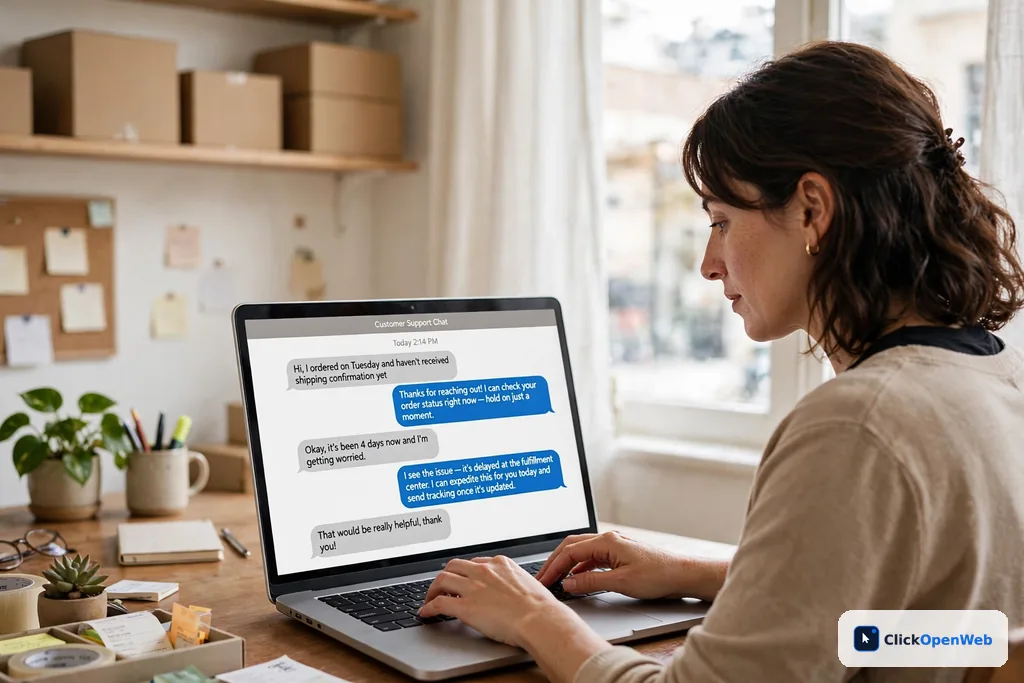
Table of Contents
What an AI Chatbot for Small Business Actually Does
A modern ai chatbot for small business is a small AI helper that lives on your website or in your messages. You point it at your site, menu, price list, or FAQ page. It reads everything, then answers customer questions in plain words at any hour.
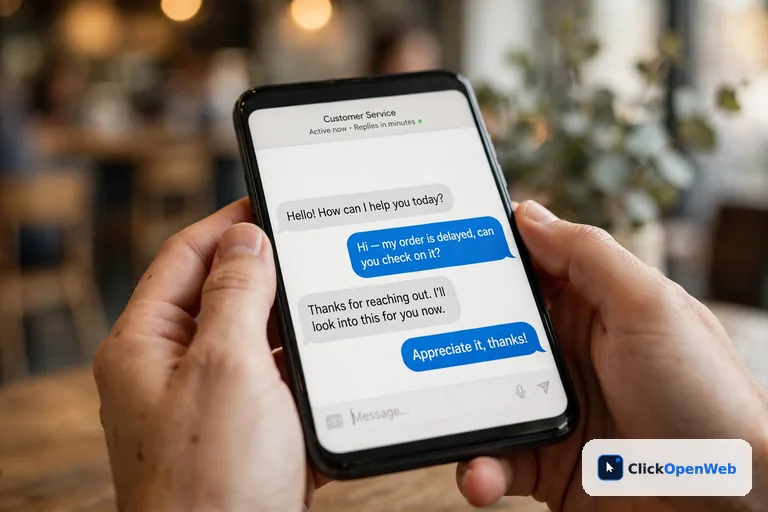
It handles four jobs well: repeat questions (hours, pricing, shipping, returns), lead capture (name, email, phone), bookings (calendar links inside the chat), and handoff (passing hard questions to you with the full conversation attached).
It does not replace your judgment. Angry customers and tricky complaints still need a human. Think of the bot as your hardest-working junior employee. The U.S. Chamber of Commerce reported in 2025 that 58% of small businesses now use generative AI, with customer-facing tools driving adoption. Your competitors are likely answering at midnight already.
8 Best AI Chatbots for Small Business Compared
Picking the right ai chatbot for small business comes down to three things: true monthly cost, setup time without a developer, and the channels your customers already use.
| Tool | Best for | Starts at | Free plan |
| Tidio (Lyro) | All-around value | $29/mo | Yes |
|---|---|---|---|
| Chatbase | Fastest setup | $40/mo | Yes |
| Intercom Fin | Best answer quality | $0.99/resolution | Trial only |
| HubSpot | HubSpot users | Free builder | Yes |
| Zendesk AI | Ticket-heavy teams | $55/agent/mo | No |
| Freshchat (Freddy) | Budget helpdesk | $19/agent/mo | Yes |
| ManyChat | Instagram/WhatsApp | Free | Yes |
| tawk.to | Free start | $0 | Yes |
1. Tidio (Lyro): best all-around value
Tidio bundles live chat, AI answers, and email in one inbox. Its Lyro agent trains on your website automatically; point it at your site and it answers from your own pages within minutes. Starter is about $29 a month, Lyro adds around $32.50 for 50 AI conversations, and the free plan covers 50 conversations. Native Shopify and WordPress apps make install a few clicks. Catch: three separate usage meters make bills harder to predict, and the jump from Growth to Plus is steep.
2. Chatbase: fastest setup
Paste your website URL or upload a document and you get a trained AI agent in minutes. No code, no flow builder. It offers the widest model choice (OpenAI, Anthropic, Gemini), so you are not locked to one AI brain. Most bots run on large language models under the hood; our ChatGPT vs Claude vs Gemini breakdown explains the differences plainly. Hobby is $40 a month for 700 credits, with a free 50-credit trial. Catch: one agent per plan, and branding removal is steep.
3. Intercom Fin: best answer quality
Fin takes actions, not just chats: refunds, order lookups, multi-step fixes. Pricing is $0.99 per resolved outcome with no seat fees, and you do not pay when it escalates. The catch is scale: 500 resolutions a month costs about $495, and bill shock is the top complaint. Pick Fin when each resolved ticket is worth real money. Skip it for simple FAQs.
4. HubSpot: best if you already use HubSpot
The rule-based chatbot builder is free and every chat logs into the contact record. The AI-powered Breeze agent needs Service Hub Professional at about $90 per seat a month plus onboarding. A real commitment, not a quick add-on. For non-HubSpot shops the math rarely beats a standalone tool, but inside the ecosystem it is a no-brainer.
5. Zendesk AI: best for ticket-heavy teams
Zendesk fits teams that outgrew a shared inbox and need routing, SLAs, and reporting around their AI. It handles refunds and troubleshooting across email, web, chat, and social. Suite Team starts at $55 per agent per month with resolutions billed on top. Powerful, but heavier than most five-person teams need.
6. Freshchat (Freddy AI): best budget helpdesk
Freddy AI answers routine questions, classifies tickets, and suggests replies to agents. The free plan covers up to 10 agents, and Growth starts at $19 per agent per month billed annually. Email, chat, phone, and social land in one inbox. A smart start if you plan to grow into a fuller support setup later.
7. ManyChat: best for Instagram and WhatsApp
ManyChat turns comments into automated DM sequences and runs broadcast promotions. It is the default for boutiques, coaches, and local brands whose buyers live on Instagram. The free plan covers basics; paid plans start low. Limitation: mostly rule-based flows, not document-grounded AI, and pricing scales with contact count. For social selling, not deep support.
8. tawk.to: best free start
Unlimited agents, unlimited chats, unlimited websites, ticketing, and a knowledge base for $0, forever. The AI Assist add-on is $29 a month per property and answers from your knowledge base with human handoff. Catch: add-ons bill per property, so multi-site costs multiply. Best for owners who want to start free and add AI only when it pays.
Also worth a look: Botsonic (about $16 a month, cheapest GPT-powered option) and Chatling ($25 a month, unlimited chats where you only pay per AI reply). For the wider AI stack, see our complete guide to AI tools for small business.
How Much Does an AI Chatbot for Small Business Cost?
Direct answer: most small businesses pay $0 to $60 a month. Free plans cover light use. Paid plans with real AI run $19 to $49 a month. Watch the billing model more than the sticker price.
Free plans that work: tawk.to (unlimited live chat free forever), Tidio (50 conversations a month), Chatbase (50 credits), ManyChat (basic automation), Freshchat (up to 10 agents). Check caps before you commit. This 2026 chatbot pricing breakdown [Research] walks through every tier.
Three pricing traps:
- Per-resolution billing. Intercom Fin at $0.99 a resolution sounds fair until 500 resolutions cost $495. Ask what counts as a “resolution”; some vendors count chats the customer simply abandons.
- Per-seat billing. Zendesk, Freshchat, and HubSpot multiply the sticker price by headcount. A 5-person team pays 5x.
- Credit meters. Chatbase and Crisp sell message credits, and heavy AI models can burn 10 to 20x more per reply than light ones.
Rule of thumb: when you price any ai chatbot for small business, multiply the sticker price by your real monthly chat volume first.
The 5-Question Quiz: Which Chatbot Fits You?
Answer these five questions honestly to find the ai chatbot for small business that fits your shop.
1. Where do customers message you most? Website: Tidio, Chatbase, tawk.to. Instagram/WhatsApp: ManyChat. Email/tickets: Zendesk, Freshchat.
2. Already paying for a CRM? HubSpot: use its chatbot. Zendesk/Freshworks: use their built-in AI. Nothing yet: pick a standalone tool.
3. Monthly budget? $0: tawk.to free. Under $40: Tidio, Chatbase Hobby, Botsonic. $40 to $100: Chatbase Standard, Freshchat, Crisp.
4. Who sets it up? Just me, non-technical: Chatbase, Tidio. Tech-savvy: Intercom, Freshchat. Have a developer: Botpress, Intercom.
5. What job matters most? Answer FAQs: Chatbase. Capture leads: Tidio, ManyChat. Take bookings: check calendar integrations first.
Mostly first answers? Start with Tidio or Chatbase this week. When in doubt, trial your top two against your 10 most-asked real questions. The one that answers more correctly wins.
How to Launch Your AI Chatbot for Small Business in 7 Days
Day 1: List your 10 most-asked questions. Check your inbox and DMs. Write the exact questions customers repeat.
Day 2: Pick your tool and sign up. Use the quiz above. Start free or on trial; never pay annually on day one.
Day 3: Train it on your content. Training is the easy part with a modern ai chatbot for small business: point it at your website URL, upload your FAQ or price list, and paste your 10 questions with answers.
Day 4: Write welcome and fallback messages. Two lines for the welcome (see scripts below). A fallback that always offers a human.
Day 5: Test like a rude customer. Ask 20 hard questions, including trick phrasing and things you do not sell. Fix wrong answers by improving your source content.
Day 6: Connect the human handoff. Route escalations to email, Slack, or phone. Trigger it yourself and confirm you get the full conversation.
Day 7: Go live on one page. Start with your busiest page (pricing or contact). Watch transcripts for a week, then expand.

7 Mistakes That Make Chatbots Fail
1. Automating everything day one. Start with 10 FAQs. A bot that handles 10 questions well beats one that handles 100 badly.
2. Letting the bot pretend to be human. Say “I am the AI assistant” upfront. Deception destroys trust at the first wrong answer.
3. No human handoff. Every bot needs an escape hatch. A trapped customer never comes back. This is the most common failure.
4. Training on outdated content. The bot is only as smart as what you feed it. Update your source pages first.
5. Never reading transcripts. Spend 30 minutes a week on real conversations, especially month one. Every wrong answer is a free lesson. Track chat usage, handoffs, and drop-offs; this metrics checklist [Research] shows which numbers matter.
6. A long welcome message. Visitors scan. Two lines, one question, done.
7. Nobody owns it. Assign one person 30 minutes a week. An unreviewed bot slowly goes stale.
Who Should Skip a Chatbot for Now
Skip it if: your site gets a handful of visitors a week (get found first); your business is high-trust or sensitive like legal or medical (customers expect a person); your website content is thin or outdated (the bot will invent answers); nobody has 30 minutes a week to review it; or you want it because it “looks modern.” Everyone else, most local services, stores, and agencies, is a good fit.
Rule-Based vs AI Chatbots: What Is the Real Difference?
Direct answer: a rule-based bot follows a fixed script and breaks when you phrase things differently. An AI chatbot understands meaning and answers from your content. In 2026, every tool worth buying is AI-based.
Old bots worked like phone menus: “press 1 for hours.” Type “are you open Sunday” and they failed. AI bots use language models trained on your site, so every phrasing gets the right answer. The practical test: if a vendor offers only button-menu flows with no AI answers, walk away. Rule-based flows still suit one job: simple lead-capture forms where a script is fine and cheaper.
Copy-Paste Scripts: What Your Bot Should Say
Welcome: “Hi! I am the AI assistant for [Your Business]. Ask me anything about services, pricing, or hours, or type HUMAN to reach our team.”
Fallback: “I do not have a confident answer for that, and I would rather not guess. Want me to connect you with our team? They usually reply within [X hours].”
Handoff: “Connecting you now. I have shared our full conversation so you will not need to repeat anything.”
After-hours: “We are closed right now, but I can still help with common questions or take your details. Our team will follow up first thing in the morning.”
Every script is honest about being a bot, never guesses, and always offers a human. Need FAQ content to train on? AI writing tools for small business draft the first version in minutes.
Conclusion
The right ai chatbot for small business is simpler to pick than the market makes it look. Start free with tawk.to or Tidio. Move to Chatbase for zero-pain AI setup. Pay for Intercom Fin only when each ticket is worth real money.
Three rules beat any feature list: train on real, current content; always offer a path to a human; give someone 30 minutes a week for transcripts. Do those and the bot pays for itself.
Your move: list your 10 most-asked questions today. That list is half the project, and you can write it before lunch.
FAQ
What is the best ai chatbot for small business?
Tidio is the safest all-around pick, Chatbase the fastest to set up, and tawk.to the best free start. Match the tool to your channel: website questions favor Tidio or Chatbase, Instagram and WhatsApp favor ManyChat, and HubSpot or Zendesk users should use the built-in bots.
How much does an AI chatbot cost for a small business?
Most owners pay $0 to $60 a month. Free plans cover light use; paid AI plans run $19 to $49. Intercom Fin charges $0.99 per resolution, which can pass $400 a month at volume, so model your real chat volume first.
Is there a free AI chatbot for small businesses?
Yes. tawk.to gives unlimited live chat free forever (AI is a $29 add-on). Tidio, Chatbase, ManyChat, and Freshchat have free tiers with caps. Free plans suit testing and low-traffic sites.
Can I set up an AI chatbot without hiring a developer?
Yes. Chatbase, Tidio, tawk.to, and ManyChat install via WordPress plugin or a copy-paste snippet in 10 to 30 minutes. Only developer platforms like Botpress expect technical skills.
What is the difference between a rule-based chatbot and an AI chatbot?
Rule-based bots follow fixed scripts and break on unexpected phrasing. AI chatbots understand natural language and answer from your content, improving over time. Every tool worth buying in 2026 is AI-powered.
Will an AI chatbot replace my live chat or my staff?
No. AI handles repetitive questions (hours, pricing, order status) with instant human handoff for the rest. Most tools resolve 60 to 80 percent of routine questions alone. It covers nights and weekends; it does not replace people.
Do small business chatbots work with WhatsApp and Facebook Messenger?
ManyChat and Chatfuel are built for Instagram, WhatsApp, and Messenger. Chatbase, Tidio, and Freshchat support them on paid tiers. If messaging apps carry your volume, verify channel support first.
How long does it take to set up a chatbot for a small business?
A basic bot goes live in under an hour. A proper setup with trained content, tested answers, and handoff rules takes about 4 to 6 hours across one week.
Will customers get annoyed talking to a chatbot?
A bad one will; a good one will not. Annoyance comes from loop traps, fake humanity, and guessed answers. A fast bot that admits limits and offers a human in one tap is welcomed, especially after hours.
Is my customer data safe with an AI chatbot?
Depends on the vendor. Look for GDPR/CCPA compliance, SOC 2 on paid plans, and a promise your data never trains AI models. Never collect passwords or payments in chat, and ask only for contact info you need.
Can a chatbot capture leads and book appointments?
Yes. Most tools collect name, email, and phone, then email you or push to your CRM. Many connect to Calendly or Google Calendar for in-chat booking. Set this up on day one.
Are free AI chatbot plans actually usable?
For testing and low-traffic sites, yes. tawk.to is genuinely free for live chat; Tidio and Chatbase free tiers let you evaluate real AI answers. Watch conversation caps and locked branding. Once it earns leads, paid usually pays for itself in a month.
METADATA BLOCK
- SEO title: AI Chatbot for Small Business: 8 Best Picks for 2026
- Meta description: AI chatbot for small business: compare 8 tools on price, setup time, and channels. Find your best fit, dodge pricing traps, and launch in 7 days.
- Focus keyword: ai chatbot for small business
- Slug: ai-chatbots-small-business
- Related keywords: best chatbot for small business, small business chatbot software, ai customer service chatbot, chatbot for small business website, free chatbot for small business
- Related terms covered: live chat, lead capture, knowledge base, human handoff, WhatsApp chatbot, conversational AI, helpdesk, CRM integration, per-resolution pricing, no-code builder, multilingual support, appointment booking
Similar Posts
AI Accounting Tools for Small Business: Best Picks 2026
Bookkeeping eats your weekends. You sell, you serve customers, then at night you sit with receipts and a spreadsheet. Sound familiar? The good news is that AI bookkeeping apps can take most of that night work off your plate. AI accounting tools for small business connect to your bank and credit cards, sort every transaction…
AI Social Media Tools for Small Business: 2026 Guide
Posting on social media every day takes hours you do not have. You still need to reply to customers, make the product, and run the shop. This guide compares the best ai social media tools for small business in plain words, with real prices, a 7-day setup plan, and the mistakes to avoid. The best…
AI Tools for Small Business: Complete 2026 Guide
AI Tools for Small Business: The Complete Guide If you run a small business, you wear every hat. You write the emails, post the ads, answer the customers, track the money, and book the meetings. AI tools for small business are built to take the repetitive half of that pile off your desk, and they…
ai data analysis tools for small business (No Team Needed)
You run a small business. Sales live in one app, ads in another, and customer notes in a third. You know the answers are in there, but no one on your team has time to dig them out. That is the exact problem AI data analysis tools for small business solve: they read your numbers,…
Best Sales App for Small Business: 9 Top Picks for 2026
If you run a small business, you know the pain. Leads come in, follow-ups slip, and deals die in your inbox. Finding the best sales app for small business owners like you means finding one place where every lead, call, and deal lives. This guide shows you what a sales app really is, how to…
AI Email Marketing Tools for Small Business: 7 Best Picks
If you run a small business, you know email brings sales. But writing emails every week feels like a second job. That is where AI helps. This guide to AI email marketing tools for small business covers what they do, the 7 best options, a 2-minute picker quiz, a 5-step setup plan, and the mistakes…