AI Image Generator for Small Business: Best Tools
If you are shopping for an ai image generator for small business marketing, you have more good options right now than at any point before. These tools turn a short text prompt into a finished-looking image in seconds, and most of them cost less than one hour of a designer’s time.
An ai image generator for small business creates marketing images from plain text prompts in seconds, with no designer needed. Ideogram is best for posters with readable text, ChatGPT images are best for quick brainstorming, Adobe Firefly is the safest pick for paid ads, and Canva is best for turning images into finished posts. Free plans cover most needs.
In this guide you will see the 10 tools that matter in 2026, what each one costs, which free plans you can actually use for business, the legal rules on commercial use, and a simple workflow that takes you from prompt to published post in about a minute.
Table of Contents
- What Is an AI Image Generator for Small Business Marketing?
- How It Works in 3 Simple Steps
- The 10 Best Picks for 2026
- Free vs Paid: What It Really Costs You
- Can You Legally Use These Images in Your Marketing?
- How to Write Prompts That Match Your Brand
- The 60-Second Workflow: Prompt to Published Post
- 5 Mistakes Small Businesses Make With AI Images
- Pick Yours in 3 Minutes: The Quick Quiz
- Who Should Skip AI Image Generators
- Do You Need to Label AI Images?
- FAQ
What Is an AI Image Generator for Small Business Marketing?
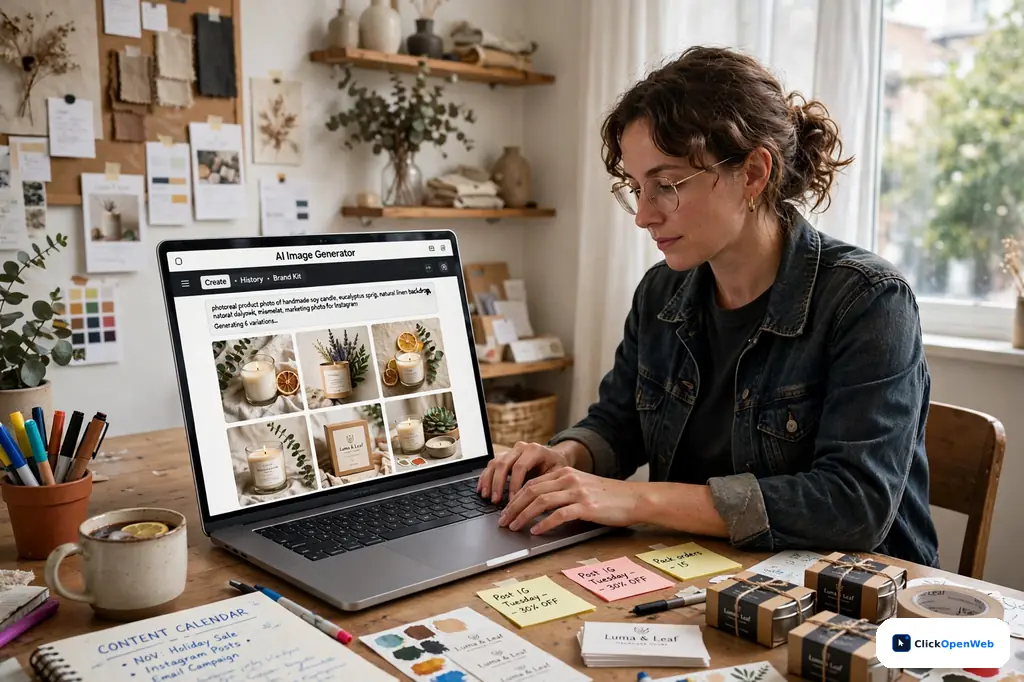
An ai image generator for small business is a tool that draws pictures from your words. You type a description like “a cozy bakery storefront at sunrise,” and the tool builds an original image to match. The image is new, not pulled from a stock library.
Small businesses use these tools for social posts, blog images, ads, flyers, product photos, and email headers. A 2025 Adobe report found that 73% of USA small business owners call visual content their biggest marketing challenge, and 61% point to cost as the main barrier. This is the exact problem these tools solve: a freelance designer charges $50 to $150 an hour, while most image generators start free or cost $3 to $20 a month.
How It Works in 3 Simple Steps
An ai image generator for small business runs on a model trained on billions of image-and-text pairs. When you prompt it, a diffusion model starts from visual noise and sharpens the picture step by step until it matches your words. You do not need design skills. Here is the whole process.
Step 1: Describe. Type what you want in plain language. Include the subject, setting, mood, colors, and where your text or logo will go.
Step 2: Generate and pick. The tool returns 2 to 4 options in seconds. Choose the closest one, then ask for tweaks with simple words like “warmer light” or “more empty space on the left.”
Step 3: Finish and publish. Add your logo, resize for the platform, and post. The tools that keep this step inside one app save you the most time.
The 10 Best Picks for 2026
No single tool wins at everything. The right pick depends on the job. Here is each tool’s one best job, its free plan, and its entry price, all verified in October 2026 research.
1. Ideogram: Best for Posters With Readable Words
Ideogram was built to fix the oldest flaw in AI images: garbled text. It spells words right about 90 to 95% of the time, versus 30 to 40% for Midjourney. If your image needs a headline, price, or slogan, start here. Free: 10 credits a day, no watermark, and the terms explicitly allow commercial use, which is rare on free plans. Paid plans start at $15 a month billed annually. Note that free images are public by default.
2. ChatGPT Images: Best for Brainstorming in Conversation
If you already pay $20 a month for ChatGPT Plus, image generation is included at no extra cost. Describe the picture, then refine it in plain chat: “make the background moodier” or “leave room for my headline.” The same chat can write your caption and ad copy too. Free accounts get a limited number of daily images, and the newer GPT Image 2 model renders text inside images far better than the old DALL-E 3. See our chatgpt-vs-claude-vs-gemini comparison for how the big assistants stack up.
3. Adobe Firefly: Best for Commercial Safety
Firefly is the pick when legal risk matters: paid ads, client work, packaging. Adobe trained it on licensed content and offers IP indemnification on qualifying plans, so Adobe stands behind the legal safety of your images in a way rivals do not. Free: 25 credits a month. Paid: from $9.99 a month for 2,000 credits. It also plugs into Photoshop and Adobe Express.
4. Canva AI: Best for Finished Designs in One Editor
Canva generates the image inside the same editor where you add text, your logo, and brand colors. Free accounts get 50 AI images a month plus 250,000+ templates, with one-click resizing for Instagram, Facebook, LinkedIn, and Pinterest. Pro is $144 a year. If you already make posts in Canva, try its built-in generation before paying for anything new.
5. Design.com: Best for Prompt-to-Published at the Lowest Price
Design.com drops your generated image straight into 651,000+ templates for flyers, cards, posts, and banners, with your logo, colors, and fonts applied in the same workspace. Image creation is free with no account. The AI Design Plan is $3 a month billed annually with 50 AI images a month. The cheapest full prompt-to-published workflow on this list.
6. Photoroom: Best for Product Photos
Photoroom is built for ecommerce sellers: it cuts out backgrounds, generates new AI backdrops and shadows, and keeps every catalog item consistent. Batch Mode processes up to 500 images at once, and upper plans add an AI model generator showing apparel on different body types. Pro starts at $7.50 a month. If you sell on Amazon, Etsy, or Shopify, it pays for itself fast.
7. Leonardo AI: Best Free Premium Quality
Leonardo’s free tier gives 150 credits a day, and its PhotoReal mode produces the most impressive free-tier images anywhere. You can also fine-tune it on your brand’s visual style for consistent campaigns. Paid plans start at $12 a month with 8,500 credits and private images. Caution: most free-tier output does not include full commercial rights, so check before using it in paid ads.
8. Bing Image Creator: Best Free Unlimited Option
Microsoft’s Copilot Image Creator runs on DALL-E 3, needs only a Microsoft account, and has no hard daily limit. Boosted fast generations refresh weekly; after that, generation still works but slower. No credit card, no watermark, and commercial use is allowed under Microsoft’s standard terms. The best zero-cost starting point for bloggers and tight budgets.
9. Google Gemini (Nano Banana): Best for Fast Single Images
Gemini builds image creation into Google’s assistant on web and mobile, so there is almost nothing to learn. Its Nano Banana 2 model delivers 4K photorealism with sharp detail on products, food, and interiors. The free tier includes a daily allowance, and Google AI Plus is $7.99 a month. Use it when you need one good image in two minutes.
10. Midjourney: Best Pure Visual Quality, With Caveats
Midjourney still makes the most striking, atmospheric images in the business, which is why designers love it for mood boards and hero art. But there is no free tier, plans start at $10 a month, and text rendering stays unreliable. Also know: companies above $1 million in annual revenue need a Pro or Mega plan to own their outputs. For most small marketing jobs, the cheaper tools above do the same work.
Free vs Paid: What It Really Costs You
Free plans are generous in 2026, and paid tiers mostly land between $3 and $20 a month. Here is the math for a typical small business posting about 30 times a month.
| Plan | Monthly cost | Images covered | Good for |
| Bing Image Creator (free) | $0 | Unlimited (slower after boosts) | Blog images, quick concepts |
|---|---|---|---|
| Ideogram free | $0 | ~10/day, commercial OK | Posters, flyers with text |
| Leonardo free | $0 | ~15-30 images/day | Premium product visuals |
| Canva free | $0 | 50 AI images/month | Social posts + templates |
| Design.com AI Design | $3/mo (annual) | 50 AI images + templates | Finished branded designs |
| Photoroom Pro | $7.50/mo | 1,000 exports | Product catalogs |
| Adobe Firefly Standard | $9.99/mo | 2,000 credits | Paid ads, client work |
| ChatGPT Plus | $20/mo | Limited daily images + chat | All-in-one content workflow |
Thirty posts a month fit inside the free tiers if you mix two tools: Ideogram for text-heavy posters and Bing for everything else. Upgrade the moment you hit a free limit three days in a row. If you keep regenerating because the cap reset, the friction now costs more than the subscription. [Research] A free-tier guide from rangy.ai confirms Ideogram’s free plan is the only major free tier with explicit commercial-use rights in its terms: https://rangy.ai/blog/best-free-ai-image-generator/
Can You Legally Use These Images in Your Marketing?
Short answer: yes, in most cases, but the rules depend on the tool, the plan, and where the image appears.
Your plan decides your rights. A comparison of 14 generators published in October 2026 found that “commercial use allowed” answers only one of four questions: usage rights, ownership, privacy, and IP indemnification. Some free plans allow paid projects but make your generations public; others reserve commercial rights for paid tiers. Read the terms of the exact plan you used.
You do not own the copyright. The U.S. Copyright Office has ruled that purely AI-generated images lack the human authorship needed for copyright protection, and writing prompts does not count. You can use the image in your marketing, but you cannot stop a competitor from using a similar one. For blog and social images, that rarely matters.
Three rules that keep you safe: check every image for logos, brands, or recognizable people before use; never upload confidential client photos to a free tool without reading its data policy, since some free plans train on your uploads; and pick Adobe Firefly for paid ads, packaging, or client work, where its IP indemnification is the clearest protection a small business can buy. Note that Etsy requires AI-generated listing images to be disclosed in the product category field. [Research] Full 14-generator commercial-use comparison: https://journal.everypixel.com/ai-generated-images-commercial-use
How to Write Prompts That Match Your Brand
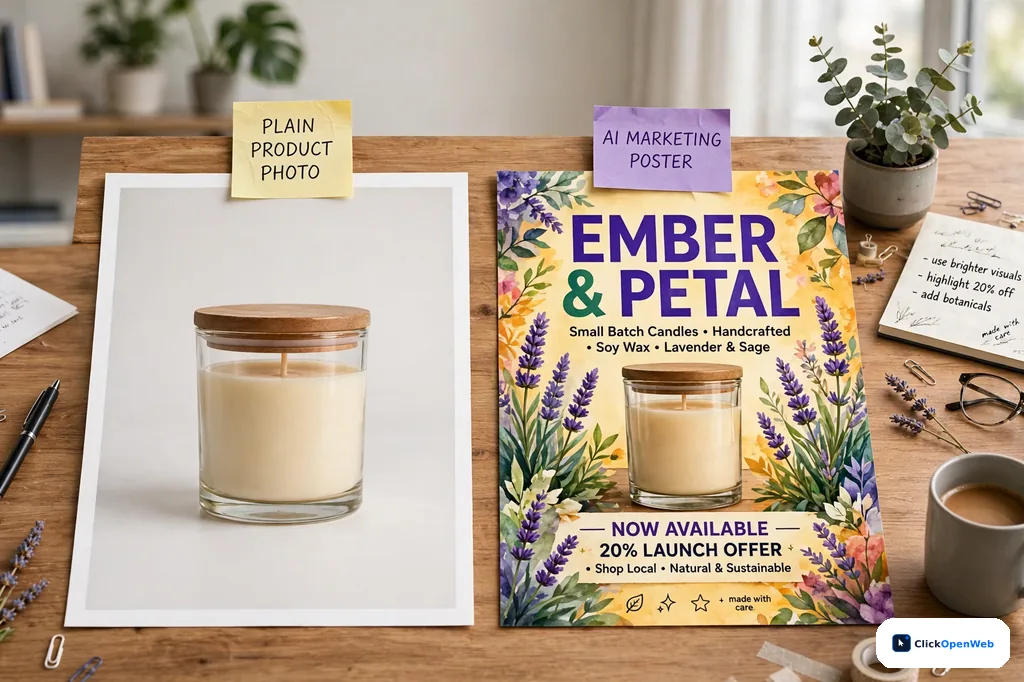
Weak prompts give generic images. Compare: “a coffee cup on a table” versus “a ceramic coffee cup on a wooden counter, soft morning light, warm cream and forest green palette, wide shot with empty space on the left for text.” The second one is ready to post. Use this five-part formula every time:
- Subject: the exact thing, with materials (“ceramic coffee cup,” not “cup”).
- Setting: where it sits (“wooden counter in a sunlit cafe”).
- Light and mood: (“soft morning light, calm and welcoming”).
- Brand details: your colors and style (“warm cream and forest green palette, minimal style”).
- Space for text: (“empty space on the left for a headline”).
Three habits help: name brand details in the FIRST prompt, change one thing at a time when refining, and keep a prompt bank of your best-performing wording. Always proof the result for garbled text, odd hands, or clashing colors before it goes live.
The 60-Second Workflow: Prompt to Published Post
The fastest way to work is to count the apps between your first prompt and the published post. Every extra app adds minutes a small team rarely has. Here is a one-app flow using Canva or Design.com.
Seconds 0-20: Generate. Open the generator and paste your five-part prompt. Ask for 4 options and pick the strongest.
Seconds 20-40: Brand it. Drop in your logo, apply your brand colors, and add your headline text. Both Canva and Design.com keep brand kits one click away, so this takes seconds once set up.
Seconds 40-60: Size and post. Resize for the platform: 1080×1080 for Instagram feed, 1200×628 for Facebook and LinkedIn ads, 1080×1920 for Stories and Reels, 1280×720 for YouTube thumbnails. Export as WebP or PNG and publish.
Do this once and time it. Most owners are shocked that the whole trip, prompt to post, fits in a single minute.
5 Mistakes Small Businesses Make With AI Images
1. Publishing without proofing. AI still mangles small text, hands, and logos. A misspelled “SALE” poster costs more trust than no poster. Zoom in before you post.
2. Ignoring the license on free plans. Free to generate is not the same as free to use commercially. Leonardo’s free tier, for example, limits commercial rights on most output. Check the plan terms before an image goes into an ad.
3. Using one generic style everywhere. If every post looks like the same glossy AI render, your feed looks like everyone else’s. Mix in real photos of your team, your shop, and your products. AI should fill gaps, not replace you.
4. Forgetting where the image will live. A square image cropped into a Story looks broken. Decide the platform first, then generate in that aspect ratio. Most tools offer 1:1, 16:9, and 9:16 presets.
5. Uploading private photos to free tools. Reference photos of clients, staff, or unreleased products can end up in training data or public galleries on some free plans. Read the privacy terms, or keep sensitive images on paid plans with private generation.
Pick Yours in 3 Minutes: The Quick Quiz
Answer these three questions and your pick is obvious.
Question 1: Do your images need readable words? Posters, menus, sale graphics, thumbnails with headlines. If yes, start with Ideogram. Its 90 to 95% text accuracy is in a different league.
Question 2: Do you already pay for ChatGPT or Canva? Then use what you have. ChatGPT Plus includes image generation, and Canva’s free tier includes 50 AI images a month. Adding a new subscription before testing the one you own is the most common waste in this category.
Question 3: Will these images go into paid ads or client work? If yes, Adobe Firefly’s commercial indemnification is worth the $9.99 a month. Legal safety beats slightly prettier pixels when real money is on the line.
Still stuck? Start free with Bing Image Creator plus Ideogram. That pair covers nearly every small business job at $0, and you will learn exactly what you would pay for.
Who Should Skip AI Image Generators
AI images are not for everyone. Skip them if your brand sells luxury, where a synthetic image can cheapen the product. Skip them if you are a photographer or artist whose selling point is real, human-made work. And skip them for anything that must show your actual product exactly: a restaurant menu photo of a real dish, or a medical product where accuracy is a safety issue. In those cases, AI is a brainstorming aid, not the final asset.
Do You Need to Label AI Images?
For most small business posts, no visible label is required in the USA. But two things are changing. First, Google’s SynthID and the C2PA standard embed invisible markers in AI images, so platforms can increasingly detect them. Second, under the EU AI Act, transparency duties for AI-generated content began on August 2, 2026, and some marketplaces already require disclosure: Etsy, for example, asks sellers to label AI-generated listing images in the product category field.
The safe habit is simple: disclose AI images where a customer might reasonably think they are looking at a real photo of your real product. A stylized blog header needs no label. A product listing does.
The Bottom Line
An ai image generator for small business work is no longer a toy. In 2026 the free tiers are genuinely good, the paid plans cost less than lunch, and the legal rules are clear enough to follow. Start with Ideogram for anything with words and Bing Image Creator for everything else, both free. Learn the five-part prompt formula, brand every image with your colors and logo, and proof before you post. When free limits start slowing you down three days in a row, that is your signal to pay for one tool, not five. If you want to see how AI search engines pick which pages to cite, read our guide on SEO for AI search, and for broader AI help for small businesses explore our small business AI hub.
FAQ
Do I need a separate AI image generator if I already use ChatGPT?
Not necessarily. ChatGPT Plus includes image generation in the same $20 a month, and the newer GPT Image 2 model follows instructions well and renders text inside images far better than before. For most marketing needs it is genuinely capable, so use it before adding another tool and another bill.
Which AI image generator is best for text inside images?
Ideogram, by a wide margin. It spells words right about 90 to 95% of the time, compared to roughly 30 to 40% for Midjourney. GPT Image 2 is now competitive on short phrases, but for posters, menus, and thumbnails where every word must be right, Ideogram is still the safest choice.
Is it legally safe to use AI-generated images commercially?
Usually yes, with checks. Most paid plans grant commercial use, and OpenAI says you own what you generate in ChatGPT. But free plans differ: Ideogram’s free tier explicitly allows commercial use, while Leonardo’s free tier mostly does not. For paid ads and client work, Adobe Firefly’s IP indemnification is the clearest protection.
Is Midjourney worth it for a small business?
Only if visual quality is the priority and the budget allows. There is no free tier, plans start at $10 a month, and text rendering stays weak. For most marketing jobs, ChatGPT images or Ideogram cover the same ground for less. Companies above $1 million in revenue also need a Pro or Mega plan to own outputs.
What is the best free AI image generator for commercial use?
Ideogram’s free tier: 10 credits a day, no visible watermark, and commercial use explicitly permitted in its terms. That makes it the most defensible free option for Etsy sellers, print-on-demand shops, and small client projects without spending anything. No other free plan combines all three: daily credits, clean exports, and clear rights.
Is Bing Image Creator really free?
Yes. Microsoft’s Copilot Image Creator runs on DALL-E 3 and needs only a Microsoft account. Boosted fast generations refresh weekly; after boosts run out, generation still works but takes longer. No credit card, no watermark, and commercial use is allowed under Microsoft’s standard terms.
Can I use AI images on Etsy?
Yes, with two rules. First, pick a tool whose terms allow commercial use: Ideogram’s free tier does, Leonardo’s free tier mostly does not. Second, Etsy requires AI-generated listing images to be disclosed in the product category field. Disclose honestly and you stay within the rules.
Do free AI images have watermarks?
Most do not add visible watermarks in 2026. Ideogram free, Copilot Image Creator, Leonardo free, and Canva free all export clean images. Some embed invisible markers instead, like Google’s SynthID or Adobe’s C2PA credentials. Always preview the export before using a free tier for client work.
Is there a free AI image generator that needs no account?
A few. Design.com creates images without sign-up, and Pixelbin offers no-sign-up testing from the browser with watermark-free downloads. Most other free tiers, including Ideogram, Leonardo, and Bing Image Creator, require a free account. If you want to test before committing an email address, start with either of the two above.
How much does a good AI image generator cost per month?
Paid plans mostly land between $3 and $20 a month: Design.com at $3, Photoroom Pro at $7.50, Adobe Firefly at $9.99, Ideogram Plus at $15, and ChatGPT Plus at $20. Posting 30 times a month can also run entirely free by mixing Ideogram and Bing Image Creator.
Similar Posts
Best AI Visibility Consultant for Small Business
People do not search the way they used to. They ask ChatGPT, Gemini, or Perplexity a plain question like “who is the best plumber near me” and take the short list it gives back. If you are looking for the best ai visibility consultant for small business, you probably ran that same test on your…
ai data analysis tools for small business (No Team Needed)
You run a small business. Sales live in one app, ads in another, and customer notes in a third. You know the answers are in there, but no one on your team has time to dig them out. That is the exact problem AI data analysis tools for small business solve: they read your numbers,…
Best AI SDR for Small Business Sales: 9 Top Picks
You started your business to sell, not to spend three hours a day writing cold emails. Yet most small teams do exactly that: researching prospects, guessing email addresses, writing follow-ups, tracking replies. An AI SDR does that whole top-of-funnel job for you. The best AI SDR for small business sales is AiSDR: its Solo plan…
AI CRM for Small Business: 7 Tools, Prices, Picks
You have leads in your inbox, notes on your phone, and old quotes in a spreadsheet. Nothing talks to anything else. A lead goes quiet, and you only notice a week later. That is the exact pain an ai crm for small business is built to fix. An ai crm for small business is a…
AI Translation Tools for Small Business: 7 Best Picks
A customer writes to you in Spanish. You speak English. Do you lose the sale, or do you answer in perfect Spanish in two minutes? That choice is now yours to make, and it costs less than lunch. AI translation tools for small business turn your words into another language in seconds, so a small…
AI Accounting Tools for Small Business: Best Picks 2026
Bookkeeping eats your weekends. You sell, you serve customers, then at night you sit with receipts and a spreadsheet. Sound familiar? The good news is that AI bookkeeping apps can take most of that night work off your plate. AI accounting tools for small business connect to your bank and credit cards, sort every transaction…