How to Use Scientific Notation Converter: Easy Guide
You typed a long number with too many zeros. Now you need it in short form, fast, and with no counting error. This guide shows you how to use scientific notation converter tools step by step, with plain examples you can check by hand.
A scientific notation converter turns a plain number into scientific notation, or turns scientific notation back into a plain number. Type the number, pick the direction if the tool asks, press Convert, and copy the short form it gives you.
You will learn what the tool is, what each part of the answer means, and once you know how to use scientific notation converter tools, each result takes seconds to check, how to type numbers in three common forms, and how to spot a wrong result. You will also see worked examples from space, atoms, and school science. If you only need one quick answer, try the free scientific notation converter now, then come back here to check your result.

Table of Contents
- What Is a Scientific Notation Converter?
- The Short Answer You Can Quote
- How to Use Scientific Notation Converter Tools Step by Step
- What Each Part of the Answer Means
- Convert a Plain Number to Scientific Notation by Hand
- Convert Scientific Notation Back to a Plain Number
- E-Notation and Engineering Notation Explained
- Worked Examples With Real Numbers
- Inputs, Calculators, and When to Skip the Tool
- Common Mistakes and How to Fix Them
- Frequently Asked Questions
What Is a Scientific Notation Converter?
A scientific notation converter is a small online tool that rewrites huge or tiny numbers in a short form. Scientific notation is a way to write a number as a small number times a power of 10. The small number is called the coefficient. It sits between 1 and 10. The power of 10 tells you how far the decimal point moved.
Take 7,500,000. In scientific notation it is 7.5 x 10^6. Students who learn how to use scientific notation converter tools first by hand tend to spot sign errors faster. Take 0.00032. It is 3.2 x 10^-4. Both forms mean the same value. The short form is just far easier to read, type, and compare.
The Short Answer You Can Quote
Readers who learn how to use scientific notation converter tools well do one thing first: they check the coefficient, then the exponent sign, then the plain form.
A scientific notation converter changes a plain decimal number into the form a x 10^b, where a is between 1 and 10 and b counts the places the decimal point moved, or it reverses that change. You type a number, the tool finds the coefficient and the exponent, and it shows both forms for a quick check.
How to Use Scientific Notation Converter Tools Step by Step
Most tools work the same way. The steps below match the ClickOpenWeb tool and most free tools like CalculatorSoup and Vedantu. Follow them in order.
- Open the tool. Go to the scientific notation converter page. You do not need to sign up or install an app.
- Type your number. Type a plain number such as 4500000, or a small number such as 0.00045. You can also type a number already in scientific form, such as 4.5 x 10^6, or in e-notation, such as 4.5e6. The letter e here means times 10 to the power of.
- Pick a direction if the tool asks. Some tools ask you to pick "to scientific notation" or "from scientific notation." Others guess the direction from what you typed. If you are not sure, pick the direction that matches your start number.
- Set precision if you see that option. Precision means how many digits you want to keep. Keep all digits for homework checks. Round to 3 or 4 digits for a lab report or a slide. Rounding early can change a later step, so keep extra digits until the last step.
- Press Convert or Calculate. The tool shows the scientific form, the plain form, and often the e-notation form too. Good tools also show the steps: where the decimal point moved and how the exponent was counted.
- Copy and check the result. Copy the form you need. Then do one quick check: count the zeros in the plain number against the exponent. If they do not match, retype the number and try again.
What Each Part of the Answer Means
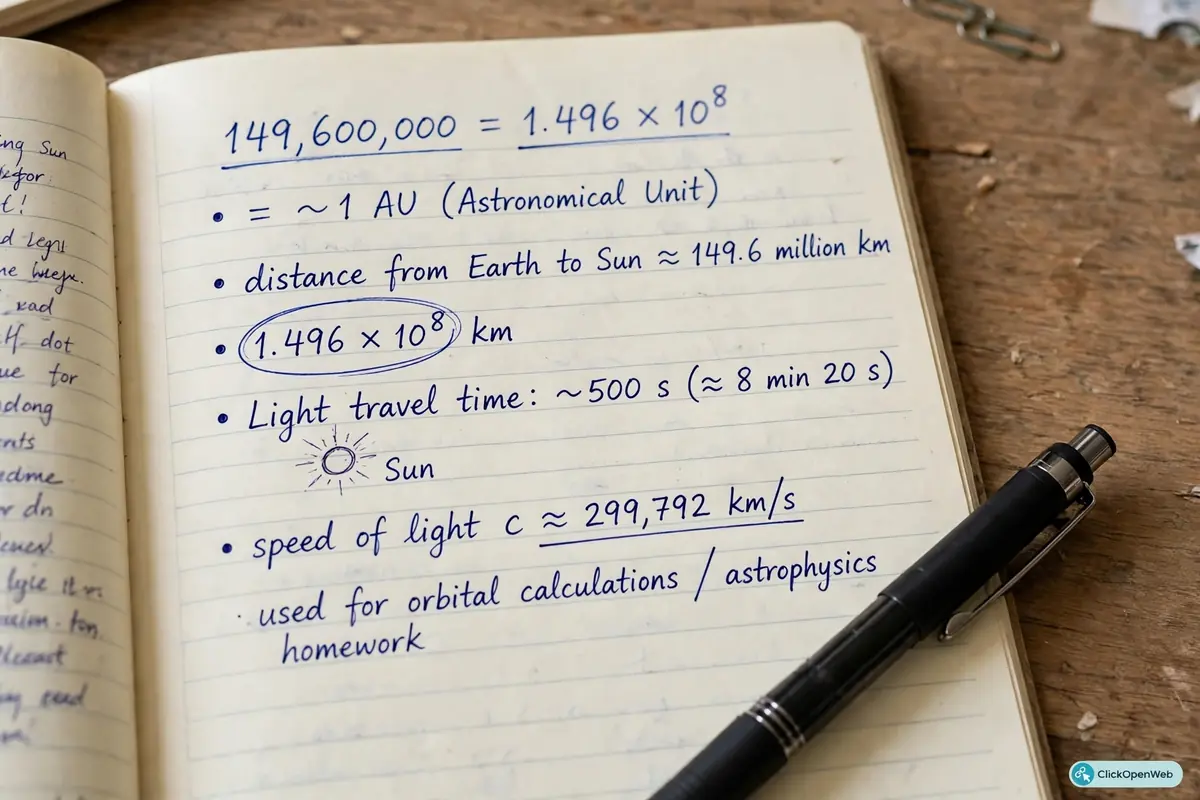
A result like 1.496 x 10^8 has three parts. Learn them once and every result makes sense.
- Coefficient (1.496): The small number in front. It must be 1 or more, and less than 10. It holds all the real digits of your number.
- Base (10): The base is always 10. That is why this system is called base 10 notation. It never changes.
- Exponent (8): The small raised number. It counts how many places the decimal point moved. A plus sign means the plain number is large. A minus sign means the plain number is small, less than 1.
Convert a Plain Number to Scientific Notation by Hand
You should know the hand method even if you use the tool each time. It is the same skill behind how to use scientific notation converter checks in exams, where a tool may not be allowed. It lets you check the tool, and it helps in exams where a tool is not allowed.
- Find the first digit that is not zero.
- Put the decimal point right after that digit. That gives you the coefficient.
- Count how many places the decimal point moved from its old spot to its new spot.
- If the point moved left, the exponent is positive. If it moved right, the exponent is negative. If it did not move, the exponent is 0.
Work it with 45,000. The first non-zero digit is 4. Put the point after 4 to get 4.5. The point moved 4 places left. The answer is 4.5 x 10^4. Check: 4.5 times 10,000 is 45,000. It matches.
Now try 0.00067. The first non-zero digit is 6. Put the point after 6 to get 6.7. The point moved 4 places right. The answer is 6.7 x 10^-4. Check: move the point 4 places left from 6.7 and you get 0.00067. It matches.
Convert Scientific Notation Back to a Plain Number
To go back, use the exponent as a move count.
- If the exponent is positive, move the decimal point right by that many places. Fill empty spots with zeros.
- If the exponent is negative, move the decimal point left by that many places. Fill empty spots with zeros.
- If the exponent is 0, the number stays the same.
Examples:
- 2.5 x 10^3: move right 3 places. Answer: 2,500.
- 2.5 x 10^-3: move left 3 places. Answer: 0.0025.
- 6.3 x 10^0: move 0 places. Answer: 6.3.
- 9.1 x 10^-4: move left 4 places. Answer: 0.00091.
- 3.4 x 10^5: move right 5 places. Answer: 340,000.
A quick sense check helps here too. A positive exponent must give a large plain number. A negative exponent must give a small plain number less than 1. If your result breaks that rule, the sign is wrong.
E-Notation and Engineering Notation Explained
You will meet two close cousins of scientific notation. Tools often show both, so do not let them confuse you.
E-notation is the short form computers and calculators use. The letter e stands for times 10 to the power of. So 3.0e8 means 3.0 x 10^8, the speed of light in metres per second, about 300,000,000. Spreadsheets, code, and lab tools print e-notation when a number gets too long for a cell. You can type 3.0e8 into most converters and get the same result as 3.0 x 10^8.
Engineering notation is like scientific notation, but the exponent is always a multiple of 3: 3, 6, 9, or minus 3, minus 6, minus 9. The coefficient can sit between 1 and 1,000. This lines up with metric prefixes you know: kilo means 10^3, mega means 10^6, milli means 10^-3, micro means 10^-6. So 45,600 becomes 45.6 x 10^3 in engineering notation, which reads as 45.6 kilo units. Tools such as iotools.cloud and CalculatorSoup show this form next to the scientific form.
Use scientific notation for school and science papers. These examples show how to use scientific notation converter results in real science, not just in class sums. Use e-notation for spreadsheets and code. Use engineering notation when you work with metric units and hardware specs.
Worked Examples With Real Numbers
These four real values show why the short form exists, and they are good tests for how to use scientific notation converter tools in practice. Each one is hard to type in full, and easy to misread by one zero.
- Earth to Sun distance: 149,600,000 km. First digit 1, point after 1 gives 1.496, point moved 8 places left. Answer: 1.496 x 10^8 km. This is the example JumboCalculator uses, and it is a good one to memorise.
- Avogadro number: 602,200,000,000,000,000,000,000 particles in one mole of a substance. In short form: 6.022 x 10^23. Chemists write it this way in every textbook because the full form fills a line.
- Planck constant: 0.0000000000000000000000000000000006626 joule seconds. First digit 6, point after 6 gives 6.626, point moved 34 places right. Answer: 6.626 x 10^-34. Count those zeros by eye and you see why a tool helps.
- Electron charge: 0.00000000000000000016 coulombs. Answer: 1.6 x 10^-19 coulombs. Physics books print it in short form for the same reason.
Inputs, Calculators, and When to Skip the Tool
Most tools accept plain numbers, decimals, negative numbers, scientific form, and e-notation such as 4.5e6. Strip commas if you get an error, and note that zero has no normal scientific form, so most tools reject it or print 0 x 10^0. A key part of how to use scientific notation converter tools well is typing clean inputs. A converter only changes form; a calculator also adds, subtracts, multiplies, and divides in scientific form. Skip the tool for small plain numbers such as 42, and for prices or phone numbers, where the full form is what readers need.
Common Mistakes and How to Fix Them
Most errors in how to use scientific notation converter tools come from sign slips and lost zeros. These five mistakes cause most wrong answers. Check for them before you hand in work.
- Wrong sign on the exponent. A large number needs a positive exponent. A small number needs a negative exponent. If your answer breaks that rule, flip the sign.
- Coefficient outside 1 to 10. An answer like 45.6 x 10^3 is engineering notation, not scientific notation. For scientific notation, move the point once more to get 4.56 x 10^4.
- Lost zeros when you move back. When you move the point right for a positive exponent, fill each empty spot with a zero. Skipping one zero makes the answer ten times too small.
- Rounding too early. If you round 1.496 to 1.5 at the start of a long problem, later steps drift. Keep full digits until the final answer, then round once.
- Mixing up e-notation. The number 4.5e6 means 4.5 x 10^6, which is 4,500,000. It does not mean 4.5 times e, the maths constant. In a converter box, e always means power of 10.
Conclusion
Learning how to use scientific notation converter tools takes a few minutes and saves you from the most common counting error in science: a missed zero. Type the number, check the coefficient sits between 1 and 10, check the exponent sign matches the size, and do one quick sense check. Then copy the form you need and move on.
Try it now with a number from your own work. Type it into the scientific notation converter, run the round trip back to plain form, and see how fast the short form clicks. Once you trust the check, you will never count a long string of zeros by eye again.
For more handy tools, see our guides to the unit converter and the timezone converter on ClickOpenWeb.
Frequently Asked Questions
These answers cover how to use scientific notation converter tools for the questions readers ask most.
What is a scientific notation converter?
A scientific notation converter is a free online tool that changes a plain decimal number into scientific notation, or changes scientific notation back into a plain number. It finds the coefficient between 1 and 10 and the exponent that counts the decimal move, so you do not have to count zeros by hand.
How do I convert a decimal number to scientific notation?
Move the decimal point until one non-zero digit sits to its left. That gives the coefficient. Count the places moved. That count is the exponent, positive if you moved left and negative if you moved right. For example, 3,400,000 becomes 3.4 x 10^6.
How do I convert scientific notation back to a plain number?
Move the decimal point in the coefficient right for a positive exponent or left for a negative exponent, by the number of places the exponent shows. Fill empty spots with zeros. For example, 2.5 x 10^-3 becomes 0.0025.
What is the formula for scientific notation?
The formula is a x 10^b, where a is the coefficient between 1 and 10 and b is a whole number exponent. If a is 1.2 and b is 6, the value is 1.2 x 10^6, which is 1,200,000. The base is always 10.
Why is scientific notation useful?
It makes huge and tiny numbers short, clear, and hard to misread. One missed zero in 602,200,000,000,000,000,000,000 changes the value tenfold. In short form, 6.022 x 10^23, that risk drops sharply. It also makes scale easy to compare at a glance.
What is e-notation?
E-notation is the computer form of scientific notation. The letter e means times 10 to the power of. So 1.5e10 means 1.5 x 10^10, and 1.5e-10 means 1.5 x 10^-10. Spreadsheets, calculators, and code use it when a number is too long to print in full.
How is engineering notation different from scientific notation?
In engineering notation the exponent is always a multiple of 3, and the coefficient can sit between 1 and 1,000. This lines up with metric prefixes like kilo, mega, milli, and micro. In scientific notation the coefficient must sit between 1 and 10, and the exponent can be any whole number.
Can a scientific notation converter handle zero?
Most converters do not give a normal scientific form for zero, because zero has no first non-zero digit to place the point after. Some tools print 0 x 10^0, but that is not standard school form. For school work, just write 0.
What is the difference between a converter and a calculator?
A converter only changes the form of a number, from plain to scientific or back. A calculator also does maths with numbers in scientific form, such as add, subtract, multiply, and divide. Use a converter for form changes and a calculator for sums.
How do I check if my converter result is right?
Do a round trip and a sense check. Type the short form back into the tool and confirm you get the start number. Also check that a positive exponent gives a large number and a negative exponent gives a number less than 1. If both checks pass, the result is sound.